
Engineering firms often face a challenge: effectively communicating the technical brilliance of their product development to non-technical stakeholders. Static CAD models, though essential for design, remain locked in digital libraries, failing to articulate the ingenuity behind complex systems. Similarly, technical drawings often fall short of capturing the operational elegance. The definitive solution is technical 3D animation, which converts existing CAD data into persuasive and visually engaging narratives.
What Makes Technical Animation Different
Technical 3D animation converts engineering CAD models into dynamic presentations that demonstrate functionality and reveal internal mechanisms. Unlike entertainment animation, this specialized work demands absolute technical accuracy. Every component movement must reflect real-world physics. Every material interaction must honor engineering constraints. Every assembly sequence must follow actual manufacturing processes.
This discipline sits at the intersection of mechanical engineering knowledge, 3D modeling skills, cinematography principles, and technical communication strategies.
The Preparation Phase
Starting with CAD Files
The transformation begins when engineering teams provide CAD files from platforms like SolidWorks, AutoCAD, CATIA, or Inventor. These files contain the complete digital blueprint with every component, dimension, material specification, and assembly relationship.
Files arrive in various formats: STEP files for universal compatibility, native SolidWorks assemblies with parametric history, STL meshes from 3D scanning, or FBX exports with embedded textures.
Technical Review
Before animation begins, technical specialists conduct a thorough engineering analysis. The team examines CAD models to understand mechanical functionality, assembly sequences, operational principles, material properties, and design intent.
This review often reveals that CAD models need optimization. Models designed for manufacturing contain internal geometry and complexity levels unnecessary for visualization.
Model Optimization
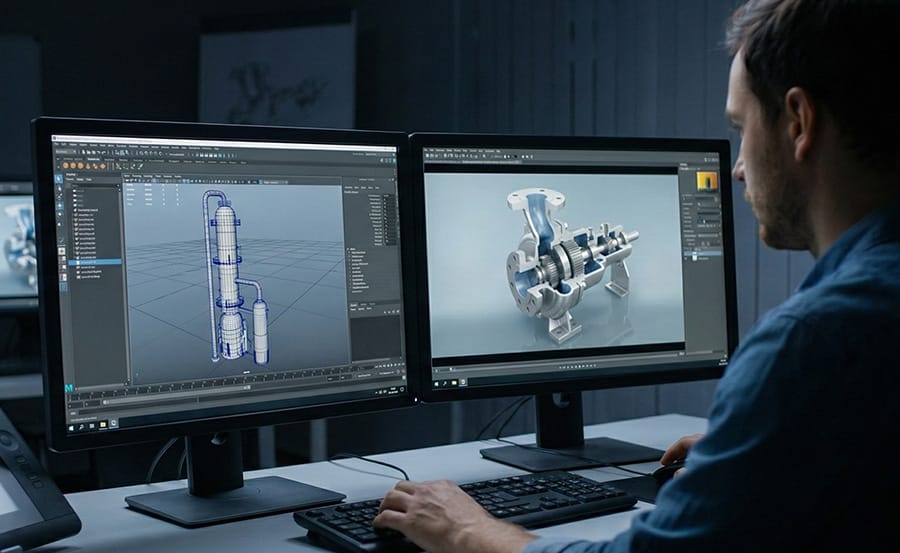
Raw CAD files frequently contain millions of polygons. Technical animators optimize geometry while preserving visual accuracy. A threaded bolt might contain 500,000 polygons in the engineering model but only needs 5,000 for photorealistic visualization.
The optimization process includes polygon reduction, geometry cleanup, hierarchy organization, and accurate pivot point placement. Each component receives pivot points that enable realistic rotation and movement.
Planning the Visual Story
With optimized models ready, creative planning begins. Technical animators develop sequences that reveal the product story through opening shots, feature highlights, cutaway sequences, assembly animations, and operational demonstrations.
This storyboard phase transforms engineering specifications into narrative structure. The technical animator becomes director and cinematographer, making creative decisions that serve technical communication goals.
The Animation Production Stage
Creating Motion
Animation production transforms static geometry into fluid motion. Animators set keyframes that define component positions at specific moments. A piston moves from bottom dead center to top dead center, with software calculating smooth interpolation between keyframes.
Motion path control ensures rotating components follow circular paths around defined axes while linear actuators travel along straight trajectories. Timing dramatically affects viewer comprehension. Skilled animators modulate pacing, slowing critical moments for emphasis and accelerating repetitive sequences.
Camera movements reveal different perspectives. Sweeping orbits showcase overall design, push-ins emphasize specific features, and tracking shots follow moving components. Camera work transforms a technical demonstration into a cinematic experience.
Exploded view animations separate components along logical axes to reveal assembly relationships. This technique, impossible in physical photography, provides clarity unavailable through any other medium.
Material Definition
Engineering products consist of diverse materials: machined aluminum, molded plastic, tempered glass, rubber seals, and stainless steel fasteners. Each requires specific surface treatment for a photorealistic appearance.
Anodized aluminum receives subtle directional brushing and accurate reflectivity. Injection-molded plastics show an appropriate sheen based on composition. High-resolution texture maps add surface detail impossible to model geometrically.
Technical animation demands material accuracy that matches engineering specifications. If the component is 6061-T6 aluminum with Type II anodizing, the animation material must reflect those exact properties.
Lighting for Clarity
Lighting serves dual purposes: revealing form and creating mood. Engineering animation lighting must prioritize clarity while maintaining visual appeal.
Three-point lighting provides a foundation. Key lights define form, fill lights soften shadows, and rim lights separate subjects from backgrounds. Environmental lighting uses 360-degree photographs of real environments to create realistic lighting and reflections.
Strategic accent lights draw attention to critical features. A spotlight highlights a patented mechanism. Colored lights separate different component categories.
Rendering and Post-Production
Generating Final Pixels
Rendering converts the 3D animated scene into final video frames. This computationally intensive process generates photorealistic images by calculating light behavior, material interactions, shadows, and reflections.
A single frame might require 15 to 30 minutes to render at final quality. A 60-second animation at 30 frames per second requires rendering 1,800 individual frames, potentially 450 to 900 hours of computation time distributed across multiple processors.
Professional workflows render separate passes for different visual elements: a beauty pass for final color, an ambient occlusion pass for subtle shadows, and a reflection pass for mirror surfaces. These separate layers allow precise control during compositing.
Final Enhancement
Raw rendered frames receive refinement through post-production. Professional color correction ensures a consistent appearance. Technical callouts, dimension lines, and feature annotations are added through motion graphics software.
Visual effects simulate fluids or gases. Motion blur adds realism to fast-moving parts. Professional voiceover narration explains technical concepts while sound effects reinforce mechanical actions.
Strategic annotations transform visual demonstration into comprehensive communication. Dimensional callouts show specifications in appropriate units. Feature labels identify components as they appear. Animated diagrams explain complex principles.
The Complete Experience
The final technical 3D animation achieves multiple objectives. Engineering concepts are explained clearly to viewers regardless of their technical background. Cinematic production quality maintains attention throughout. Despite technical subject matter, effective animation creates emotional responses and appreciation for design elegance.
The animation serves practical business purposes: accelerating sales cycles, securing investor funding, training personnel efficiently, supporting regulatory approvals, and differentiating products in competitive markets.
Production Timeline and Process
Production timelines depend on animation complexity and requirements. Simple product demonstrations typically require 2 to 3 weeks. Standard technical animations need 4 to 6 weeks. Complex industrial process animations require 6 to 8 weeks for complete production, including technical review, animation development, rendering, and revisions.
Professional animation studios maintain strict confidentiality protocols and sign non-disclosure agreements. All CAD files and technical documentation are stored on secure servers with encrypted transmission.
Key Considerations
Most engineering CAD models require optimization before animation production. STEP files provide excellent universal compatibility, while native CAD files maintain complete parametric data.
Animation studios maintain original project files after delivery to enable efficient updates. Design revisions and feature updates can be implemented without rebuilding animations from scratch.
Final animations are delivered in multiple formats: MP4 files for web platforms and presentations, MOV files for broadcast quality, sequential image frames for print materials, and interactive formats for augmented reality applications.
Transforming Technical Communication
The journey from CAD to cinema transforms how engineering innovation is communicated and understood. Static CAD models evolve into dynamic visual stories that reveal design elegance and explain complex functionality to any audience.
Professional technical 3D animation represents the convergence of engineering knowledge, 3D animation skill, cinematography principles, and technical communication strategy working in harmony to achieve results that serve both technical accuracy and business objectives.
Experience the CAD-to-cinema transformation for your engineering projects. Contact Austin Visuals to discuss how technical 3D animation can elevate your technical communication.
Austin Visuals 3D Animation Studio
Phone: (512) 591-8024
Email: info@austinvisuals.com
Website: www.austinvisuals.com