
Our animation process starts with a clear brief and continues through defined production reviews to final delivery. For a client, the main preparation tasks are gathering current references, assigning approval responsibility, and providing resolved feedback at the appropriate checkpoints.
This guide focuses on what you need to prepare and review when working with Austin Visuals. The separate production stages guide explains the work of creating artwork, models, motion, rendered images, and sound.
The actual proposal should define your milestones and deliverables. No generic article establishes a fixed production schedule or guarantees which changes are included. Historical process visuals from this guide are retained where they help explain the review materials.
Discuss your animation brief with Austin Visuals with the audience, source references, and required versions.
Define the audience and the communication objective
A project brief should state who will watch the animation and what the asset needs to explain. This gives the team a basis for recommending a visual treatment and production scope.
Describe what viewers already know, the terms they need introduced, and the viewing setting. A short sales presentation and an internal technical module may use related assets while needing different explanations.
Identify the supported message and its limits. For medical, engineering, or industrial subjects, name the people who can approve the relevant content. A studio can present an explanation visually without independently validating every technical claim.
Gather current references before detailed production
Current references help the team represent the subject and let reviewers assess specific decisions. List each relevant input and the version that should be used.
| Reference | Client preparation | Question to resolve |
|---|---|---|
| Drawings or CAD | Identify files and revisions | Which configuration is current? |
| Photos or video | Provide relevant views and permissions | What can these views establish? |
| Script or notes | Identify approved wording and open questions | Who approves the explanation? |
| Style examples | Describe the features you prefer | Which visual qualities matter? |
| Delivery specifications | List player and platform requirements | Which versions must be delivered? |
Flag confidentiality and permissions before sharing files. Explain whether an input can appear in a public asset or is provided only as a production reference. Resolve missing internal details with the appropriate expert rather than assuming an exterior photo contains enough information.

Agree on scope and review responsibilities
The scope should identify included work, required outputs, client inputs, and review assumptions. Assign a person who can coordinate decisions across the relevant stakeholders.
Technical, marketing, legal, or other reviewers may have different responsibilities. Identify who checks each issue and who resolves conflicting instructions. A long comment thread with incompatible requests can leave the production team without an actionable decision.
Confirm review availability alongside any fixed deadline. An estimate based on timely approval can change if the required reviewer is unavailable or the source material is revised. Discuss those dependencies in the proposal.
Review the script for meaning and audience fit
Script review establishes the explanation before it is turned into detailed scenes. Check supported statements, terminology, audience assumptions, and required qualifications.
Read the script with the intended visual sequence in mind. Decide what needs to be spoken, labeled, or shown. Dense text can create an unclear animation if viewers must read one explanation while hearing another.
For technical topics, connect corrections to source references. If a term or statement is unresolved, record it as an open content question. Approve the relevant wording before narration recording and detailed scene work where the agreed workflow requires it.
Use the storyboard to check the planned sequence
Storyboard review checks how the explanation will unfold visually. It should identify missing scenes, misleading simplifications, and mismatches between narration and images.
An early storyboard may use rough drawings. Its role is to establish the sequence rather than prove the final surface quality. Ask what each scene means and whether the audience needs additional context.
Check cutaways, color coding, and changes in scale or time. If a simplification could be mistaken for a real property or event, decide how it should be explained. Define what the signoff covers and what later review remains necessary.

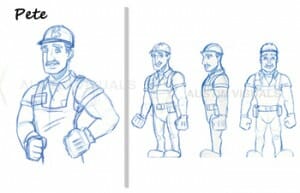

Review assets and motion at the right level
Asset review checks the required artwork or geometry, while motion review checks movement and timing. Use the appropriate references and avoid assuming one approval covers every later detail.
A model review may focus on which components are present and how they relate. A material review may focus on supported surface appearance. A motion preview may show simplified image quality while establishing the action.
Ask the studio which elements are ready for review and which remain unfinished. If an internal component or moving relationship is wrong, resolve it before evaluating polish. A realistic render can still contain an incorrect explanation.


Consolidate feedback into specific instructions
Actionable feedback identifies the scene or timestamp, the issue, and the required change. A designated contact should resolve conflicting comments before sending them to the studio.
- Identify the reviewed version.
- Use scene numbers or timestamps.
- Describe the issue and desired correction.
- Connect technical corrections to approved references.
- Resolve incompatible stakeholder requests.
- Separate corrections from proposed changes in scope.
“The sequence feels wrong” can be a useful signal, but it needs clarification before production can act on it. Identify whether the problem concerns the meaning, pacing, visual style, or a particular technical detail.
Maintain a record of approved changes. This helps reviewers assess the next version against the same decisions instead of reopening resolved questions without explanation.
Understand the effect of late changes
A late change can affect several production stages. Its impact depends on what must be redone and which outputs have already been approved or completed.
Changing a label can be a different task from changing the illustrated mechanism. A new mechanism may require model, motion, script, audio, and rendering revisions. Ask which work is affected and confirm the revised scope before proceeding.
Rendering estimates should use representative measurements. For example, 1,440 frames at an assumed 20 seconds per frame equals 28,800 seconds, or 8 hours of sequential computation before overhead. This hypothetical arithmetic corrects the older example; it does not promise a delivery time.

Check the final versions in their intended setting
Final review checks whether the agreed outputs match the approved explanation and delivery requirements. Inspect each audience or language version rather than assuming they are interchangeable.
Review image quality, audio, labels, captions, file format, and playback behavior. Confirm technical names and pronunciations. Check a translated version with an appropriate reviewer and ensure any separate edits contain the approved content.
Clarify which editable assets and rights are included. Keep the release version and source references recorded for future updates. If a product or procedure changes later, identify the affected scenes and arrange the necessary new review.
Historical process example
The video reference below was included in the earlier version of this client guide. Use it as a historical visual example, while relying on the agreed proposal for your project’s current milestones and deliverables.
How Austin Visuals helps with our animation process
Austin Visuals works with clients on animation briefs and production reviews. The process page provides a starting point for discussing scope, while this guide focuses on the information and approvals a client should prepare. Confirm milestones and included deliverables in the actual proposal.
Explore Austin Visuals services and project planning for the relevant production scope and examples. The content and required review should be confirmed for your particular project.
Prepare a clear project brief
Choose the audience and objective before deciding how much visual detail the project needs. Gather the current references, identify the people who can approve the explanation, and specify the delivery versions. These decisions provide a practical basis for production planning and a useful project discussion.
Have an animation project to discuss?
Share your audience, references, and delivery requirements with Austin Visuals to discuss an appropriate production scope.
Contact info@austinvisuals.com or call (512) 591-8024.
Frequently Asked Questions
What should a client prepare before animation production?
Prepare the audience, communication objective, current references, and delivery requirements. Identify the people who can approve the script, visual details, and finished asset.
Who should consolidate animation feedback?
A designated client contact should consolidate feedback from the relevant reviewers. Resolve conflicting instructions before the studio applies changes.
When should technical references be approved?
Approve the relevant source material before it is used for detailed production. If a reference changes later, identify which scenes and deliverables require review.
What does storyboard approval mean?
It means the planned sequence and explanation have been reviewed for the agreed scope. It does not automatically approve every detail of the finished animation.
How should a change to an approved scene be handled?
Describe the requested change and ask which production work and deliverables it affects. Confirm the revised scope and review steps before proceeding.
What should be checked at final delivery?
Check the agreed formats, image and audio, captions, approved wording, and version labels. Confirm that each audience-specific version matches its reviewed content.
Related Articles
- What an animation quote includes
- Educational animation scope and cost
- How 2D and 3D animation is made