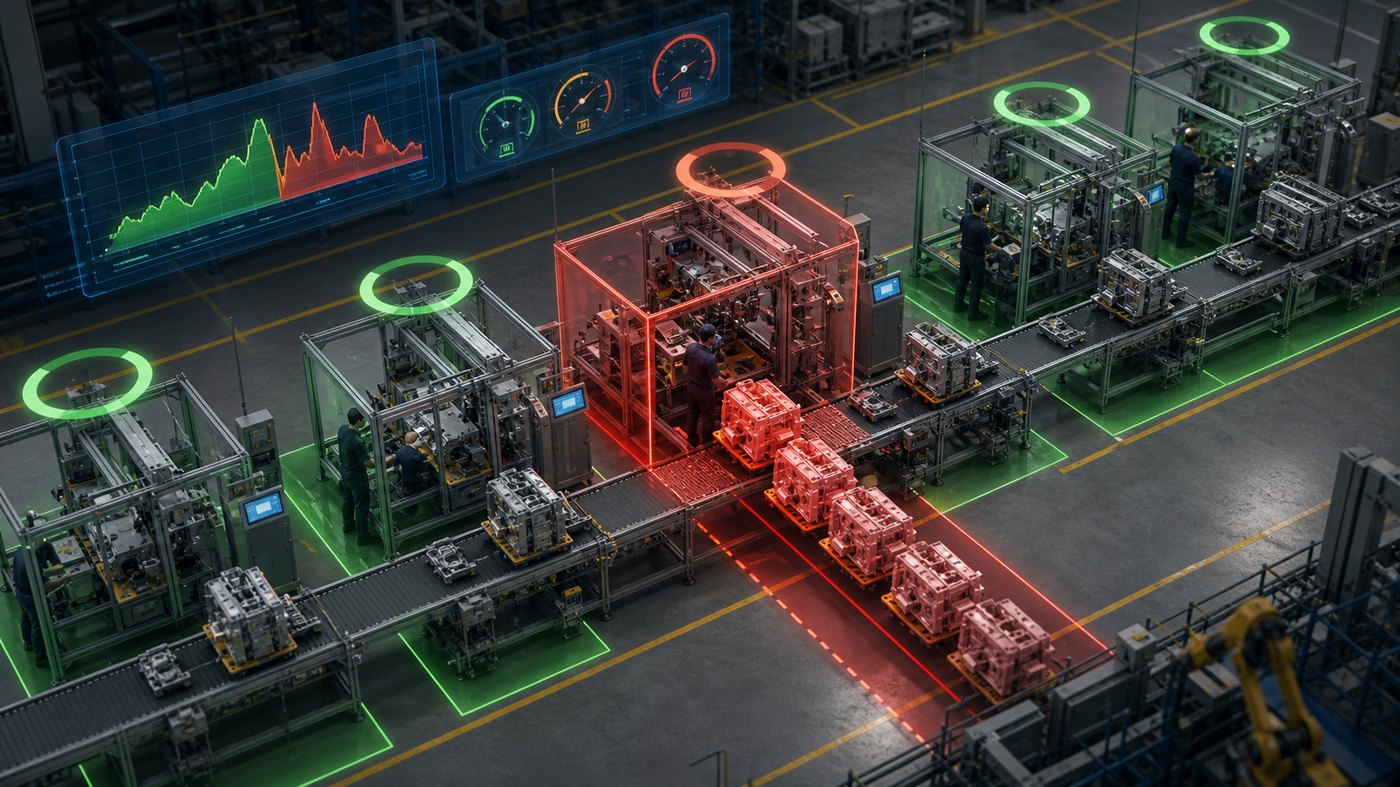
Assembly line optimization is difficult because small changes can affect cycle time, labor balance, material movement, safety, quality, and downstream throughput. A layout that looks efficient in a spreadsheet may create unnecessary motion on the floor. A workstation that seems balanced in a meeting may become a bottleneck when operators, robots, fixtures, parts, and inspection steps interact in real time. 3D animation for assembly line optimization gives manufacturing teams a way to see those interactions before they commit to a change.
Instead of explaining an improvement only with charts, CAD layouts, or process maps, animation can show how the line works as a sequence. It can reveal where parts wait, where operators walk, where robots pause, where material flow crosses itself, and where safety zones or quality checks affect timing. That makes the conversation more practical for engineers, operators, supervisors, executives, and training teams.
If your manufacturing team needs to explain, test, or train around an assembly line improvement, Austin Visuals can help turn the process into clear 3D animation. Email info@austinvisuals.com or call (512) 591-8024.
What 3D Animation for Assembly Line Optimization Shows

3D animation for assembly line optimization shows how work moves through a manufacturing process over time. A static layout can show where stations are located, but animation can show how parts, tools, operators, robots, carts, conveyors, and inspections interact. That time-based view is important because optimization is rarely about one station in isolation. It is about the relationship between each step.
A useful animation may show the current state first. It can present the assembly line from an overhead view, then move through each station in sequence. The animation can highlight dwell time, queue buildup, idle equipment, awkward reaches, unnecessary walking, repeated handling, or material paths that cross each other. Once the current state is clear, the same animation can show a proposed future state.
This is valuable for teams that need alignment. Engineers may understand the planned change, but operations leaders, finance teams, and plant staff may need to see it before they can evaluate it. Animation creates a shared visual reference. People can point to the same station, conveyor, robot, or handoff and discuss what should change.
Austin Visuals has covered related benefits in manufacturing process efficiency through 3D animation. Assembly line optimization is one of the clearest use cases because the improvements depend on motion, timing, and spatial relationships.
Visualizing Bottlenecks and Cycle Time Problems
Bottlenecks are easier to discuss when people can see them. In many plants, the bottleneck is not simply the slowest machine. It may be a combination of inspection time, operator travel, fixture loading, part orientation, robot reach, tool access, material delivery, or rework. Animation can show these contributing factors in context.
For example, an animated assembly line model can show parts accumulating before one workstation while downstream stations wait. It can show that an operator has to turn around repeatedly, walk around a cart, or reach across a fixture. It can show that a robot completes its motion quickly but waits for a manual loading step. These details help the team identify whether the issue is equipment capacity, labor balance, layout, tooling, or procedure.
Animation can also compare cycle time options. A sequence can show the current timing, then show the impact of moving a tool, adding a fixture, changing the handoff, reorganizing parts, or splitting a task between two stations. Even if final decisions still require data analysis, the visual model makes the problem easier to understand.
This is closely related to industrial process animation, where the goal is to make complicated movement and timing easier for technical and non-technical audiences to follow.
Improving Material Flow and Layout Planning
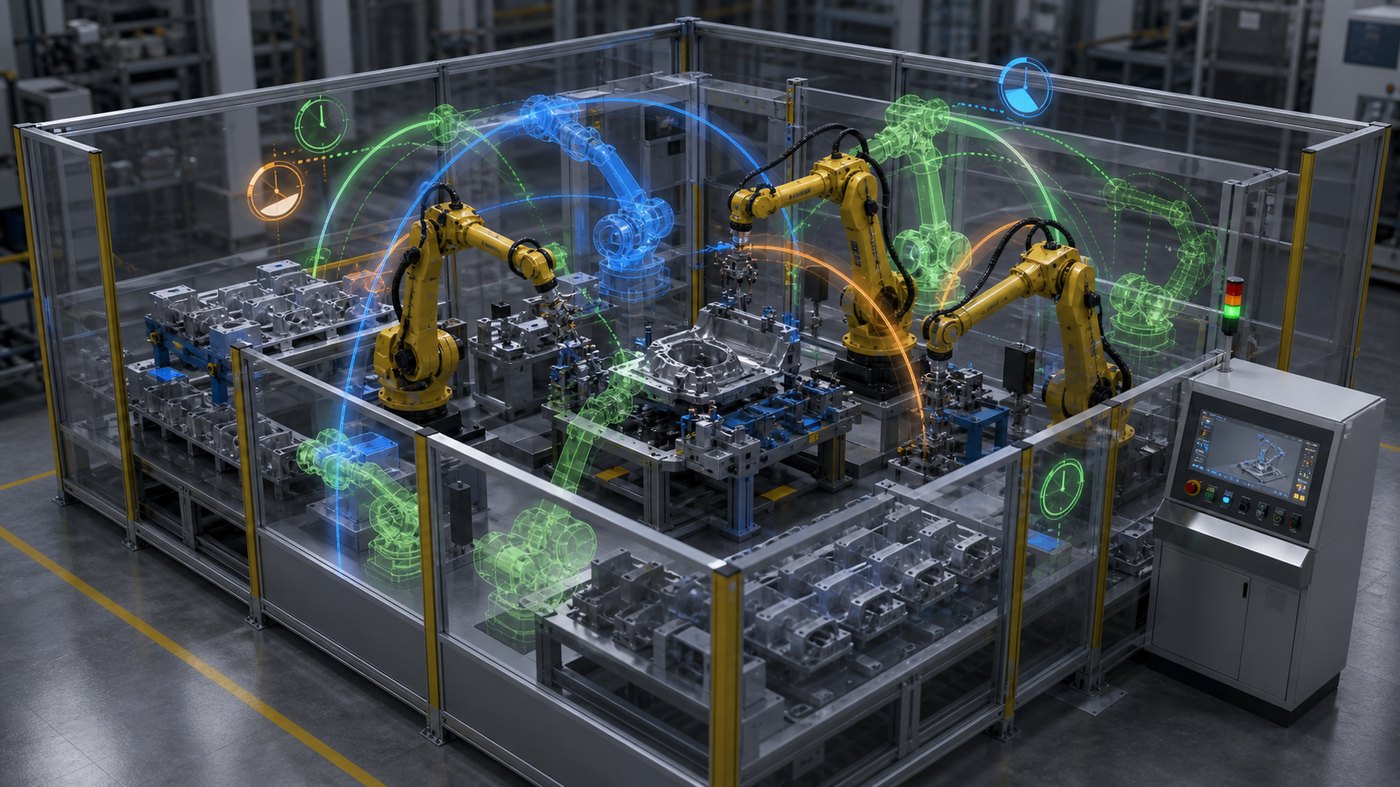
Material flow is one of the biggest factors in assembly line performance. Parts may arrive from storage, kitting areas, upstream lines, suppliers, automated guided vehicles, carts, bins, or conveyors. If material has to travel too far, cross a busy aisle, wait at the wrong location, or be handled too many times, the line loses efficiency.
3D animation can map the movement of material through the line. It can show where parts enter, how they are staged, how they move between stations, where work-in-progress accumulates, and where finished goods exit. This helps teams see whether the layout supports the process or creates unnecessary motion.
Animation is especially useful when the proposed layout is difficult to imagine from a 2D plan. A top-down drawing may show stations and aisles, but it may not communicate height, reach, sightlines, equipment access, safety clearance, or how people move around fixtures. A 3D sequence can show those details more naturally.
For new lines, animation can support layout review before equipment is installed. For existing lines, it can help teams compare improvement options without disrupting production. A visual comparison can make it easier to decide whether a change is worth piloting on the floor.
Testing Robotic Cells and Automation Sequences
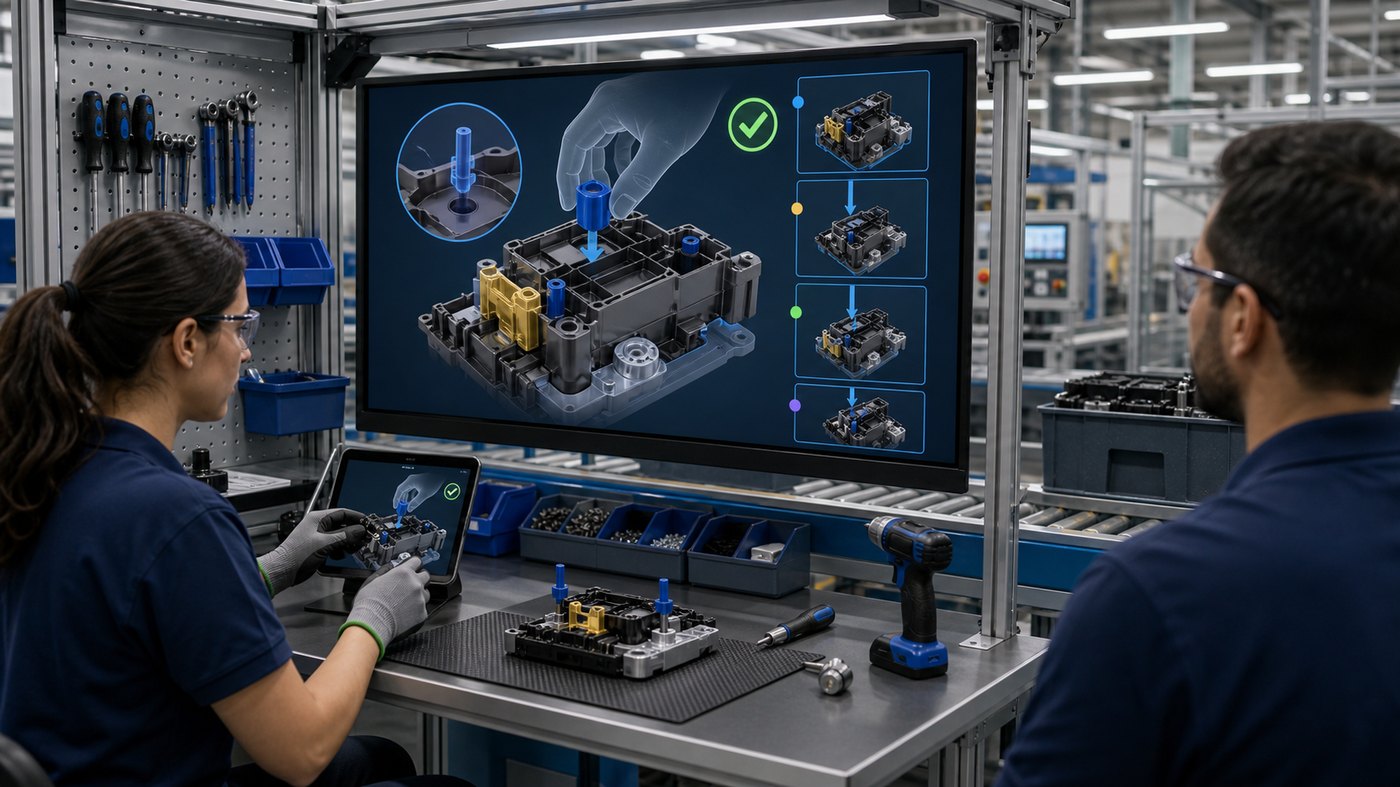
Robotic assembly cells add another layer of complexity. Robots may have reach limits, motion paths, cycle timing, guarding requirements, tool changes, sensor inputs, and handoffs with human operators or other machines. A robot cell may look efficient in theory, but animation can reveal where timing, clearance, or transfer sequence may create problems.
A 3D animation can show robot movement from multiple angles. It can highlight reach envelopes, part transfer points, fixture positions, access doors, safety guarding, and maintenance zones. It can also show what happens when one step is delayed. If the robot waits on a part, if a fixture blocks access, or if two paths conflict, the animation makes the issue visible.
This does not replace engineering simulation or controls validation. Instead, it supports communication around those decisions. Engineers can use detailed data and production teams can use the animation to understand what the sequence means in the real environment.
For technical stakeholders, Austin Visuals’ article on why technical industries need more 3D animation gives useful context. Automation projects often require clear visual communication because the systems are complex, fast-moving, and difficult to explain with words alone.
Using Animation for Operator Training and Standard Work
Optimization only works if people understand the new process. A line may be redesigned to reduce walking, improve quality, or balance tasks, but operators still need clear instructions. 3D animation can turn the optimized process into training content that shows the correct sequence, movement, part placement, tool use, inspection points, and safety considerations.
Animated work instructions can be especially useful when a change affects multiple shifts or facilities. Instead of relying on different trainers to explain the same change in different ways, the company can use a consistent visual module. Supervisors can then focus on coaching and questions rather than repeating the same overview.
Training animation can also show why the change matters. If operators understand that a new part orientation reduces rework, that a different handoff reduces waiting, or that a new fixture improves ergonomics, they are more likely to adopt the process correctly. Animation can connect the optimization goal to daily work.
Austin Visuals has also created and discussed manufacturing-related visual content in its 3D explainer animation for manufacturing work. The same methods can support training, process education, and internal communication.

Digital Twins, Stakeholder Reviews, and Future-State Planning
Many assembly line optimization projects involve future-state planning. Teams may want to evaluate new equipment, more automation, revised takt time, different staffing, or a redesigned workflow. A 3D animated model can support these conversations by showing the future state before the plant commits capital, schedule, or production time.
In some cases, this visual model is similar to a digital twin. It may not contain every live data connection, but it can represent the line, stations, timing, and proposed changes in a way that stakeholders can review. The animation can show a normal production cycle, then show alternative layouts or sequences.
Executives may use the animation to understand the investment. Operations teams may use it to review feasibility. Safety teams may use it to evaluate access and restricted zones. Training teams may use it to prepare materials. Sales or customer-facing teams may use selected visuals to explain the manufacturer’s capability.
That flexibility is one reason animation can deliver value beyond a single meeting. Once the 3D assets are built, they can support planning presentations, training modules, launch communication, and future updates.
What Materials Help Start an Assembly Line Animation Project
The best starting materials depend on the level of accuracy required. Helpful inputs may include CAD files, layout drawings, process maps, cycle time data, station photos, equipment photos, robot cell references, SOPs, training documents, safety requirements, ergonomic notes, and video of the current process. The more specific the source material, the more precise the animation can be.
Subject matter experts are also important. Operators may know where the real friction occurs. Engineers may know which dimensions and timing details must be accurate. Supervisors may understand how the process changes across shifts. Quality teams may know which steps create recurring defects. Safety teams may know which movements or access points need review.
A good production process turns that input into a script, storyboard, 3D scene, rough animation, review cycle, and final visual asset. The animation does not need to show every bolt or cable. It needs to show the information that helps the audience understand the optimization problem and the recommended change.
Best Practices for 3D Animation in Assembly Line Optimization
Start with a narrow objective. A project called “assembly line optimization animation” can become too broad if the team tries to show everything. A more useful objective might be to explain one bottleneck, compare two layouts, train operators on a revised sequence, or present the future state to leadership.
Match visual detail to the audience. Engineers may need accurate equipment proportions, robot paths, and station layout. Executives may need a cleaner high-level sequence. Operators may need workstation-level detail and task order. One 3D model can often support several edits, but each version should be paced for its audience.
Use overlays carefully. Colored paths, arrows, timing graphics, and highlight zones can help, but too many overlays make the animation harder to follow. The best approach is often to show one idea at a time: bottleneck, material flow, robot motion, safety clearance, operator movement, or future-state comparison.
Plan for reuse. A 3D assembly line model can support presentations, internal training, safety communication, sales enablement, and future process-change documentation. If those uses are identified early, the animation can be structured to create more value from the same production effort.
How Austin Visuals Helps With Assembly Line Animation

Austin Visuals helps manufacturing teams turn complex production workflows into clear 3D animation, industrial process visuals, technical training videos, and presentation-ready content. For assembly line optimization, that can include current-state process animation, future-state layout visualization, bottleneck explanation, robotic cell sequencing, safety communication, operator training modules, and stakeholder presentations.
The production process can start from CAD files, layout drawings, process maps, photos, equipment references, standard operating procedures, or notes from engineers and plant teams. Austin Visuals can help organize those materials into a script, storyboard, 3D scene, animation sequence, and final media package that supports training, planning, sales, or executive review.
This matters because manufacturing communication is rarely just about making something look polished. The visual has to explain the process accurately enough for technical reviewers while staying clear enough for operators, supervisors, buyers, or leadership. Austin Visuals combines 3D production, technical storytelling, and industrial communication experience to help manufacturers explain what is changing, why it matters, and how teams should understand the next step.
Our Clients include:

FAQ: 3D Animation for Assembly Line Optimization
What is 3D animation for assembly line optimization?
It is a visual way to show how parts, operators, machines, robots, tools, and workstations interact across an assembly line. It helps teams explain bottlenecks, material flow, cycle timing, layout changes, and training requirements.
How can animation help identify bottlenecks?
Animation can show queue buildup, idle stations, repeated handling, operator travel, robot waiting time, and process imbalance. Seeing the sequence makes it easier to discuss what is slowing the line down.
Can 3D animation replace production simulation?
No. Engineering simulation and production data are still important. Animation supports communication by turning the findings into a visual sequence that stakeholders can understand and review.
Is assembly line animation useful for training?
Yes. Once a new process is approved, animation can show operators the revised sequence, part placement, tool use, inspection points, ergonomic movement, and safety considerations.
What source files are useful for this type of animation?
Helpful materials include CAD files, layout drawings, process maps, cycle time data, station photos, equipment references, SOPs, training documents, safety rules, and video of the current process.
Can animation show both current state and future state?
Yes. A strong animation can show the current assembly line first, then compare proposed improvements such as layout changes, revised material flow, robot sequence updates, or workstation rebalancing.
Can Austin Visuals create 3D animation for manufacturing teams?
Yes. Austin Visuals creates 3D animation, industrial process animation, technical training visuals, and manufacturing communication assets for teams that need to explain complex processes clearly.
Conclusion
3D animation for assembly line optimization helps manufacturing teams see how process changes will affect real work. It can reveal bottlenecks, material flow issues, robot timing, operator movement, safety considerations, and future-state layouts in a way that static documents cannot always communicate.
For teams improving throughput, training operators, planning new automation, or presenting a capital project, animation can make the process easier to understand before changes reach the production floor. It gives engineers, operators, supervisors, and decision-makers a shared visual reference for discussing what should happen next.
Austin Visuals helps companies turn equipment, workflows, safety procedures, products, and technical processes into clear visual content that teams and customers can understand.
Contact us at info@austinvisuals.com or call (512) 591-8024.