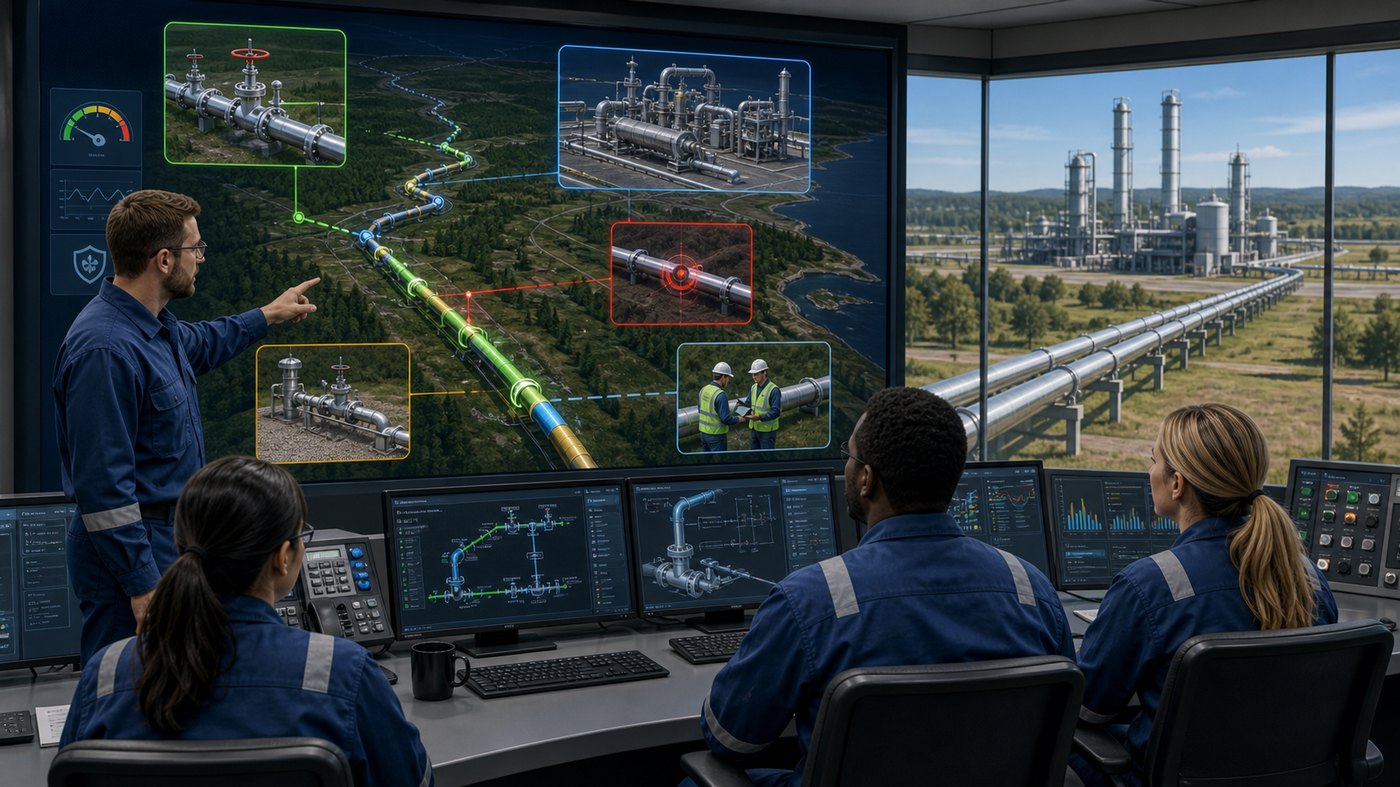
Pipeline operations depend on timing, procedure, communication, and judgment. A written manual can explain a valve sequence, but it often cannot show how pressure changes through a line, why an isolation point matters, what a control room operator sees, or how field personnel should respond during a developing event. Oil and gas pipeline animation training gives teams a visual way to study those conditions before they happen in the field.
For operators, supervisors, HSE managers, and training departments, animation is most useful when the subject is complex, hidden, dangerous, or spread across long distances. Pipelines include buried assets, remote stations, valves, pumps, meters, pig launchers, compressors, and SCADA data that can be hard to connect in a traditional classroom. Animation can bring those pieces into one controlled learning environment.
This guide explains where pipeline training animation fits, what topics it can cover, how to plan it, and how Austin Visuals helps oil and gas teams turn technical procedures into clear operator training content. If your team needs a custom training visual, Austin Visuals can help at info@austinvisuals.com or (512) 591-8024.
What Is Oil and Gas Pipeline Animation Training?
Oil and gas pipeline animation training is the use of 2D animation, 3D animation, motion graphics, and scenario-based visual sequences to teach pipeline systems, equipment behavior, safety procedures, and operator decisions. It can be used in onboarding, refresher training, emergency response training, classroom modules, LMS courses, toolbox talks, and executive or regulatory presentations.
The strongest pipeline animations are not generic videos. They are built from the real operating context: line diagrams, station layouts, procedures, equipment references, hazard analysis, operator feedback, and the training outcome. The goal is to make a learner understand not only what step comes next, but why that step matters.
For example, a training animation can show what happens when an upstream block valve closes, how pressure changes downstream, how a control room display should be interpreted, where a crew should stage in the field, and which communication handoffs are required. This kind of visual connection is difficult to achieve with slides alone.
Why Pipeline Training Is Hard to Teach With Static Materials
Pipelines are dynamic systems. Fluid flow, pressure, temperature, alarms, equipment states, and human decisions change over time. Static diagrams are useful, but they freeze the system at one moment. Operators need to understand the sequence.
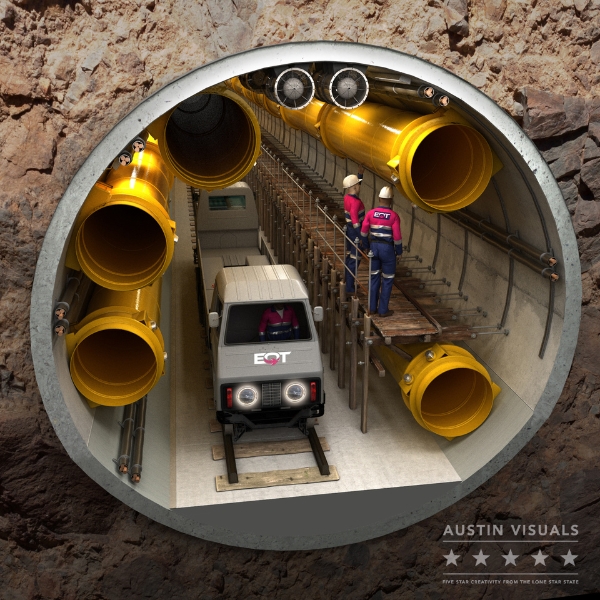
Another challenge is visibility. Many critical pipeline events happen inside pipe walls, underground, inside equipment, or within software displays. A trainee cannot see pressure waves, internal corrosion, pig travel, product interface, or leak migration directly. A trainer may explain it well, but each learner is still forced to imagine the process individually.
Pipeline routes also span large areas. A single event can involve a control center, pump station, block valve, field crew, right-of-way, emergency response contact, and downstream customer. Training animation can compress those distances into one visual story without oversimplifying the procedure.
This is one reason many energy teams use animation alongside live instruction. Animation gives everyone the same baseline mental model before they practice, discuss, or test. It can support pipeline safety presentations, procedure reviews, and recurring training programs where consistency matters.
Core Topics for Pipeline Animation Training
Oil and gas pipeline animation training can support many different learning objectives. The right topic depends on the audience, risk profile, asset type, and training format. For operator training, the most common topics usually fall into several groups.
System orientation helps new employees understand line routes, station assets, pigging facilities, metering points, block valves, pump or compressor stations, and basic product movement. A system overview is often the first animation a training team builds because it gives learners a shared reference point.
Normal operating procedures can show startup, shutdown, batching, product transfer, valve alignment, tank receipt, pump changeover, meter proving, pressure management, and communication between control room and field teams. These animations are especially useful when a mistake could damage equipment or create a safety event.
Abnormal and emergency response topics include leak indication, pressure drop, alarm response, overpressure protection, isolation, spill response, evacuation zones, lockout/tagout coordination, and regulatory reporting workflows. Animation helps because teams can practice rare situations without waiting for real incidents.
Inspection and integrity management topics include inline inspection, pigging, corrosion monitoring, anomaly review, hydrotesting, right-of-way patrol, and repair planning. These subjects often require learners to understand what happens inside the pipe and how data becomes an operational decision.

How Animation Improves Operator Understanding
Animation improves training because it organizes time, space, and cause-and-effect into a visible sequence. A learner can watch a pipeline condition develop, pause on a key decision, review the consequence, and repeat the scenario. This is valuable for both new operators and experienced personnel who need consistent refresher training.
One practical benefit is faster comprehension. Instead of asking a learner to interpret several separate drawings, photos, screenshots, and procedure steps, animation can combine them into one continuous explanation. The viewer can see the asset, the control logic, the field action, and the outcome together.
Another benefit is reduced ambiguity. In pipeline training, vague language can create risk. If a procedure says to isolate a segment, operators need to know which segment, which valves, what order, what confirmation points, and what communication steps. Animation can highlight those details without forcing the learner to hunt through a long document.
Animation also supports discussion. A supervisor can play a scenario, stop at a decision point, and ask the team what they would do next. That turns a passive video into an active training tool. It also helps identify misunderstandings before they appear during field work.
Valve Isolation, Shutdown, and Flow Path Training
Valve isolation is one of the most important use cases for pipeline training animation. It is also one of the easiest subjects to misunderstand when taught only through schematics. Operators must understand how valve position affects flow, pressure, energy isolation, maintenance boundaries, and downstream operations.
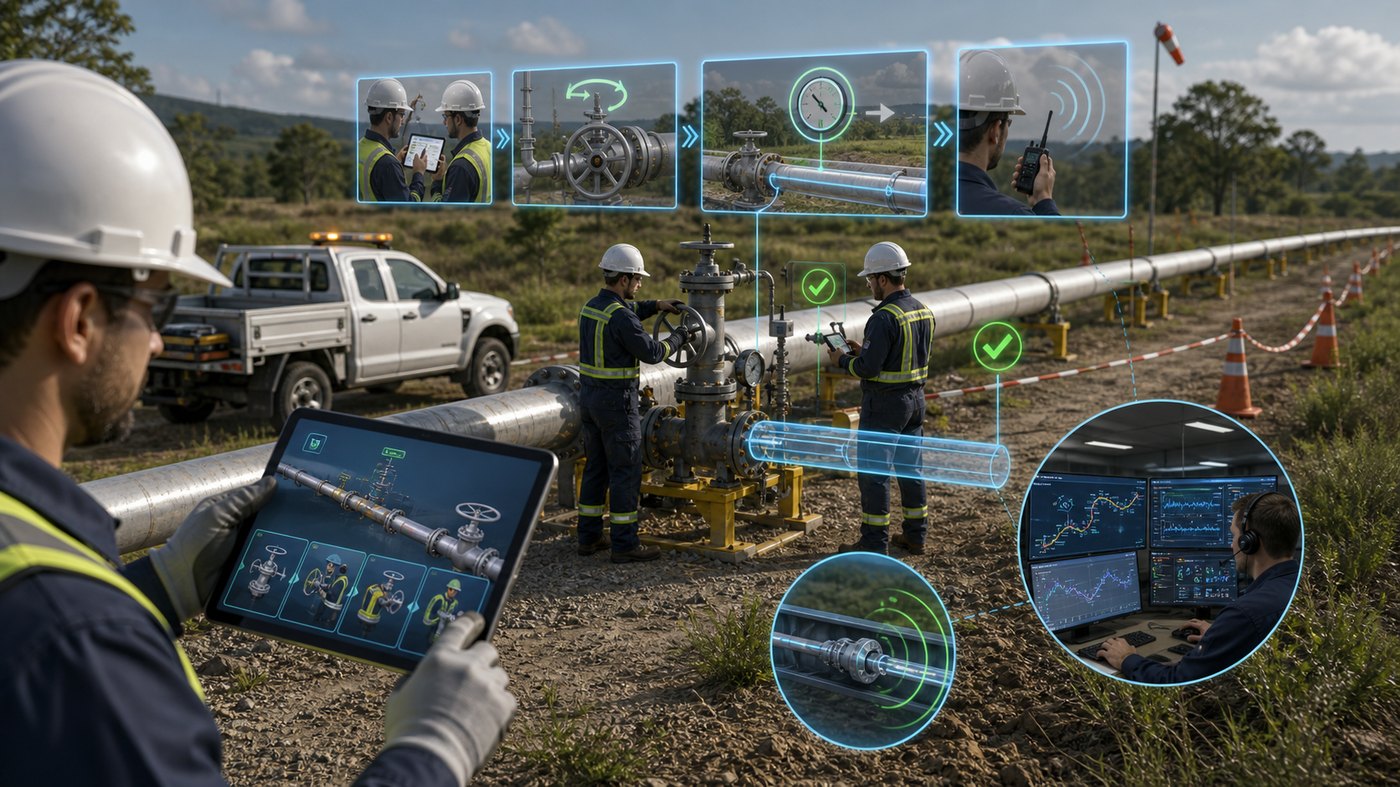
An animation can show the line in normal operation, identify the relevant valves, display flow direction, then step through a planned isolation sequence. Visual cues can indicate which valves are open, closed, locked, tagged, or awaiting verification. Pressure zones can be color-coded so trainees understand the state of each segment.
For shutdown procedures, animation can show how one action affects the rest of the system. Closing a valve too quickly, failing to confirm pressure, or misunderstanding a bypass can create hazards. Animated training can demonstrate correct and incorrect outcomes in a controlled way.
These modules can also be tailored for different roles. A field technician may need close-up equipment views and safe positioning. A control room operator may need SCADA screens, alarm states, and communication prompts. A supervisor may need the complete workflow and decision authority. The same animation package can often be adapted for all three.
Leak Response and Emergency Scenario Training
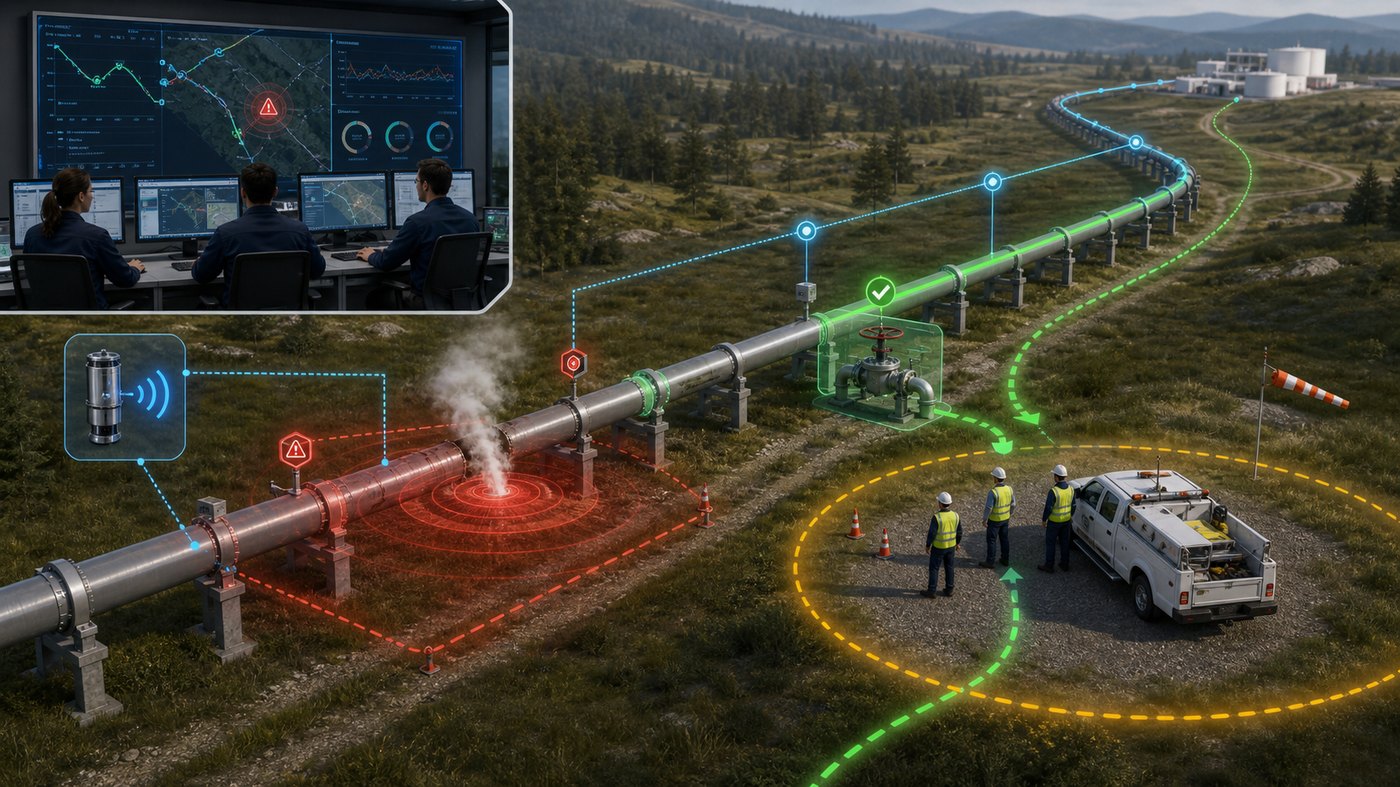
Emergency response training benefits from animation because it allows teams to study high-risk events without creating danger. A leak response module can begin with an alarm, abnormal pressure trend, odor report, right-of-way observation, or third-party damage event. From there, the animation can show how information moves between the control room, field crews, emergency contacts, and incident command.
Good leak response animation does not dramatize the event for entertainment. It clarifies decisions. Where is the suspected release? Which valves isolate the segment? What public safety steps happen first? What should the field team verify before approaching? What information must be documented? What happens if the initial data is incomplete?
Visual training can also show the difference between detection, confirmation, isolation, response, and recovery. Those stages are easy to blur in a slide deck, but they become clearer when animated as a sequence. For broader HSE programs, this approach connects well with workplace safety training videos that combine procedure, behavior, and communication.
Control Room Training and SCADA Visualization
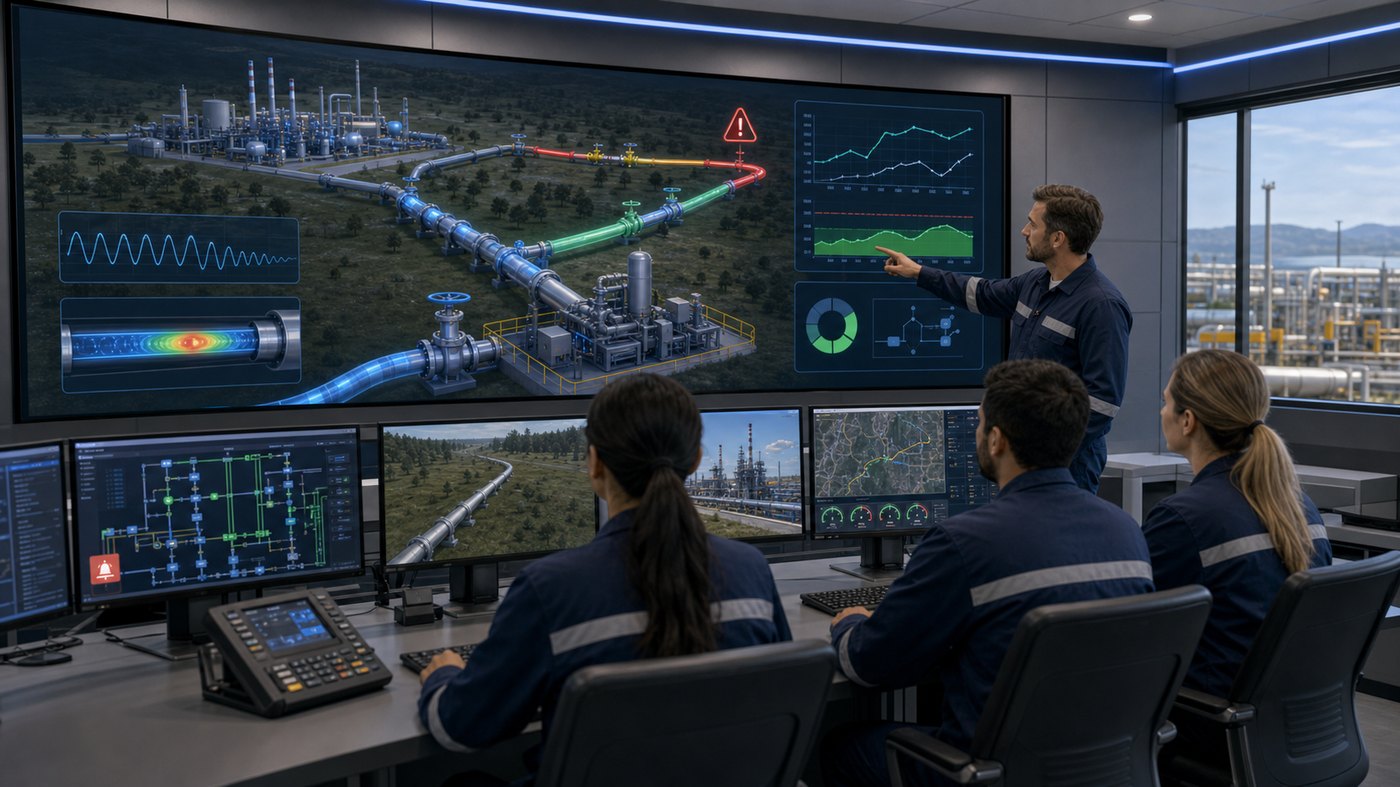
Pipeline control rooms rely on data, alarms, trends, procedures, and communication. A control room operator may never see the physical valve or field condition directly. Training must connect the digital display to the real asset.
Animation can show a SCADA-style interface next to the pipeline system it represents. When pressure drops on screen, the viewer can see where the pressure change is occurring. When an alarm activates, the animation can show what field condition might correspond to that signal. When the operator follows a procedure, the animation can show the effect on the line.
This is especially useful for onboarding. New control room personnel often need to learn both the software and the physical system. A visual module can explain display conventions, alarm response, trend interpretation, handoff points, and communication requirements with field personnel.
For experienced teams, control room animation can support recurring drills. The same base system model can be used to create several scenarios: normal startup, abnormal pressure trend, communication loss, valve malfunction, pigging event, or emergency shutdown. Over time, this builds a practical visual library for operator qualification and refresher training.
Field Procedure Training for Pipeline Crews
Field procedures often involve physical positioning, equipment checks, personal protective equipment, lockout/tagout, vehicle placement, communication, and hazard awareness. Animation can show these details in a way that a written procedure cannot.
A field training module might show how a crew approaches a valve site, checks signage, confirms location, communicates with the control room, verifies conditions, and performs a step-by-step action. Camera angles can move between a wide site view, close-up equipment views, and diagram overlays that explain what is happening inside the line.
This helps reduce reliance on memory. When learners see the exact procedure visually, they are more likely to remember order, spacing, and hazard points. It can also help standardize training across multiple regions or facilities where local instructors may explain the same procedure differently.
Animation is not a replacement for field qualification, but it can make field qualification more efficient. Learners arrive with a clearer mental model, instructors can focus on practical assessment, and organizations can document that key concepts were taught consistently.
How Austin Visuals Helps With Pipeline Animation Training

Austin Visuals helps oil and gas, energy, manufacturing, and industrial teams create animation that explains complex systems with technical accuracy and clear visual storytelling. For oil and gas pipeline animation training, our role is to turn procedures, engineering references, and subject matter expertise into training content that operators can actually use.
Our team can build 3D models of pipeline assets, station equipment, valves, pigging systems, meters, control room concepts, and field environments. We can also create 2D motion graphics for process flow, decision trees, safety zones, alarm sequences, and LMS-friendly training chapters. The format depends on the training goal, budget, timeline, and level of technical detail required.
A typical Austin Visuals workflow includes discovery, script planning, technical review, storyboard or animatic development, 3D/2D asset creation, animation, voiceover, editing, and final delivery. We work with internal SMEs so the final video reflects the real procedure instead of a generic oil and gas illustration.
Many clients use our animation for training, safety communication, marketing, investor education, trade shows, and executive presentations. If the same pipeline asset needs to be explained to different audiences, we can often repurpose a core visual system into multiple deliverables. This is similar to the way oil and gas system animation can support both technical communication and business communication.
Our Clients include:

Planning a Pipeline Training Animation Project
The best training animation starts with a clear definition of the learner and the outcome. A module for new hires will look different from a module for experienced control room operators. A video for executives will look different from a detailed field procedure course.
Before production begins, identify the training goal. Should the learner understand a system overview, perform a procedure, recognize an abnormal condition, respond to an alarm, or explain a risk? That goal will determine the script, pacing, detail level, and visual style.
Next, gather references. Useful inputs include P&IDs, route maps, station drawings, equipment photos, procedure documents, SCADA screenshots, incident lessons learned, hazard analysis, and SME notes. References do not need to be perfect, but they should be accurate enough for the animation team to build from.
Then decide how the animation will be used. A five-minute classroom video has different requirements than a series of short LMS modules. Some teams need voiceover and captions. Others need silent trade-show loops, interactive chapters, or separate exports for different departments. Planning these details early helps avoid rework.
Choosing the Right Visual Style
Pipeline animation does not always need to be photorealistic. The right style depends on the subject. A highly realistic 3D scene can be useful for equipment orientation, field site procedures, and executive communication. A simplified technical style may work better for flow paths, logic, or training steps where clarity is more important than surface detail.
For hidden processes, a hybrid style is often effective. The animation can show a realistic exterior view, then transition into a cutaway, transparent pipe view, or color-coded diagram. This gives the viewer both context and explanation.
For control room topics, motion graphics and interface-style visuals may be more useful than a fully realistic environment. The goal is to make screen data, alarms, trends, and decisions easy to follow. For safety topics, clear staging and restrained visuals are usually better than dramatic effects.
Austin Visuals often recommends choosing the simplest style that teaches the concept accurately. This keeps the viewer focused and helps the training content remain useful over time. For industry trends and planning context, teams may also review how oil and gas companies use engineering-grade animation across training, marketing, and stakeholder communication.
Common Mistakes to Avoid
One common mistake is trying to show too much in one video. Pipeline systems are complex, and a single animation cannot teach every operating condition. It is usually better to create a focused module for one procedure or scenario than a long video that covers many topics too quickly.
Another mistake is skipping SME review until the end. Technical animation should be reviewed early, especially at script, storyboard, and rough animation stages. It is easier to correct a procedure during planning than after a full 3D scene has been rendered.
Some teams also make the animation too cinematic. A training video can look polished without distracting from the lesson. Camera moves, effects, and music should support comprehension. If the viewer remembers the visual style but not the procedure, the animation has missed its purpose.
Finally, avoid treating animation as a standalone deliverable. The best oil and gas pipeline animation training is integrated with instructor notes, LMS modules, quizzes, procedure documents, and field practice. Animation gives the learner a visual model, but training leaders still need to reinforce, assess, and document learning.
How to Measure Training Value
Animation should be evaluated by what it helps learners do. Useful measures include faster onboarding, fewer repeated questions, better quiz scores, improved procedure recall, more consistent instructor delivery, and stronger performance during drills.
Training teams can compare learner confidence before and after visual modules, track completion and assessment data in an LMS, and gather feedback from instructors. Supervisors can also watch for fewer errors during practice scenarios or more precise communication during drills.
For high-risk procedures, the value may be risk reduction rather than time savings. If animation helps operators understand one rare but critical situation more clearly, it can be worth far more than a simple production metric shows. That is why many energy organizations treat training animation as part of safety communication, not just content production.
Animation can also support external communication. A pipeline company may use related visuals in stakeholder education, public safety communication, sales presentations, or technical marketing. For broader industry outreach, animation can complement oil and gas marketing animation while keeping training modules focused on operational accuracy.
FAQ: Oil and Gas Pipeline Animation Training
What is oil and gas pipeline animation training?
Oil and gas pipeline animation training uses 2D or 3D visuals to teach pipeline systems, procedures, safety scenarios, control room decisions, field actions, and equipment behavior. It helps learners understand processes that are hidden, complex, or difficult to demonstrate safely in real life.
Which pipeline topics are best for animation?
Good topics include valve isolation, startup and shutdown, pigging, inline inspection, leak response, control room alarms, emergency shutdown, field procedures, pressure changes, product movement, and system orientation for new operators.
Can animation be used for operator qualification or LMS training?
Yes. Animation can be built as stand-alone videos, chaptered training modules, LMS assets, classroom visuals, or scenario-based lessons. It should be paired with assessment, instructor guidance, and company procedures when used for formal qualification.
Does pipeline animation need to be fully realistic?
Not always. Realistic 3D is useful for equipment orientation and field settings, but simplified diagrams, cutaways, and motion graphics can be better for flow paths, pressure zones, and decision logic. The best style depends on the training goal.
What references are needed to create a pipeline training animation?
Helpful references include procedures, line diagrams, P&IDs, route maps, equipment photos, station layouts, SCADA screenshots, SME notes, safety requirements, and examples of the training format your team prefers.
How long should a pipeline training animation be?
Many operator training modules work best as short chapters of two to six minutes. A larger topic can be divided into multiple videos so learners can focus on one procedure, scenario, or decision path at a time.
How can Austin Visuals help with pipeline animation training?
Austin Visuals can help plan, script, design, animate, and deliver custom pipeline training visuals for oil and gas teams. We create technical animation, safety videos, process visuals, and training content for complex industrial subjects.
Conclusion
Oil and gas pipeline animation training helps operators see how systems behave, how procedures unfold, and how decisions affect safety and performance. It can clarify valve isolation, pigging, control room response, field procedures, leak response, and integrity management in a way that static materials often cannot.
For training leaders, animation is most valuable when it is built around real procedures and reviewed by subject matter experts. A focused visual module can improve comprehension, support consistent instruction, and give teams a reusable tool for onboarding, refresher training, and scenario practice.
Austin Visuals helps companies turn equipment, workflows, safety procedures, products, and technical processes into clear visual content that teams and customers can understand.
Contact us at info@austinvisuals.com or call (512) 591-8024.