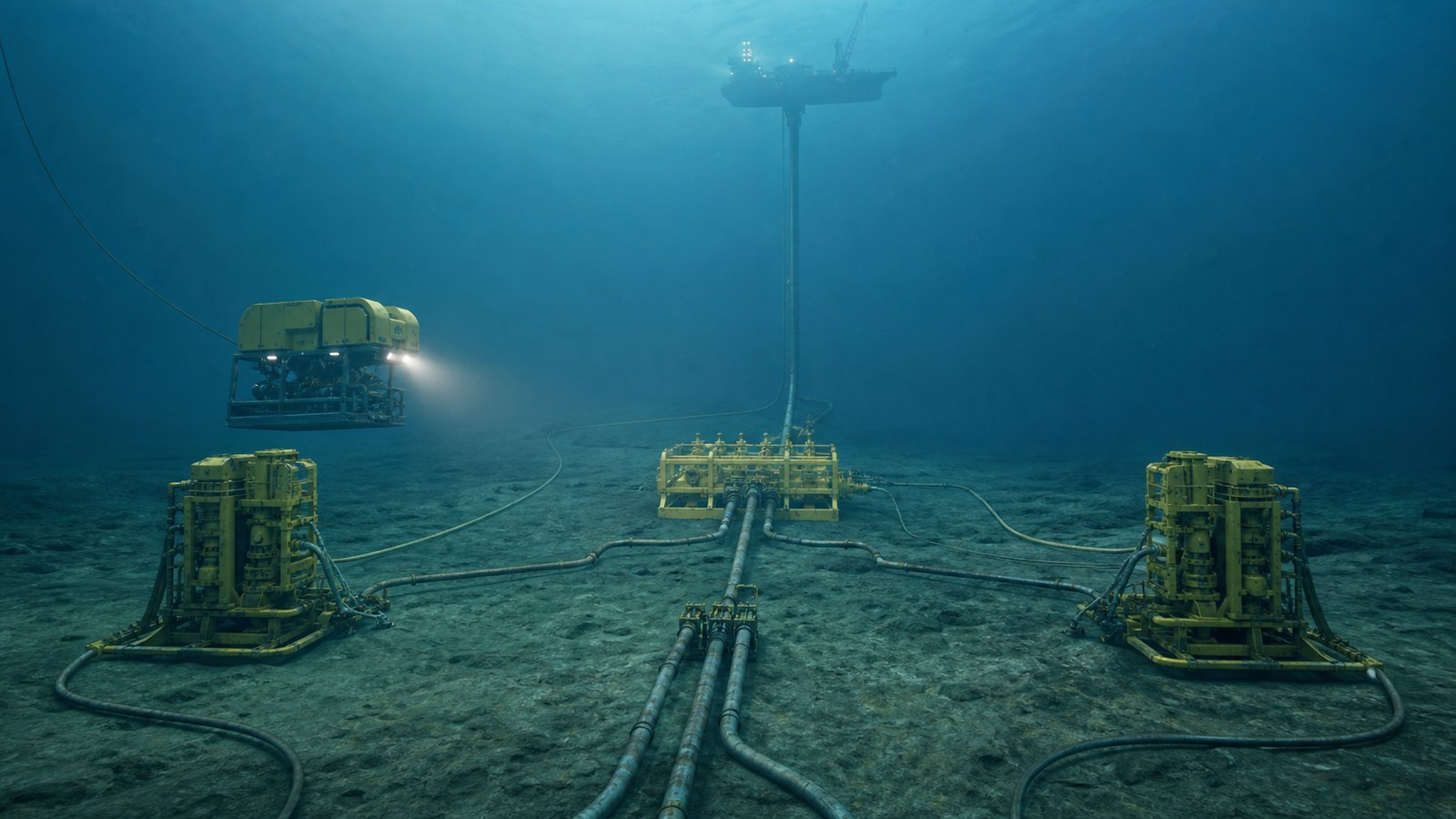
Subsea equipment animation explains how underwater trees, wellheads, manifolds, jumpers, flowlines, risers, umbilicals, controls, and remotely operated tools connect and behave when direct filming cannot provide a complete view. Built from approved technical sources, it can support workforce training, sales, engineering reviews, tender communication, and stakeholder presentations without treating a generic visualization as an operating procedure.
The subsea environment creates a difficult communication problem. Equipment may sit thousands of feet below the surface, visibility can be limited, cameras show only one angle, and the most important flow or control path is often inside a component. A field-level system also crosses boundaries among the well, seabed infrastructure, control network, export path, vessel, and host facility.
Animation makes those relationships visible. It can move from a field overview to a connector detail, isolate one fluid path, distinguish hydraulic and electrical functions, or replay an installation step from a stable viewpoint. The visual must still be reviewed by the operator, equipment manufacturer, engineers, HSE personnel, and trainers responsible for the real system.
Contact us at info@austinvisuals.com or call (512) 591-8024.
What Is Subsea Equipment Animation?
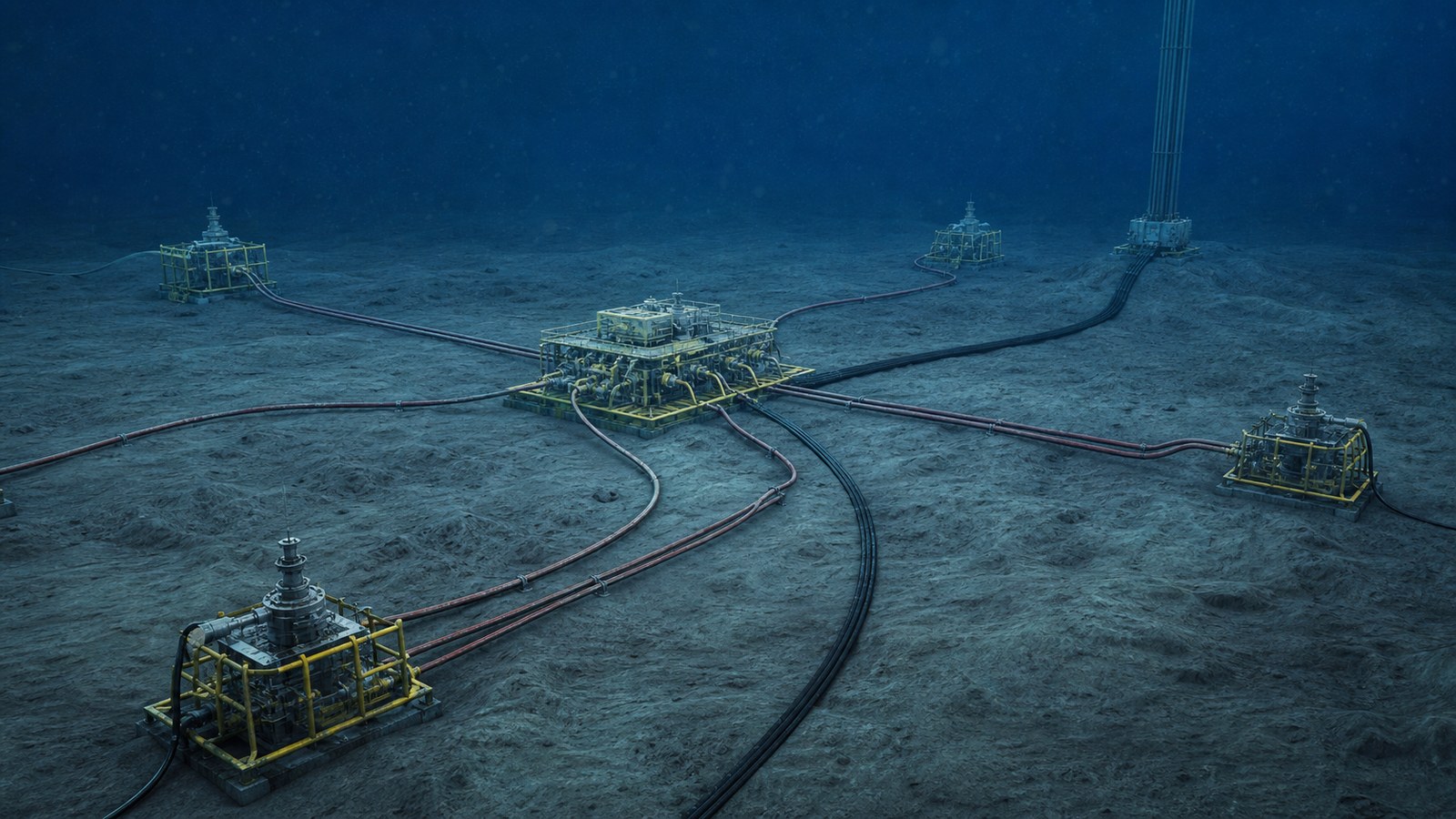
Subsea equipment animation is a structured visual model of equipment, interfaces, states, and operations below the waterline. It may use realistic 3D rendering for physical orientation, simplified color-coded views for system logic, 2D diagrams for controls, or a combination of all three.
A good animation is not merely a dramatic underwater shot. It answers a defined question. Where does produced fluid travel? Which connector is being installed? What does an ROV operator need to recognize? Which valves change state? How does a control signal reach the equipment? What must a sales audience understand about the proposed architecture?
The American Petroleum Institute’s Series 17 scope reflects the breadth of the subject: subsea systems, wellheads and trees, flowlines, jumpers, umbilicals, flexible pipe, production controls, reliability, integrity management, intervention systems, and remotely operated tools. A useful production brief selects only the parts required for the audience rather than attempting to reproduce an entire field in every scene.
Which Subsea Systems Should Be Visualized?
Wellheads, Trees, and Barrier-Related States
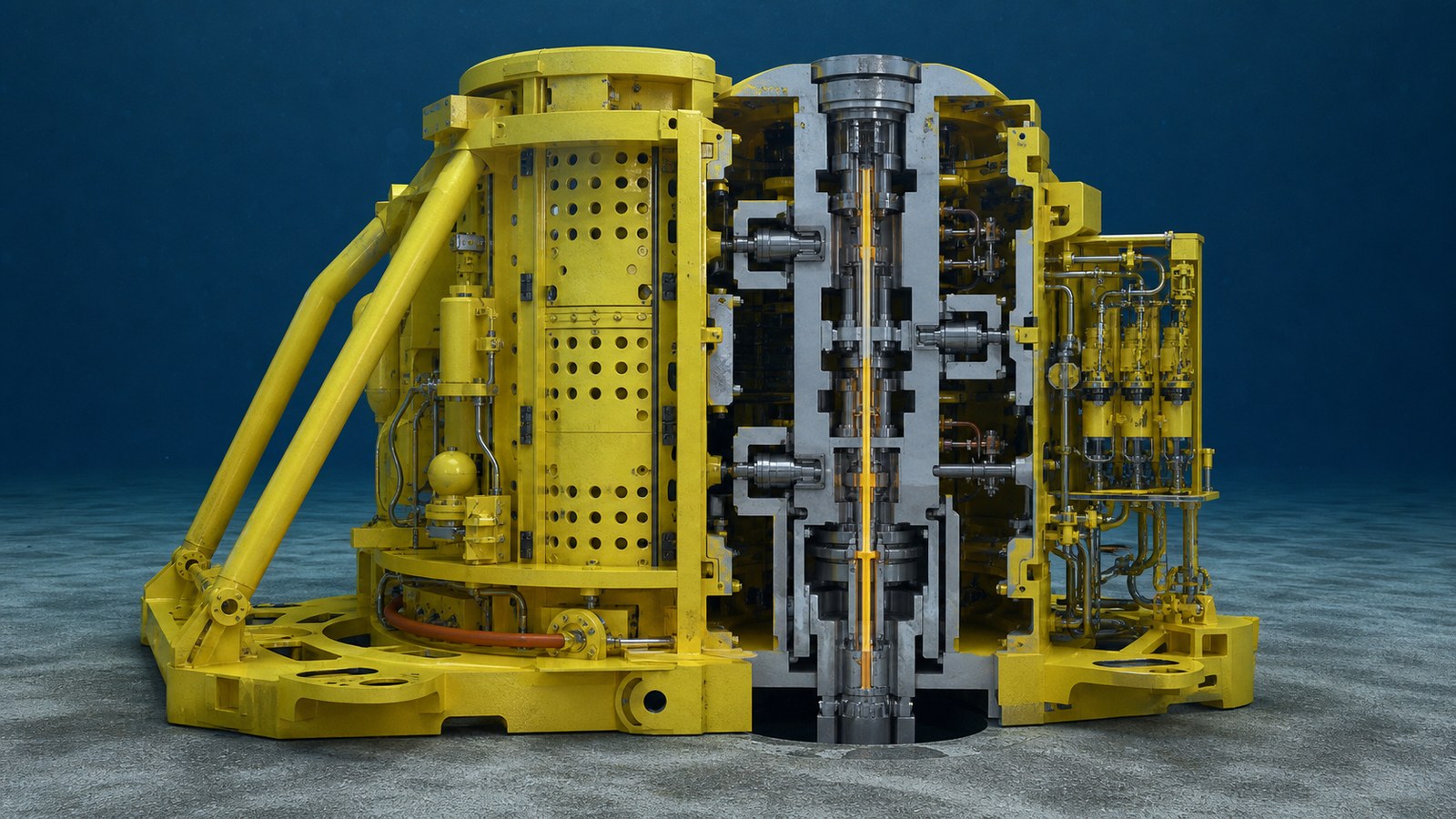
A subsea tree controls production at the well and can contain valves, chokes, sensors, control interfaces, chemical-injection functions, and connection points. A 3D cutaway can reveal bore paths and component relationships while an external view preserves the orientation an offshore team sees.
Any depiction of barriers, valve states, shutdown behavior, or intervention must be tied to the actual approved configuration. BSEE identifies subsea trees and production safety systems as lifecycle safety concerns; therefore, a visually clean sequence cannot substitute for the governing design, procedure, test, or authorization.
Manifolds, Templates, Jumpers, and Connectors
Manifolds gather or distribute flow among wells and export infrastructure. Jumpers connect discrete pieces of seabed equipment, while hubs and connectors establish mechanical and fluid interfaces. A subsea production system animation can show these relationships at a scale that a single ROV camera cannot.
Color, motion, and selective transparency help viewers follow one route without losing the physical context. The legend should be defined by the client because color conventions and terminology vary across companies and projects.
Flowlines, Risers, and Umbilicals
Flowlines carry produced or injected fluids across the seabed. Risers connect seabed infrastructure to a floating or fixed host. Umbilicals may carry hydraulic fluids, chemicals, electrical power, fiber-optic communication, and control signals. An animation can separate these functions visually, then reunite them in the installed bundle.
That approach is useful for offshore equipment visualization because it makes an integrated system understandable without presenting a schematic as though it were the literal physical arrangement. A cross-section, simplified route, and field view can each do a different job.
Controls, Instrumentation, and Operating States
Controls are often the invisible part of the story. The animation can trace a command from the control room through topside equipment, the umbilical, a subsea control module, and the actuated device. It can pair that command path with instrumentation and system response, while labels distinguish commanded, confirmed, alarmed, and unavailable states.
Training should not imply that a smooth visual sequence represents every diagnostic decision. The approved control philosophy, cause-and-effect documents, alarm strategy, and operator procedures remain authoritative.
ROV Tools, Installation, Inspection, and Intervention
Remotely operated vehicles can observe, inspect, manipulate, connect, disconnect, clean, measure, and support intervention using task-specific tooling. ROV operation animation is valuable because the camera can move outside the vehicle, remove turbidity, display alignment targets, and compare correct and incorrect approaches without risking equipment.
For an installation sequence, show reference orientation before tool engagement. Then isolate the connector, indicate permitted motion, and confirm the intended completion state. Avoid inventing forces, tolerances, latch logic, or verification steps when source documents do not support them.

How Does Animation Improve Subsea Training?
Subsea training animation gives learners a mental model before they encounter detailed procedures, simulations, or offshore work. A field orientation can establish equipment names and locations. A component module can show interfaces. A task sequence can explain why steps occur in a particular order. A fault scenario can help teams discuss cues, boundaries, communication, and escalation.
Role-based versions keep the lesson relevant. An ROV team may need spatial orientation and tooling views. A control-room audience may need commands, feedback, and alarm context. Maintenance personnel may need access, interfaces, replacement boundaries, and verification points. Commercial teams may need the operating concept without the procedural detail.
Animation can also pause underwater motion, repeat a critical moment, compare states side by side, and remove unrelated structures. These are learning advantages, not claims of competency. Hands-on practice, simulator work, assessment, supervision, and approved training requirements still apply.
How Does Subsea Animation Support Sales and Tenders?
Technical buyers must understand more than appearance. They need to see how equipment fits the field architecture, how interfaces are managed, what changes during installation or operation, and where the proposed solution creates value. A concise sales animation can establish those points without exposing every proprietary detail.
A supplier can use one visual system for a tender presentation, trade-show display, executive briefing, website segment, and customer workshop. The sales version should not reuse a training script unchanged. It needs faster orientation, fewer procedural details, clear differentiators, and evidence-backed claims.
For products that are not yet manufactured, 3D visualization can begin from approved engineering data. The animation should clearly distinguish released design, representative context, and conceptual elements. That protects credibility during customer review.
Can One Model Serve Training, Sales, and Technical Review?
Yes, if reuse is planned at the beginning. A master field model can support several cameras, levels of detail, labels, languages, and narratives. The same geometry may appear in a technical workshop, a simplified executive presentation, an operator orientation, and a short marketing clip.
The versions should not be identical. Training may require slower pacing, precise terminology, state confirmation, and knowledge checks. Sales needs a clear problem-solution arc. Technical review may use neutral lighting, reference coordinates, and less visual polish so reviewers can concentrate on geometry and interfaces.
Planning these outputs together reduces repeated modeling, but it does not eliminate review. Each version must be checked for its audience, claims, confidentiality, and intended use.
What Is the Production Workflow?
1. Define the Decision or Learning Objective
State what the viewer should understand or do after watching. Identify the audience, prior knowledge, delivery environment, runtime, languages, security limits, and reviewers. A narrow objective produces a clearer animation than a request to “show the whole system.”
2. Build a Source Register
Collect approved CAD, general arrangements, P&IDs, schematics, procedures, interface drawings, photographs, ROV footage, equipment manuals, terminology, color conventions, and revision identifiers. Record which source controls when documents disagree.
3. Create the Technical Storyboard
Map each scene to a supported message and source. Decide where the viewer needs a field view, cutaway, schematic overlay, close-up, or comparison. Review terminology, sequence, and visual conventions before detailed production begins.
4. Prepare and Simplify the 3D Model
Engineering geometry often contains unnecessary parts, sensitive details, and complexity that slows rendering. The team cleans topology, organizes assemblies, preserves relevant interfaces, and removes only what the communication goal does not require.
5. Approve Motion and States
Low-detail previews confirm camera paths, equipment motion, ROV approach, connector engagement, valve or flow states, labels, and timing. Corrections are less expensive here than after final water, lighting, materials, particles, and compositing.
6. Finish, Test, and Package
Final production adds materials, lighting, underwater atmosphere, narration, sound, captions, graphics, and brand treatment. Delivery may include presentation files, web versions, high-resolution masters, muted trade-show loops, still frames, LMS-ready modules, or modular clips.
How Are Accuracy and Confidentiality Protected?
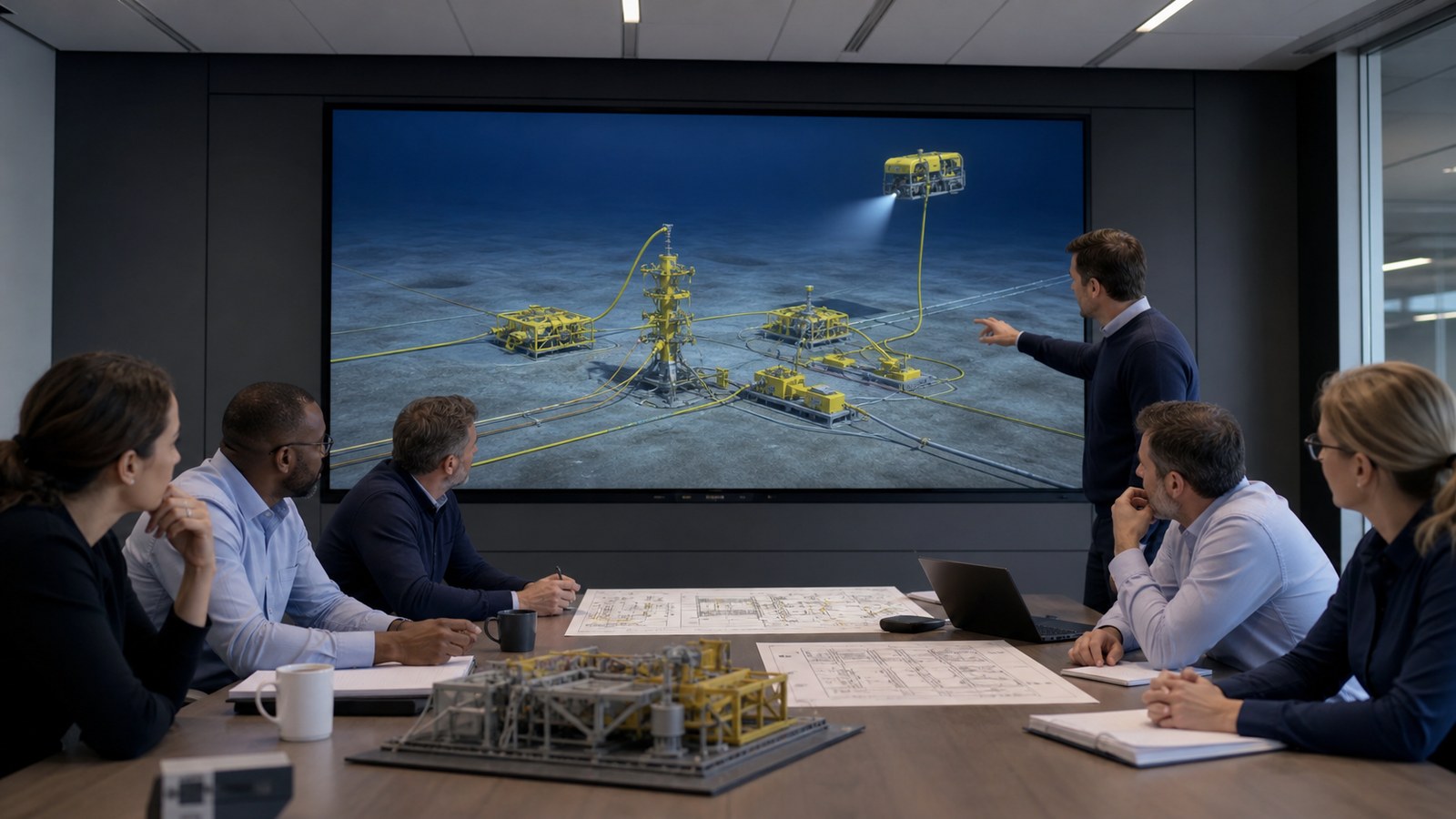
Accuracy improves when approval ownership is explicit. Operators review field context and operating intent. Equipment specialists confirm geometry and interfaces. Control engineers review signals and states. HSE personnel review safety messaging. Trainers check learning objectives. Marketing and legal teams confirm public claims and permissions.
Use a comment log that ties feedback to scene, frame, source, owner, and resolution. Version labels should identify the approved source baseline. When reviewers disagree, production pauses at the decision rather than hiding the conflict under visual polish.
Confidentiality should be scoped before files are transferred. Define access, storage, retention, review platforms, subcontractor permissions, and final ownership. Sensitive geometry can sometimes be simplified, isolated, or omitted. Public-facing versions can use representative field context while restricted technical versions retain approved detail.
Why Work With Austin Visuals?
Austin Visuals combines technical 3D production with plain-language visual storytelling. A subsea oil and gas animation can begin with imperfect CAD, mixed reference files, existing footage, and expert interviews, then organize the material into a reviewable production plan.
The value is coordination. Modeling, animation, compositing, 2D graphics, narration, sound, editing, and delivery follow one approved story. Clients do not need to explain the same system independently to multiple vendors or discover late that the beautiful render does not support the learning objective.
Austin Visuals can also build a modular asset library instead of one disposable film. Equipment views, field layouts, flow sequences, labels, and still renders can be repurposed for onboarding, customer meetings, tenders, trade shows, service communication, and future updates.
Our Clients include:
Conclusion
Subsea equipment animation makes inaccessible systems easier to inspect, teach, compare, and present. It can reveal the relationship among wells, trees, manifolds, jumpers, flowlines, risers, umbilicals, controls, and ROV tasks while giving each audience the level of detail it needs.
The strongest project begins with a narrow communication objective and current approved sources. It separates field orientation from component detail, uses staged expert review, protects confidential information, and never presents visual clarity as a replacement for engineering judgment or authorized procedure.
Contact us at info@austinvisuals.com or call (512) 591-8024.
Frequently Asked Questions
What is subsea equipment animation?
It is a 2D or 3D visual explanation of equipment and operations below the waterline. It can show component relationships, flow paths, controls, installation, inspection, intervention, and maintenance that cameras cannot capture clearly in one view.
Which subsea systems can be animated?
Common subjects include wellheads, subsea trees, manifolds, templates, jumpers, connectors, flowlines, risers, umbilicals, control modules, valves, meters, ROV tools, intervention equipment, and links to host facilities.
Can CAD and engineering data be used to build the animation?
Yes. Approved CAD, drawings, schematics, procedures, photographs, and engineering notes can guide the model. The production team should simplify only what the learning or sales objective does not require and preserve the revisions used for review.
Can animation replace subsea operator training or procedures?
No. Animation can support instruction and visualization, but it does not replace approved procedures, competency assessment, simulations, supervised practice, manufacturer guidance, engineering authorization, or regulatory requirements.
How is technical accuracy reviewed?
Accuracy is reviewed in stages: terminology and script, storyboard, geometry, equipment interfaces, motion, states, labels, and final render. Operators, engineers, manufacturers, HSE personnel, and trainers should review the areas they own.
How long does a subsea animation project take?
A focused equipment sequence may take several weeks, while a field-level system, training program, or multi-audience asset library may require several months. CAD condition, complexity, reviews, revisions, rendering, and delivery formats affect the schedule.
Can one subsea animation support both training and sales?
Yes, when the source model and approved technical story are planned for reuse. Training and sales versions should still have different narration, detail, pacing, labels, and calls to action so each audience receives the right information.