Introduction
Misunderstood instructions. Missed deadlines. Frustrated clients. Miscommunication doesn’t just slow things down—it breaks trust, drains budgets, and stalls progress. While information moves faster than ever, clear communication hasn’t kept up. Translating complex technical details into something people actually understand is harder than most think.
That’s where video gives you a real advantage—especially for technical, engineering, or scientific content. This article unpacks the true cost of poor technical communication—and how 2D and 3D videos help stop the bleeding.
If your team is tired of repeating the same explanations or watching your message fall flat, start here. Ready to make things clearer, faster, and more cost-effective? Talk to our animation team at info@austinvisuals.com or call +1-512-591-8024 for a free consultation.
What Is Poor Technical Communication—and Why Should You Care?
Technical communication breaks down when your message doesn’t make it across in a way that’s useful. You might have a brilliant product or process, but if your audience doesn’t get it—whether they’re clients, stakeholders, or internal teams—it’s money lost. Poor communication shows up in product delays, onboarding confusion, low customer adoption, and endless hours of follow-up.
Industries most affected include engineering, aerospace, manufacturing, healthcare, software development, and B2B technology. In these worlds, things get complicated fast. But when there’s a barrier between expertise and communication, mistakes happen.
When engineers explain systems to marketers, or developers pitch products to non-technical executives, clarity often disappears. What seems obvious to one group can feel like a foreign language to another. That gap is where most businesses lose money—not because their product or service is weak, but because the delivery of the message is.
The Real-World Costs of Miscommunication in Business
Poor technical communication can create repeat support requests, rework, and delays when people cannot complete a task or understand the next step. Estimate those costs from your own records: support time, repeated onboarding sessions, revision hours, and documented handoff problems. A company-specific baseline is more useful for planning a video than an unverified industry-wide loss figure.
One common scenario involves technical support or customer onboarding. Say your team launches a product, but customers keep getting stuck on basic functions. The product is solid. The documentation? Pages of unclear language and few visuals. So support tickets flood in, morale takes a hit, and clients start walking away.
Another common issue happens when marketing and development teams aren’t aligned. Marketing talks in benefits and brand tone. Developers talk specs and architecture. Without a shared language, campaigns miss the mark, leads don’t convert, and teams blame each other for the results.
An unclear product presentation can also leave stakeholders with questions about the mechanism, application, or evidence. Record those questions and decide which can be answered visually. Investors assess many factors beyond a presentation, so a missed funding opportunity should not be treated as a measured communication loss without supporting records.
When to Use Video to Prevent Costly Communication Errors
So when is a video the right move? When your message is complex, when your audience isn’t technical, and when diagramming or manuals aren’t cutting it. Videos are especially helpful in places where attention spans are short, and the need for understanding is urgent.
Explainer videos can clarify your product’s core function. Training videos help reduce repeated onboarding sessions. Animated marketing assets pitch your product in a way that makes sense. A good explainer answers more questions than it raises—and saves your team time from doing the same work again and again.
If you’re asking “When should I invest in a technical video?” the answer is simple—when repetition, confusion, or costly missteps are slowing you down. If your product walkthroughs, support docs, or decks aren’t translating to results, it’s probably time to consider animation.
How 3D & 2D Animation Make Complex Ideas Crystal Clear
When working with manufacturing tools, engineering processes, or software systems, words often leave people with the wrong visual. And diagrams or static graphics can feel flat or outdated. This is where animation works in your favor.
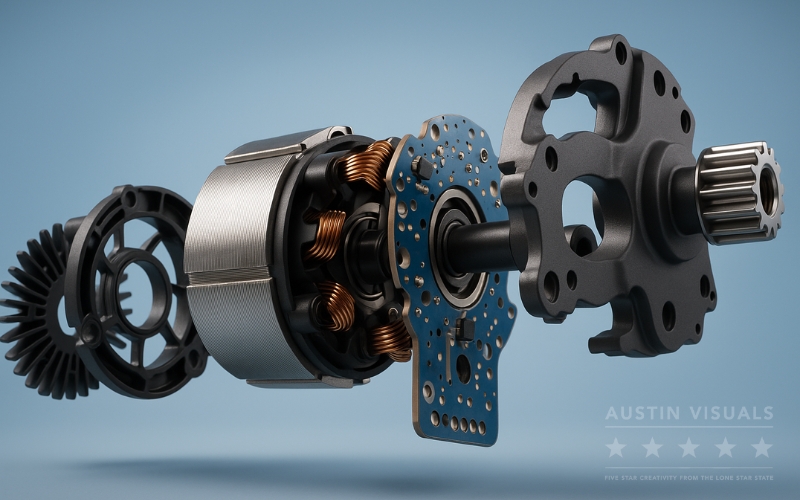
3D animation is ideal for illustrating physical objects. Medical devices, engines, or construction processes can be fully rotated, exploded, or labeled in motion. Viewers don’t just hear how it works—they see it.
2D animation can be useful for software interfaces, abstract workflows, and simplified process explanations. Compare it with 3D based on what the audience needs to see, the assets available, and the production scope. Neither style is always quicker, cheaper, or more effective.
Animation allows you to show what’s inside, what’s behind the panel, or what’s happening on a particle level. It uses motion, color, space, and timing to organize your information the way the human brain prefers to process it.
Curious which format fits best? Our team can help. Get expert advice on what style matches your goals—reach out today at info@austinvisuals.com.

What to Look for in a Video Partner That Understands Technical Biz
Not every animation studio understands technical fields. You need a team that knows how code works, how machines move, and how people in your industry think. Look for experience that matches your needs.
At Austin Visuals, we’ve created visual content for NASA, The Smithsonian, Meta, and John Deere. We’ve worked on everything from aerospace safety to industrial simulations and pitch decks for complex tech. We don’t just draw—we translate.
Our workflow starts with research. We break down your subject and find the best angle. Then we craft powerful visuals with both clarity and precision—designed to match your audience’s understanding. With in-house and remote artists, we scale with you and keep everything aligned.

Our Clients include:

Published Product Communication Examples from Austin Visuals
MSI: presenting a technical product launch
The published MSI laptop commercial project describes a fully animated presentation for the GT70 and GT60 launch. Its product views and visual narrative show one way to organize technical features for a marketing audience. The project article also includes the original client letter.
Aquasana: showing how a product works inside
Austin Visuals' Aquasana product-animation case study describes visuals explaining the internal water-filtration process across product models. It offers an example of using component views and visual overlays to make hidden product functions understandable to a general audience.
Illustrative Scenario: Improving a Complex Product Walkthrough
Consider a hypothetical software company whose users repeatedly ask how to configure a logistics workflow. This example illustrates a planning approach; it is not an Austin Visuals client case study. The team would first review support records to identify the specific task causing confusion and confirm that its product instructions are correct.

The team could create short 2D walkthroughs showing the same configuration steps, with captions and clear labels. Written instructions should remain available for reference and accessibility. Before release, users and product reviewers would test whether the visual accurately explains the current interface.
After release, compare task completion and support requests for the same workflow over an agreed period. Account for changes in user numbers, product versions, staffing, and other onboarding material. Report the observed result with those limits rather than assigning hypothetical savings or reviews to the example.
What’s the ROI of Clear Communication Through Video?
Evaluate video against the specific communication problem it is intended to address. Useful measures may include onboarding time, repeat support requests, task completion, or a defined sales next step. These outcomes depend on the product, audience, implementation, and other changes made during the same period.
Ask stakeholders to explain the key process after viewing the material. Their questions can reveal missing information or a sequence that still needs clarification. A video should be evaluated alongside the references and documentation that the audience uses to make a decision.
Compare the cost of video production, review, distribution, and future updates with the current effort required to explain the task. A focused animation may be worthwhile when it solves a recurring problem. For a task better served by a diagram or a short written instruction, those options may be more practical.
Contact us to discuss the task, audience, existing materials, and review requirements. Those inputs help define a useful visual scope and a plan for evaluating its effect.
FAQs About Technical Communication and Animation
How do I know animation is right for my product?
If your product requires explanation, involves layers of function, or frequently triggers the same questions, it’s a strong candidate for animation.
Isn’t video more expensive than written content?
Written material and video serve different needs. Compare the cost of creating and maintaining each format, and choose the combination that helps your audience complete the task. Video does not guarantee a financial return and should not displace reference instructions that users still need.
Can I use the video in multiple places?
Yes. Our videos can be used in sales decks, websites, investor presentations, training portals, and social media campaigns.
How fast can a video be turned around?
Turnaround depends on modeling requirements, scene count, available references, and the review process. Confirm a schedule after the brief has been assessed. An accelerated deadline may require a smaller scope or additional production resources, while technical approval still needs adequate time.
Do you need a lot of input from our team?
We make the process simple. You provide reference materials, documentation, or your product overview, and we handle the rest—from scriptwriting to animation. We’ll keep you updated with visual previews and checkpoints along the way, ensuring everything aligns with your vision.
Can you match our technical accuracy and branding?
We can develop visuals from your technical references and brand guidelines, with review by your designated subject-matter experts. Define who approves the mechanism, labels, sequence, and simplified elements. Visual accuracy depends on complete inputs and an agreed review process.
Conclusion
A clear technical video can help an audience follow a product or process explanation. Start with the specific question, preserve the necessary reference material, and check that viewers can use the information. Measure the result in the environment where the video will be used.
At Austin Visuals, we create 2D and 3D animation for technical communication. Bring your reference materials, intended audience, and main communication objective so we can discuss the visual approach and the review steps your project needs.
If you’re ready to stop repeating explanations and start communicating with precision, reach out today. Email info@austinvisuals.com or call +1-512-591-8024 to schedule a free consultation and see how clear communication can transform your business.