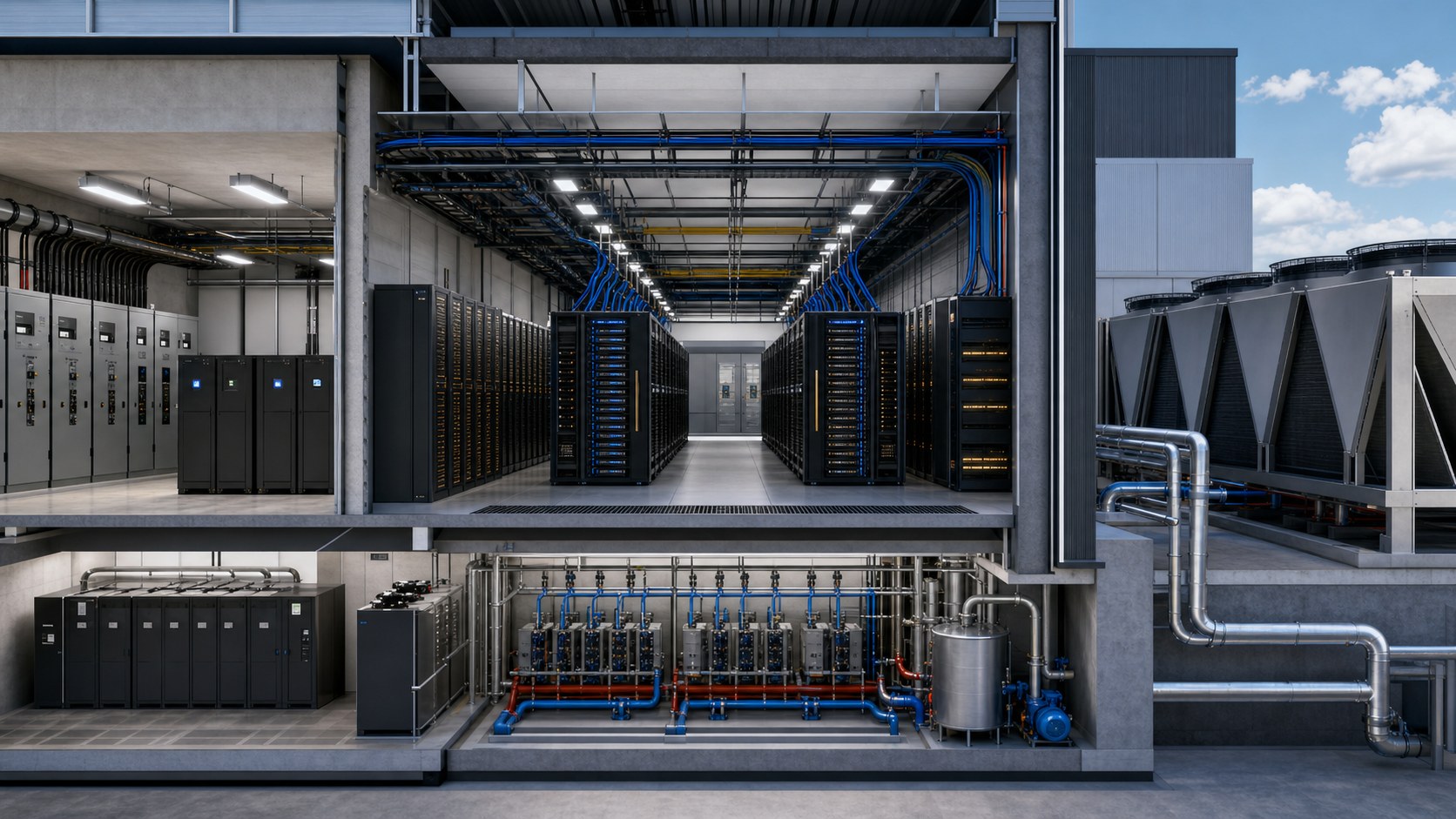
AI data center infrastructure animation turns the physical systems behind an AI workload into one understandable visual sequence, showing how GPU compute, high-speed networking, storage, electrical power, liquid cooling, controls, and facility operations depend on one another. Instead of presenting the data hall as a row of black cabinets, the animation follows energy, data, and heat through normal operation, peak demand, maintenance, and failure-response states.
This systems-level view is useful because AI infrastructure is not a single machine. A model-training job can place simultaneous demands on accelerators, network fabric, storage throughput, rack power, cooling-water flow, and monitoring systems. When those layers are shown separately, decision-makers may understand each diagram but miss the operational relationship among them.
Austin Visuals develops technical 3D content from engineering references, subject-matter-expert interviews, and staged reviews. The result can support design communication, commissioning, operator training, sales, investment presentations, community education, or an executive explanation of why an AI facility differs from a conventional enterprise deployment.
Contact us at info@austinvisuals.com or call (512) 591-8024.
Why AI Infrastructure Needs a Systems-Level Visual
Traditional data center presentations often move room by room: utility entrance, electrical equipment, white space, cooling plant, and operations center. That tour is useful for orientation, but it does not necessarily explain what happens when an AI job begins. A stronger narrative starts with the workload and traces every physical dependency required to keep it running.
AI clusters are designed around dense groups of accelerators exchanging large volumes of data at very low latency. The network is therefore part of the compute system, not merely a connection between servers. Storage must feed checkpoints, training sets, and outputs without becoming a bottleneck. Electrical and cooling systems must respond to concentrated and sometimes rapidly changing loads.
An animation can place these relationships in a common coordinate system. The viewer sees where the workload enters, how traffic spreads through the fabric, which racks perform the work, where power is transformed and distributed, and how heat leaves the chips and ultimately reaches the outdoor environment. This is far more informative than adding glowing lines to a generic server-room flythrough.
What Should an AI Data Center Infrastructure Animation Show?
Compute as an Organized Cluster
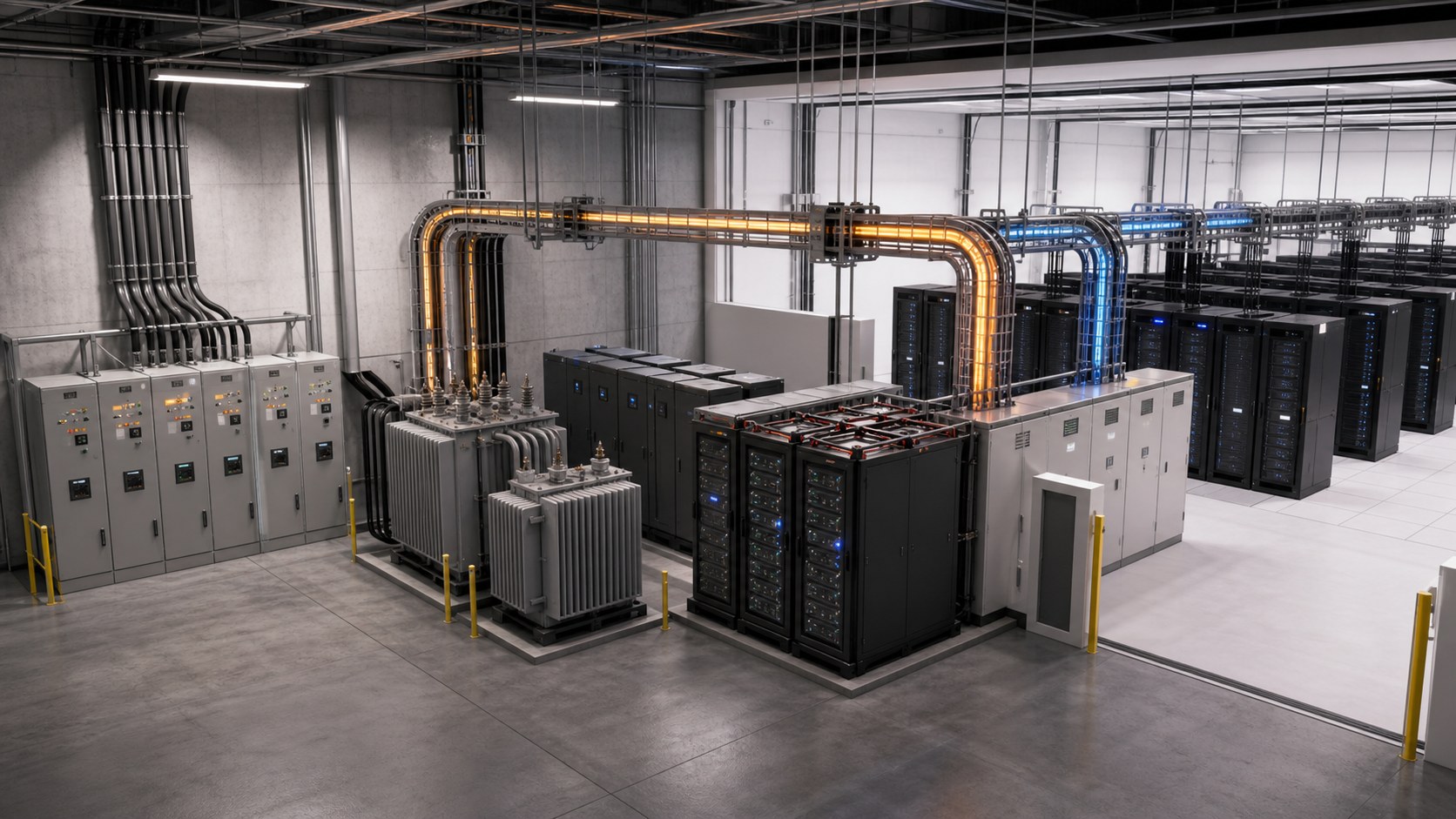
The animation should identify the functional unit that performs the AI work. Depending on the project, that may be a rack, a group of racks, a pod, or a larger cluster. The visual does not need to reveal confidential hardware specifications, but it should accurately represent rack density, accelerator trays, local switching, service clearances, and containment.
A useful sequence can zoom from the facility to a representative rack, then reveal the relationship among accelerators, memory, network interfaces, and cooling connections. The goal is not to turn every component into a product commercial. It is to establish why high-density compute changes the requirements placed on the rest of the building.
Network Fabric and Data Movement
Training and inference environments depend on predictable data movement. The animation may distinguish east-west traffic within the cluster from connections to storage, management networks, and external services. Spine-and-leaf or other approved network topologies can be simplified visually while preserving the correct path and hierarchy.
Color, timing, and camera position should do most of the explanatory work. A network scene becomes harder to understand when every cable glows at once. Showing one operation at a time, such as dataset loading, synchronized accelerator communication, checkpoint writing, or failover, gives each passage a clear question and answer.
Electrical Power From Source to Rack
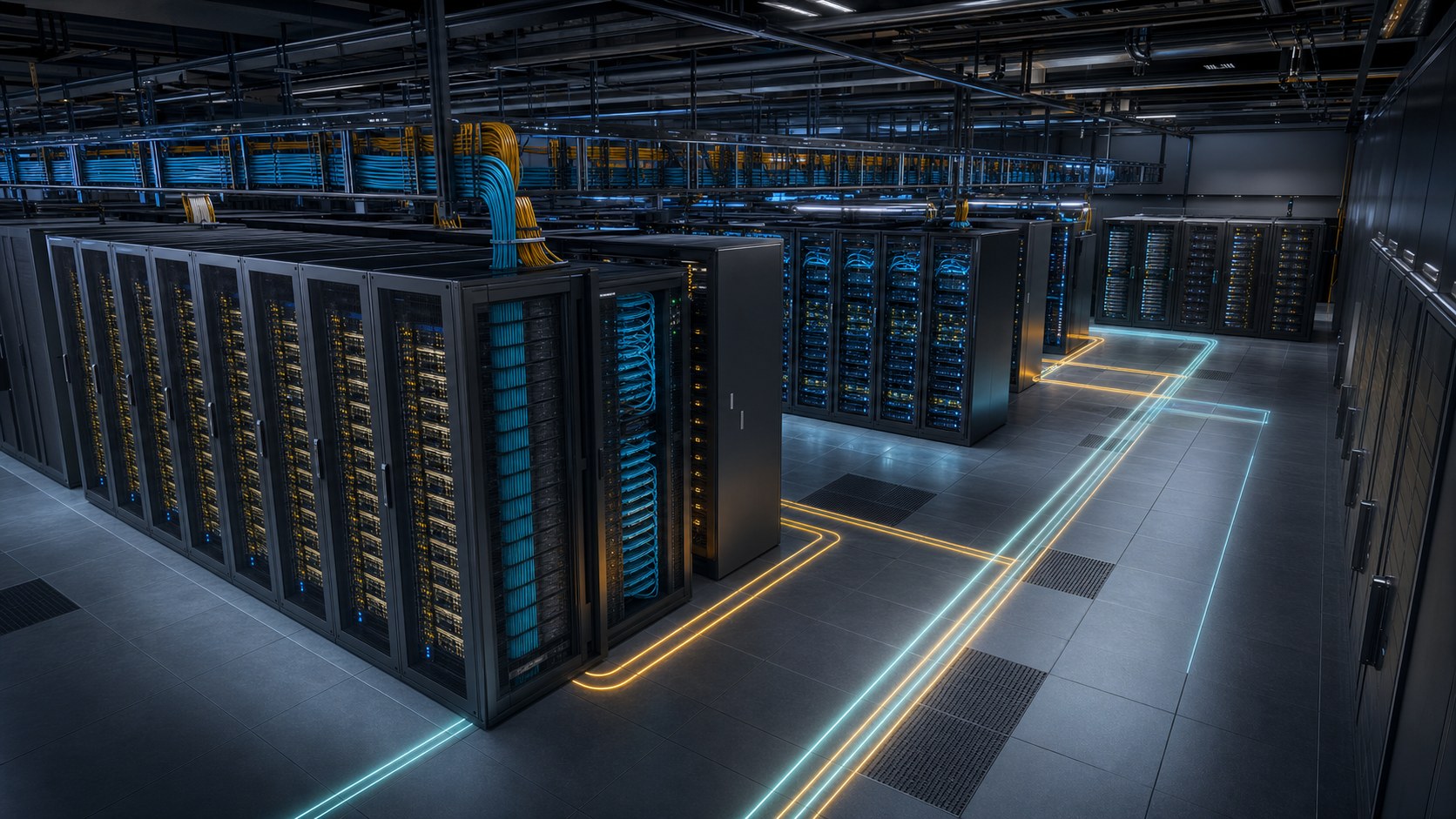
The electrical story usually begins upstream of the servers. Utility service, onsite generation, transfer equipment, transformers, switchgear, UPS systems, distribution, busway, rack power, and branch protection may all matter. A client-approved hierarchy lets the animation reveal these layers progressively rather than placing a complete electrical one-line over the building.
Redundancy should be animated as a state, not represented only by two colored routes. The viewer should see what carries the load normally, what changes during a source interruption, where stored or generated power bridges the event, and how maintenance bypass affects the available path. Any timing or capacity shown must come from approved engineering information.
Liquid Cooling and Heat Rejection
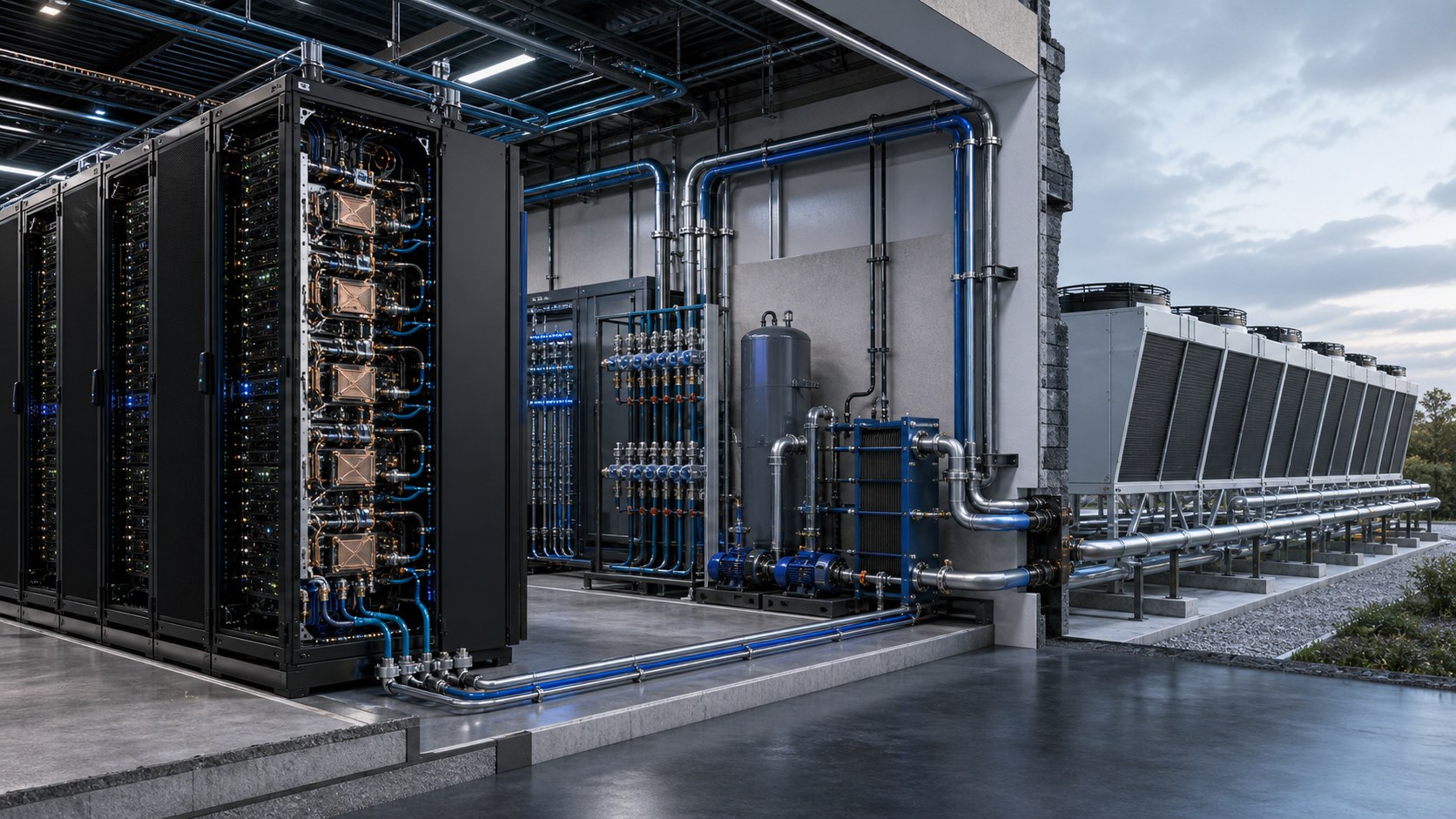
Dense AI systems increasingly require liquid cooling or a hybrid of liquid and air. A clear cooling sequence can follow heat from the accelerator through a cold plate, rack manifold, coolant distribution unit, facility water loop, heat exchanger, pumps, and the selected heat-rejection equipment. Supply and return paths should remain visually distinct.
The model must reflect the project’s actual design. Direct-to-chip cooling, rear-door heat exchangers, immersion systems, and air-cooled environments have different components and failure modes. The animation should never imply that coolant passes through electrical equipment or that heat disappears at the rack boundary.
Controls, Telemetry, and Operational Response
Infrastructure becomes operationally useful when teams can observe and control it. The animation may connect equipment states to building management, electrical monitoring, data center infrastructure management, cooling controls, or other approved platforms. Instead of inventing a futuristic dashboard, the production can use simplified indicators that mirror the logic of the client’s real system.
Telemetry supports a more meaningful story than a static capacity number. The visual can show a load increase, rising return-water temperature, pump response, a threshold alarm, or the isolation of a failed component. If live operational data is not available, the animation should present a representative scenario rather than implying real-time integration.
Build the Story Around Operating States
A facility tour answers, “Where is everything?” An operating-state narrative answers, “What does the system do?” The second question is usually more valuable for AI infrastructure communication. It also creates modular passages that can stand on their own in training, sales, or executive presentations.
Normal Operation
The baseline sequence establishes the active power path, nominal cooling flow, network availability, and the workload’s route through compute and storage. Viewers need this stable reference before a failover or alarm can make sense.
Peak Workload
A peak state can show how higher compute utilization affects electrical demand, coolant flow, return temperature, and capacity headroom. The animation should avoid arbitrary percentages. It can use relative visual change unless the engineering team approves exact values.
Maintenance and Redundancy
Planned maintenance is often the best way to explain redundancy. One component or path is taken out of service, the remaining path is highlighted, and the available resilience is made visible. This can help an operations audience understand why a system that appears duplicated may temporarily have a different risk profile.
Fault and Recovery
A failure scene should identify the triggering condition, protection or control response, load transfer, alarm, operator action, and recovery path. Dramatic sparks and instant blackouts are rarely useful. A credible sequence respects the actual control logic and clearly distinguishes automatic action from human intervention.
What Source Files Are Needed?
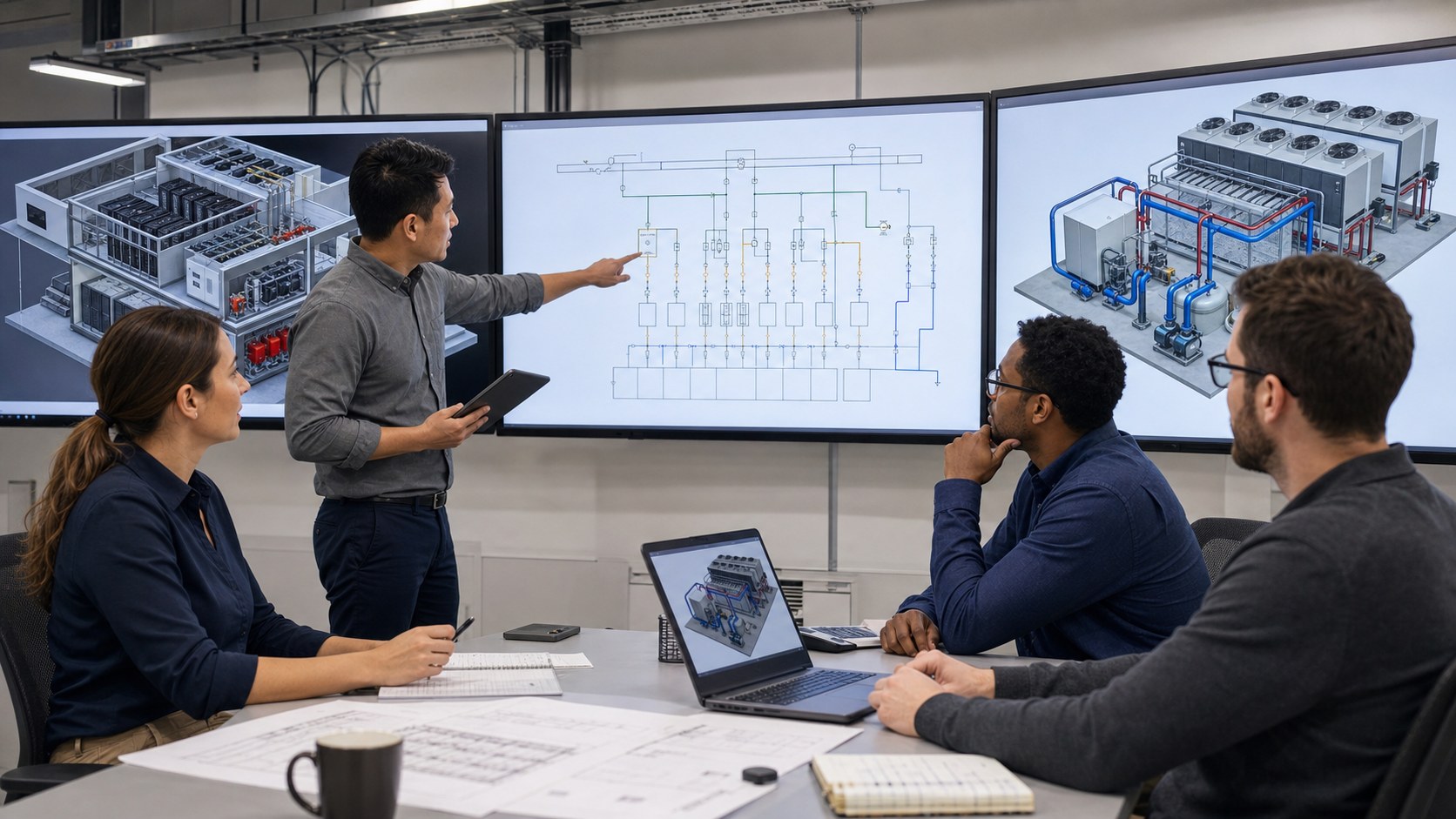
The production begins with a source map. Architectural and MEP BIM files establish geometry and spatial relationships. Electrical one-lines define source, transformation, switching, protection, and distribution. Piping and instrumentation diagrams clarify cooling loops, valves, pumps, sensors, and control boundaries. Rack elevations, network diagrams, equipment submittals, and site plans add the infrastructure detail needed for accurate scenes.
Not every project starts with a complete model. The team may receive a combination of Revit or IFC files, CAD drawings, PDFs, photographs, spreadsheets, and expert interviews. Austin Visuals can build a visual model from those sources, but unknown areas should be tracked as assumptions and resolved at the appropriate review stage.
Confidentiality also shapes the workflow. A public-facing animation may intentionally abstract floor plans, equipment identities, capacity, and network topology. An internal engineering or training version can carry more detail. Defining the audience and distribution plan early prevents a technically accurate model from exposing information that should remain private.
Animation, Simulation, and Digital Twins Are Not the Same
A technical animation explains an approved system or scenario through a controlled visual sequence. A simulation calculates behavior from a model and defined inputs. A data center digital twin maintains a structured virtual representation that may combine geometry, engineering analysis, operational data, and ongoing updates.
These tools can work together. Computational fluid dynamics results may inform an airflow passage. Electrical studies may define a failover state. A digital twin may supply geometry or operational context. The animation then turns selected outputs into a narrative appropriate for a specific audience.
The distinction matters because polished imagery is not proof of engineering performance. If a scene visualizes a calculated result, the source and limits of that result should be understood by the reviewers. If it presents a representative scenario, the visual should not be described as a live digital twin.
Where Organizations Use This Animation
Design and stakeholder review: A coordinated cutaway can help electrical, mechanical, network, operations, finance, and leadership teams discuss the same system. It is especially useful when each discipline’s source documents use different visual conventions.
Commissioning and training: State-based modules can prepare operators to recognize normal paths, maintenance conditions, alarms, and recovery steps. Animation does not replace procedures or hands-on qualification, but it can establish the mental model those materials depend on.
Sales and customer education: Colocation providers, infrastructure developers, cooling vendors, power-system suppliers, and AI platform teams can show how their component fits the complete environment. The story should explain operational value rather than turning the data hall into decoration.
Public and executive communication: A simplified version can explain why AI facilities require different power and cooling strategies, how resilience is designed, and where efficiency measures operate. Sensitive geometry and capacities can remain abstracted.
Why Choose Austin Visuals for AI Data Center Visualization?

Austin Visuals combines technical 3D production with an explanation-first process. For an AI infrastructure project, that means the team does not begin by flying a camera through a model. It begins by defining the audience, operational question, source authority, confidentiality limits, and the specific state changes the viewer must understand.
The studio can coordinate a model assembled from BIM, CAD, diagrams, equipment references, and stakeholder interviews. Script, storyboard, geometry, motion, and final rendering are reviewed in separate stages. Electrical, mechanical, network, and operations specialists can therefore correct the portion they own without waiting for a finished film.
Austin Visuals has previously translated data center architecture into clear 3D communication for OnRamp. See the OnRamp data center case study and the related 3D data center flyover. Broader capabilities are available through the company’s technical animation services.
Deliverables can be planned as a modular library rather than one locked runtime. The same approved environment may support a full overview, subsystem chapters, training clips, silent trade-show loops, still renders, sales images, and later updates. That reuse is most efficient when camera views and asset ownership are defined before production begins.
Our Clients include:
Conclusion
AI data center infrastructure animation is most valuable when it reveals a system, not just a building. Following the workload through compute, fabric, storage, power, cooling, controls, and operating states gives technical and nontechnical viewers a shared way to understand the facility.
The strongest project begins with an audience question, organized source files, an assumptions log, and discipline-specific review. Animation can then clarify normal operation, capacity change, maintenance, failover, and recovery without pretending to replace engineering analysis or a live digital twin.
Contact us at info@austinvisuals.com or call (512) 591-8024.
Frequently Asked Questions
What is AI data center infrastructure?
AI data center infrastructure is the coordinated compute, high-speed network, storage, power, cooling, control, and facility environment required to train or run AI workloads reliably.
How is an AI data center different from a traditional data center?
AI facilities often concentrate more compute and power in each rack, move more data between accelerators, and require higher-performance networking and cooling. The exact difference depends on the workload and architecture.
Why do AI data centers use liquid cooling?
Liquid can move heat away from dense chips more efficiently than air alone. Direct-to-chip or other liquid systems may reduce the thermal burden on the data hall, but the selected design must match the hardware and facility.
What should an AI infrastructure animation show?
It should show the workload path, compute cluster, network fabric, storage, electrical path, cooling loop, controls, and key operating states. The level of detail should match the audience and confidentiality requirements.
Can animation show power or cooling failures?
Yes. A reviewed animation can show the trigger, protection or control response, redundant path, alarm, operator action, and recovery. Timing and equipment behavior should come from approved engineering sources.
Is a 3D animation the same as a data center digital twin?
No. Animation is a controlled explanatory sequence. A digital twin is a maintained virtual representation that may combine geometry, analysis, and operational data. Animation can use digital-twin inputs without becoming the twin itself.
What files help start an AI data center animation?
Useful inputs include BIM or CAD, site plans, electrical one-lines, piping and instrumentation diagrams, rack elevations, network diagrams, equipment references, photographs, and expert interviews.