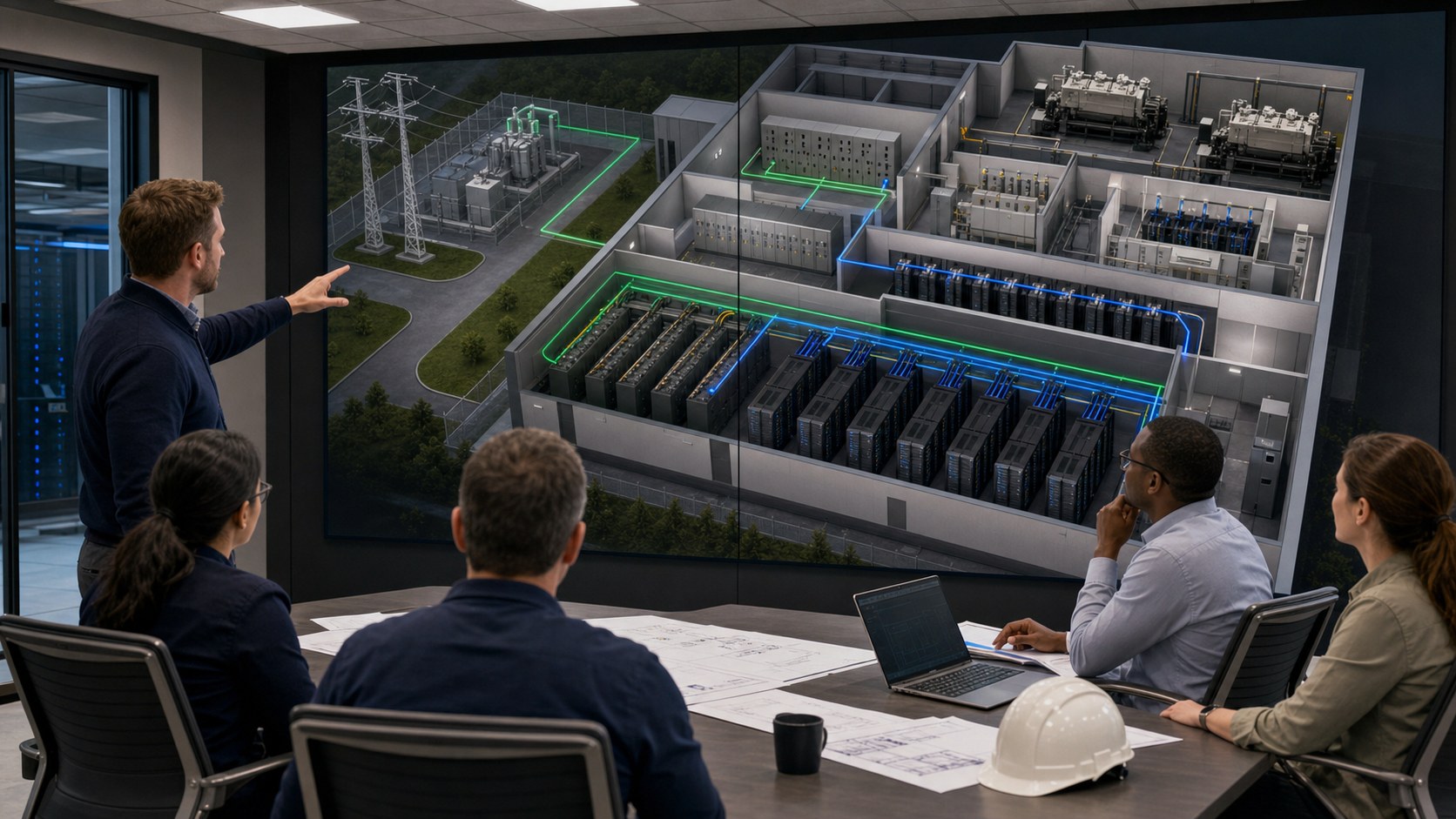
Data center power redundancy animation makes the complete electrical continuity strategy visible, showing how utility service, switchgear, UPS systems, batteries, generators, transfer equipment, distribution paths, and dual-corded IT loads respond before, during, and after a disruption. A technically reviewed animation can help operators, engineers, customers, and decision-makers understand not only what N, N+1, or 2N means, but whether power actually reaches the critical load when equipment fails or maintenance begins.
The central communication problem is sequence. A one-line diagram can document connectivity, yet it rarely shows the operating state of every component as voltage disappears, stored energy carries the load, generators accelerate, transfer logic acts, and the facility establishes a stable alternate source. Animation adds time to the electrical architecture so viewers can follow the event without mistaking a simplified explanation for an engineering study.
Contact us at info@austinvisuals.com or call (512) 591-8024.
What Is Data Center Power Redundancy Animation?
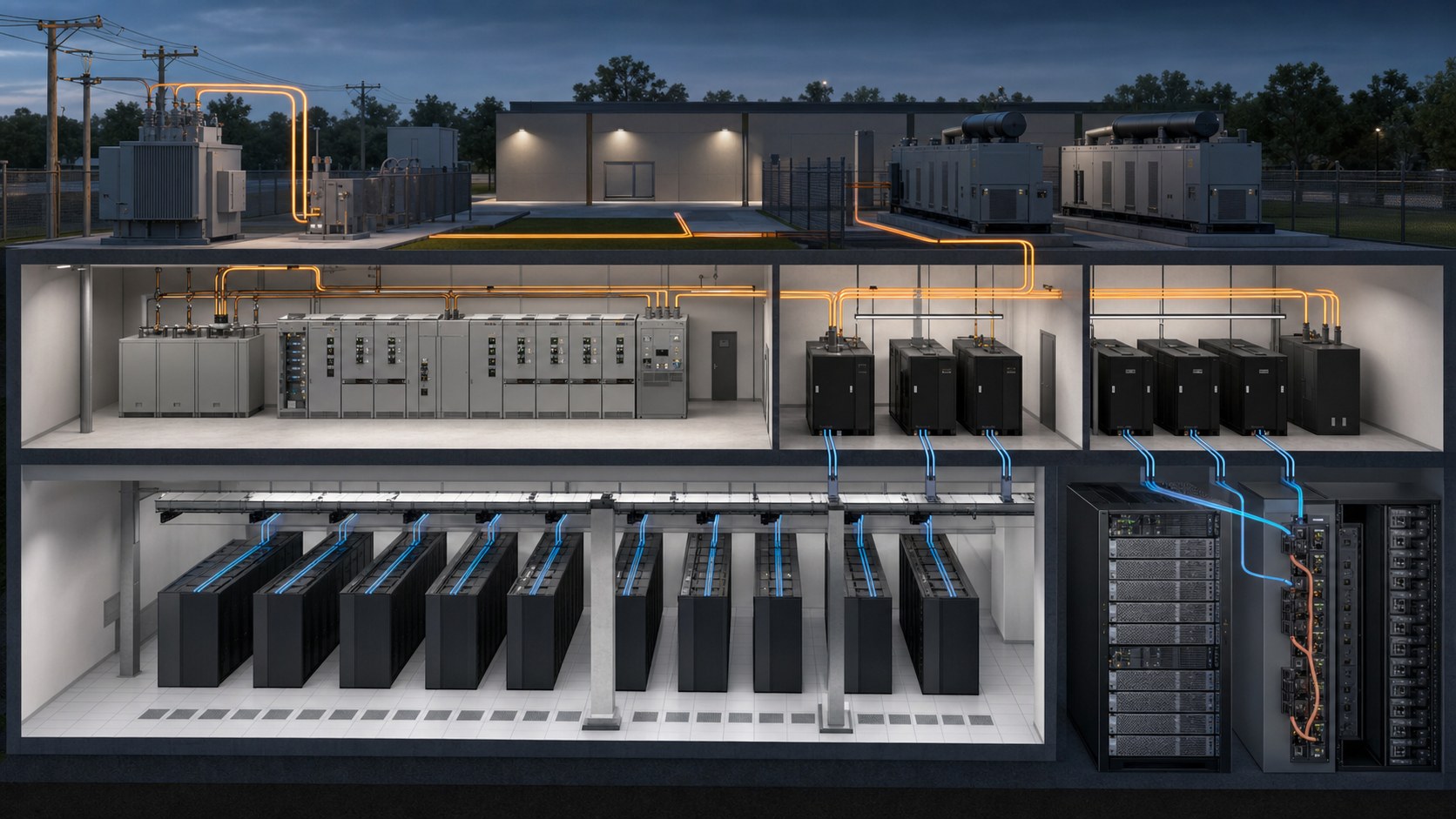
Data center power redundancy animation is a time-based visualization of how critical electrical loads remain supported when a component or supply path becomes unavailable. It can move from a campus-level view to substations, transformers, switchboards, generators, automatic transfer equipment, UPS modules, battery strings, power distribution units, busways, rack PDUs, and server power supplies.
The most useful visual distinguishes three kinds of information:
- Physical topology: where equipment and distribution routes are located
- Electrical state: which source is available, energized, isolated, carrying load, or waiting in reserve
- Event logic: what changes after a fault, maintenance action, transfer command, or return to normal service
This separation matters because redundant equipment does not automatically create a resilient system. Shared switchgear, a common bypass, one downstream panel, improper breaker coordination, a single control dependency, or a rack connected to only one path can defeat the intended redundancy. The animation should expose those relationships instead of decorating the facility with generic power effects.
How N, N+1, 2N, and 2N+1 Architectures Differ
N: Capacity Without a Spare
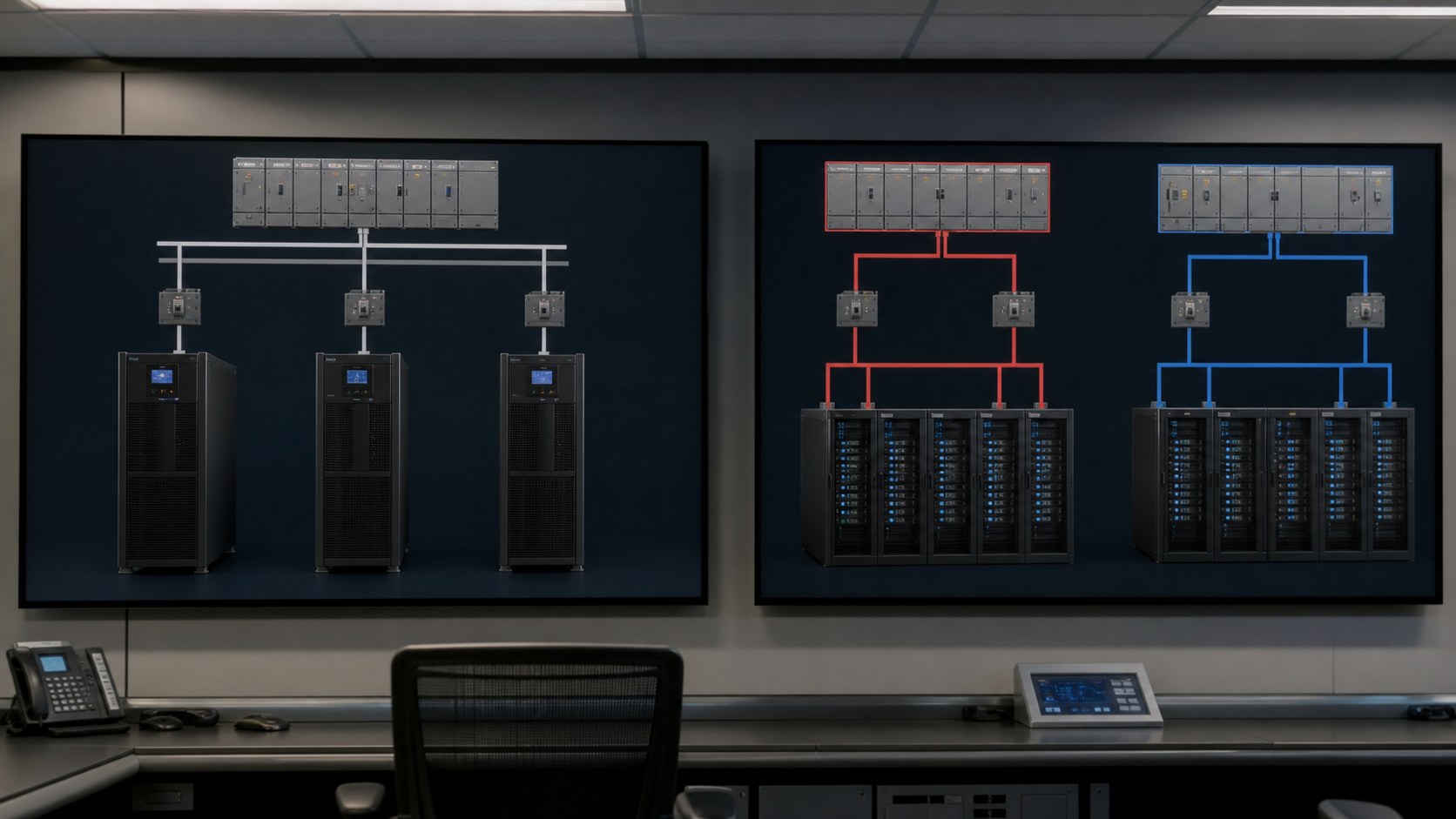
In redundancy notation, N represents the capacity required to support the defined load. If two UPS modules are both needed to carry that load, those two modules together are N. An N design may operate correctly under normal conditions, but removing a required component can reduce or interrupt capacity.
An animation of N should avoid implying protection that does not exist. It should clearly show the component or path on which the critical load depends and what happens when that element leaves service.
N+1: One Additional Capacity Component
An N+1 arrangement adds one capacity component beyond the number required. For example, if two equal UPS modules are necessary, a third can provide N+1 capacity. Eaton uses a similar example in its official guidance: three 1,000 kW UPS units can support a 2,000 kW load with one unit available as the additional module.
An N+1 data center animation should show both the spare capacity and the limits of the design. One additional UPS module does not prove that every upstream and downstream distribution element is redundant. The visual must follow the path through the complete system boundary being discussed.
2N: Two Complete Capacity Systems
In a 2N design, two systems can each support the full defined load. This is often represented as an A path and a B path, with dual-corded equipment receiving one feed from each side. Schneider Electric describes 2N as a fully redundant design in which one complete system supports the critical load and another complete system is installed as backup.
A responsible 2N power architecture visualization does more than color one route blue and the other green. It shows where separation begins, whether equipment shares rooms or controls, how each path reaches the rack, and how single-corded loads use transfer equipment. The animation should also make clear whether it is describing full-path 2N or redundancy only within one subsystem.
2N+1 and Other Hybrid Designs
Some facilities add a spare component within duplicated systems or apply different redundancy levels to different subsystems. A site may use duplicated UPS paths, an N+1 generator plant, and another arrangement for utility service or mechanical loads. These hybrids cannot be explained accurately with one label alone.
The production team should therefore build the visual from the approved one-line diagrams, sequence of operations, equipment schedules, and reviewer definitions rather than assuming that a Tier label dictates one universal configuration.
The Power-Transfer Sequence an Animation Should Reveal
1. Normal Utility Operation
The opening state establishes which utility source, transformer, switchgear section, UPS path, and distribution equipment carry the critical load. It should also identify batteries, flywheels, generators, or alternate feeds that are available but not presently supplying the load.
2. Disturbance Detection
When voltage or frequency moves outside approved limits, protection and control systems detect the condition. The animation can slow this moment down, isolate the affected part of the one-line, and show which devices sense the event without inventing relay behavior that has not been provided by the electrical team.
3. UPS and Stored-Energy Support
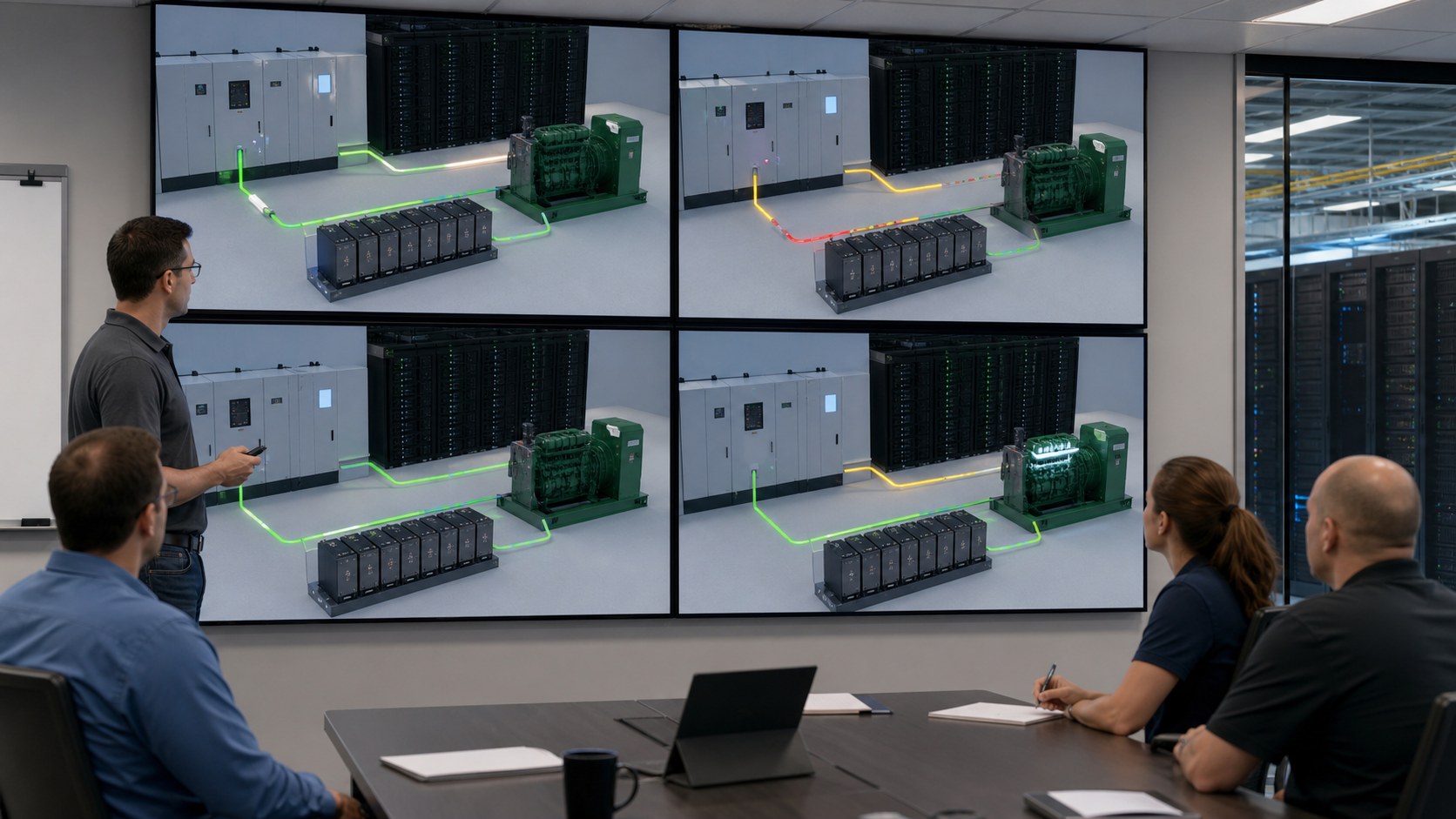
The UPS maintains conditioned power while the longer-duration source becomes available. Batteries or other stored-energy systems supply the DC link according to the approved topology. This bridge may last seconds or longer depending on the design, load, storage capacity, and operating policy.
A clear UPS and generator animation does not portray both systems as interchangeable batteries. It shows the UPS responding nearly immediately and the generator plant providing sustained onsite power after startup, stabilization, and transfer.
4. Generator Start and Source Qualification
Generators receive a start signal, reach operating speed and voltage, synchronize or parallel when required, and become acceptable to the transfer system. The precise sequence varies. Technical reviewers should supply the delay settings, permissives, priorities, and load-shed logic that matter to the intended lesson.
5. Transfer and Load Stabilization
Transfer equipment changes the source feeding selected buses or distribution paths. Large mechanical and electrical loads may return in stages so the generator plant is not subjected to an unrealistic instantaneous step. The visualization can use controlled highlighting, current-flow indicators, and equipment state changes to make this order legible.
6. Restoration and Return to Normal
Utility restoration does not necessarily trigger an immediate transfer back. The approved procedure may require a stable-source interval, retransfer sequence, generator cooldown, battery recharge, alarm clearing, and operator confirmation. Including restoration prevents the story from ending at the most dramatic moment while omitting the operational work that follows.
Why Redundant Components Can Still Leave a Single Point of Failure
A facility can own multiple UPS modules and generators while retaining a shared element that affects every route to the load. This is why data center power redundancy must be evaluated as a system rather than as an equipment count.
Potential common dependencies include:
- A shared upstream utility connection or transformer
- One switchboard, common bus, or tie arrangement
- A common UPS bypass source
- One control network or control-power supply
- A shared fuel supply, pumping system, or day-tank dependency
- A single downstream PDU, busway, transfer switch, or rack connection
- Routing that places nominally independent conductors in the same exposure zone
- Single-corded IT equipment without an approved transfer method
Animation can reveal these dependencies by tracing the path from source to processor for one defined scenario at a time. It should not declare that a design is fault tolerant. That conclusion belongs to qualified engineers, commissioning authorities, certification bodies, and the facility owner.
Our Work samples
SEAGATE Commercial 3D Animation
Supply Chain Explainer Video
3D Road Construction Animation
How to Keep Critical Power System Visualization Technically Honest
Define the System Boundary
The team should state whether the animation begins at the utility service, medium-voltage plant, UPS input, rack PDU, or another point. It should also define which loads are critical and whether cooling, controls, fire protection, and supporting mechanical systems are inside the story.
A critical power system visualization becomes misleading when it shows a redundant IT feed while silently excluding a nonredundant dependency required to keep the room operational.
Create an Operating-State Matrix
Before storyboarding, list the condition of each important component during normal operation, utility loss, generator operation, maintenance bypass, a selected equipment failure, restoration, and any other approved scenario. This matrix becomes the logic reference for the animatic and review process.
Use a Consistent Visual Language
Color, brightness, line motion, symbols, callouts, and camera movement should have stable meanings. An energized path should not look identical to an available but unloaded path. Open devices should be distinguishable from closed devices, and failed equipment should not be confused with intentionally isolated equipment.
Separate Explanation From Validation
The animation can explain approved architecture, sequence, and operating intent. It does not replace protective-device studies, short-circuit analysis, arc-flash evaluation, load-flow analysis, selective coordination, commissioning, integrated systems testing, or Tier certification.
Control Detail by Audience
Operators may need device states, alarm cues, timing, and procedural checkpoints. Prospective customers may need a clear view of path separation and continuity. Executives may need risk, capacity, and expansion implications. One validated model can support several edits, but each version should disclose simplifications appropriate to its audience.
Where Power Redundancy Animation Creates Value
Operator Training and Scenario Rehearsal
Training can pause before a decision point, ask what should happen next, then reveal the approved response. Teams can compare a normal transfer with a failed start, unavailable module, open maintenance path, or loss of one side. The visual supports the facility procedure; it should never substitute generic instructions for the owner’s approved operating documentation.
Customer Due Diligence and Sales
Colocation and infrastructure providers often need to explain continuity without exposing every sensitive drawing. A controlled visual can simplify geometry, remove protected identifiers, and show the service-relevant architecture at an appropriate level. It gives customers a better question-and-answer framework than a dense one-line flashed briefly during a presentation.
Design Review and Commissioning Communication
Design and commissioning teams can use a previsualized sequence to confirm that stakeholders share the same understanding of intended behavior before testing. The approved test scripts and engineering documents remain authoritative, while the visual helps people anticipate transitions, dependencies, and observation points.
Equipment and Solution Marketing
UPS, generator, switchgear, controls, energy-storage, and distribution manufacturers can show where a product sits in the larger power chain. This prevents an isolated product rendering from implying that one component alone provides facility resilience.
A Production Workflow for Power Redundancy Animation
- Define the audience and claim. Decide whether the animation teaches a sequence, explains a commercial capability, supports a design review, or presents a product.
- Inventory controlled sources. Collect current one-lines, BIM or CAD, equipment schedules, sequences of operation, site photographs, load information, test scripts, and terminology.
- Build the state matrix. Record source availability, device position, power flow, reserve status, alarms, and timing for every approved scenario.
- Design the visual grammar. Assign consistent meanings to energized, standby, isolated, failed, and transitioning states.
- Approve a low-detail animatic. Test sequence, camera, timing, and cutaways before detailed materials and final rendering.
- Conduct discipline-specific reviews. Electrical experts approve topology and behavior; operations teams approve procedures; communication stakeholders approve clarity.
- Deliver audience versions. Create the narrated master, training chapters, silent presentation loop, still frames, or short social segments from the approved source.
Why Choose Austin Visuals for Data Center Power Animation?

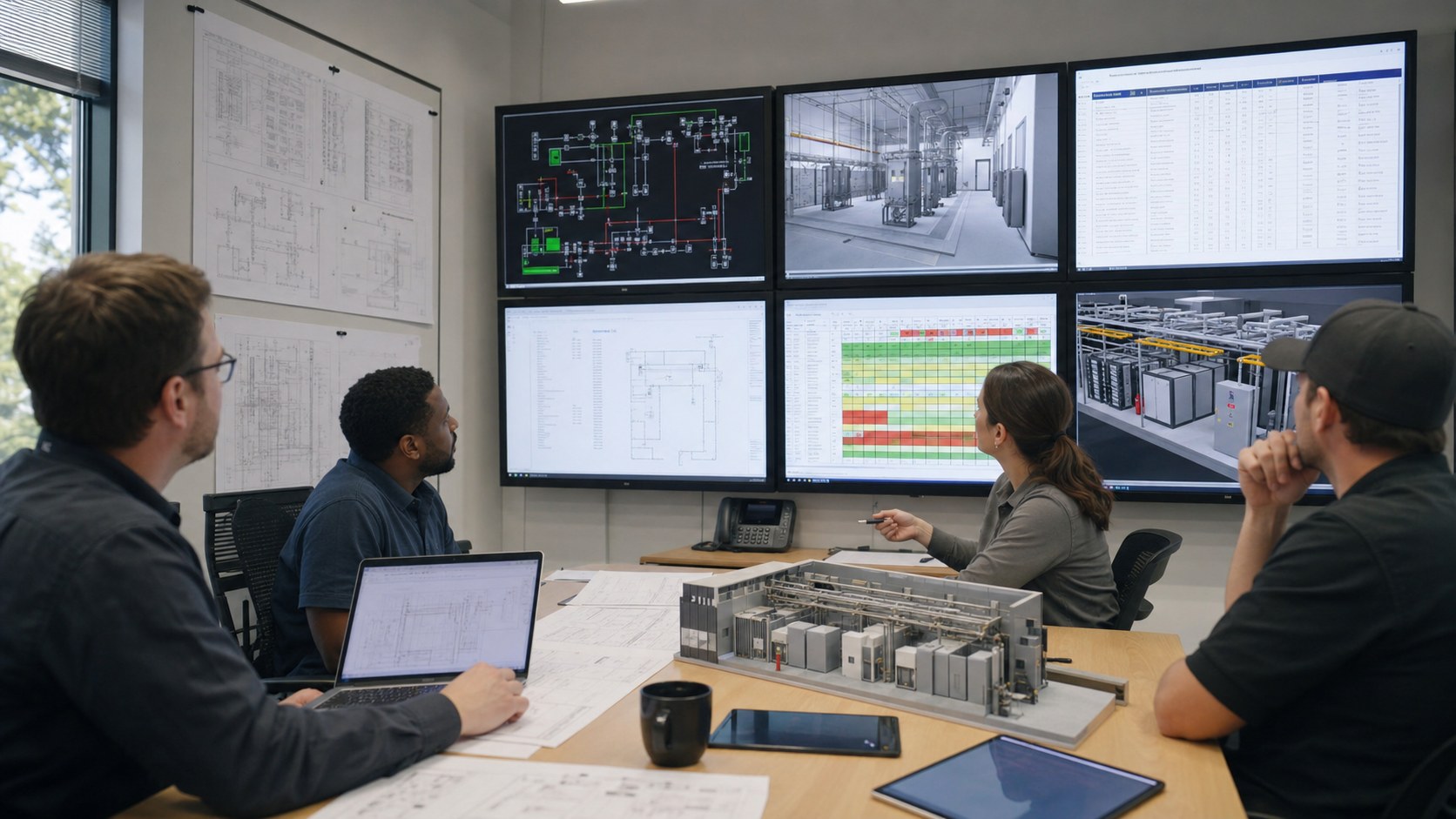
Austin Visuals has already worked with OnRamp Data Centers to translate facility geometry, cooling relationships, and redundant power communication into a customer-facing 3D experience. For a new power-focused project, that history provides a useful starting point: the animation can be organized around the actual source-to-load story instead of treating the data hall as a generic technology backdrop.
The team can accept client-approved CAD, BIM, one-line references, photographs, and equipment information, then create a visual hierarchy that reveals only what the audience needs. Early grayscale previews give electrical and operations reviewers a practical place to correct path logic, equipment state, camera visibility, and sequence timing before rendering becomes expensive.
Austin Visuals can also coordinate 3D modeling, motion graphics, narration, sound, and alternate deliverables through one production lead. That is especially useful when the same approved system must support a technical presentation, customer overview, operator module, and shorter sales asset without allowing the versions to contradict one another.
See the OnRamp data center animation case study and Austin Visuals’ 3D technical animation services for related examples of complex-system visualization.
Our Demo Reel
How Much Does a Data Center Power Redundancy Animation Cost?
Cost depends on the amount of facility geometry, quality of source files, number of electrical states, level of equipment detail, runtime, narration, security constraints, review burden, and delivery formats. A short conceptual sequence built from a clean existing model is materially different from a multi-scenario facility animation reconstructed from drawings and photographs.
Austin Visuals’ published technical-animation planning ranges place simple 30- to 60-second mechanical sequences around $5,000 to $8,000, standard multi-part projects around $8,000 to $15,000, and multi-scene photorealistic work around $15,000 to $25,000. Large or multi-deliverable technical assignments can exceed those ranges. The project should be quoted from the actual sources and approval plan rather than from runtime alone.
A useful request package identifies the audience, desired claim, system boundary, required scenarios, available one-lines or models, reviewers, deadline, confidentiality requirements, and final formats.
Conclusion
Data center power redundancy animation turns an electrical topology into a sequence people can follow: normal service, disturbance detection, stored-energy support, generator startup, transfer, stabilization, maintenance, and restoration. It is most valuable when the team defines the system boundary, traces every path to the critical load, identifies shared dependencies, and labels the difference between an approved explanation and an engineering validation.
The strongest visual is not the one with the most glowing cables. It is the one in which every energized path, standby component, isolated device, transition, and limitation has a reason to be on screen. That discipline helps one facility story serve training, sales, due diligence, and stakeholder review without sacrificing technical credibility.
Contact us at info@austinvisuals.com or call (512) 591-8024.
Frequently Asked Questions
What is power redundancy in a data center?
Power redundancy is the use of additional capacity, alternate components, or independent distribution paths so critical loads can remain supported when equipment fails or is taken out of service. The exact protection depends on the complete source-to-load design, not on one device count.
What does N+1 mean in data center power?
N+1 means the system has the capacity required for the defined load plus one additional capacity component. If two UPS modules are required, a third equal module can provide N+1 capacity, although other shared elements may still limit resilience.
What is the difference between N+1 and 2N redundancy?
N+1 adds one spare capacity component, while 2N provides two systems that can each support the full defined load. The real distinction must be evaluated across the stated system boundary and distribution paths.
How do UPS systems and generators work together during an outage?
The UPS supplies conditioned power from stored energy almost immediately after a disturbance, while generators start and become stable enough to provide longer-duration onsite power. Transfer and restoration follow the facility’s approved control sequence.
Can animation identify a single point of failure?
Animation can make a shared component or path easier to notice, but qualified engineers must determine whether it is a single point of failure. The visual explains approved findings and scenarios; it does not replace electrical analysis or testing.
What source files are needed for a power redundancy animation?
Useful sources include current one-line diagrams, BIM or CAD, equipment schedules, sequence-of-operations documents, site photographs, test scripts, load information, and a reviewer-approved list of operating states.
How long does a data center power animation take to produce?
A focused sequence may take four to eight weeks, while a detailed facility model with several failure states, technical reviewers, narration, and multiple deliverables may require eight to twelve weeks or longer. Source readiness and review speed strongly affect the schedule.