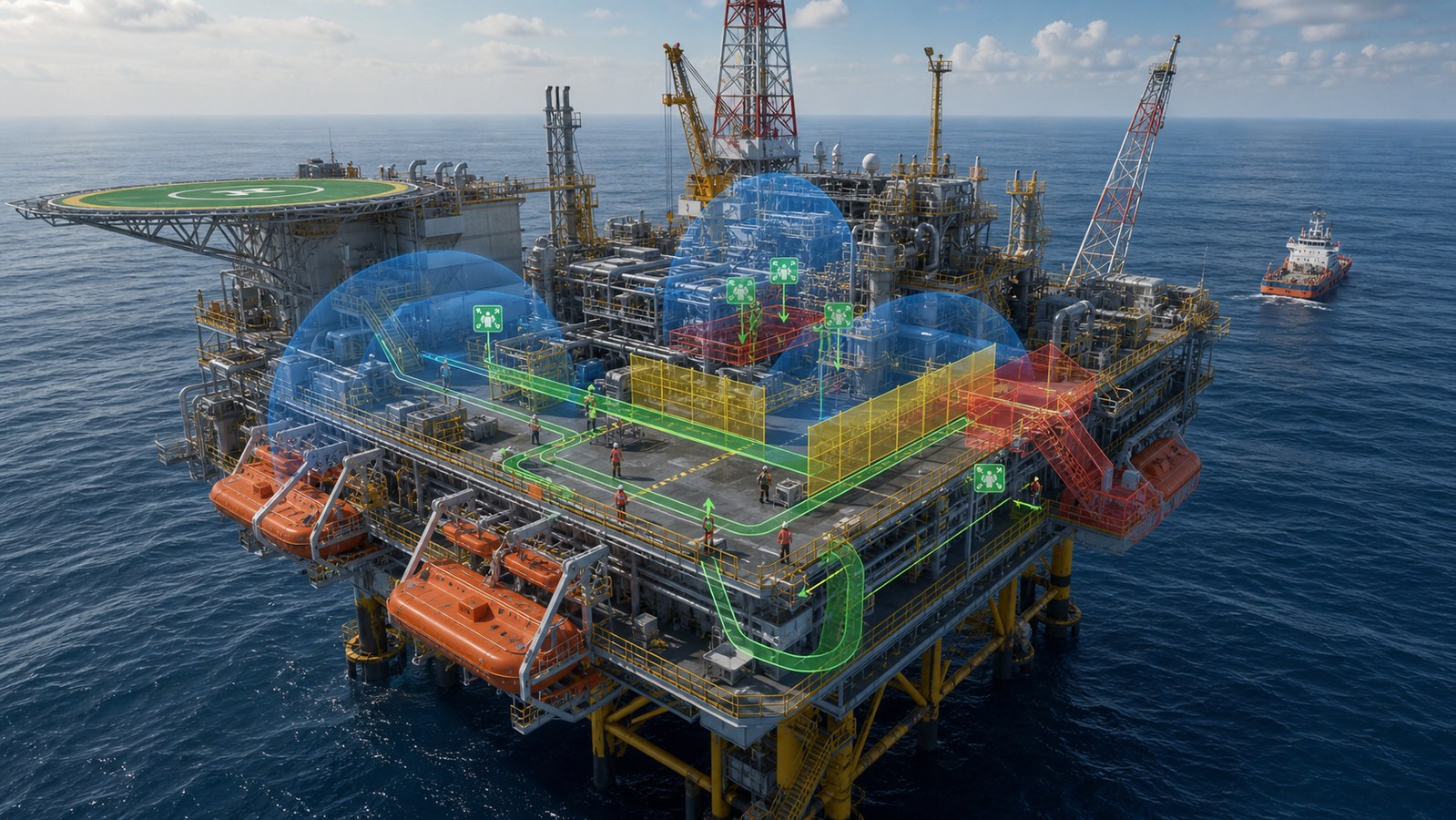
Offshore platform safety animation recreates the layout, hazards, control barriers, alarms, crew decisions, and emergency routes of an offshore facility so personnel can see how a normal task can change into an abnormal event and how the approved response should unfold. Its purpose is not to make danger cinematic. It is to help workers connect site-specific procedures with space, timing, equipment state, communication, and the actions of other teams.
The strongest training sequence begins before the alarm. It establishes the work permit, simultaneous operations, energy sources, exclusion zones, weather, escape paths, and safeguards that should prevent escalation. When a condition changes, the animation reveals which barrier detects it, who receives the information, what must stop, and how personnel move toward a safe state. That cause-and-response structure is far more useful than a generic montage of flames, sirens, and running workers.
Need offshore safety training that shows the whole situation, not just one procedure?Austin Visuals can convert approved platform layouts, operating procedures, hazard analyses, equipment references, and emergency plans into realistic visual scenarios for onboarding, refresher training, toolbox talks, and LMS delivery.
Contact us at info@austinvisuals.com or call (512) 591-8024.
What Is Offshore Platform Safety Animation?
Offshore platform safety animation is a site- or system-specific visual model used to teach hazards, preventive barriers, work practices, emergency controls, and crew response on a fixed platform, floating production unit, drilling installation, liftboat, or other offshore facility. It can combine realistic 3D environments with 2D procedure graphics, decision prompts, narration, and interactive assessments.
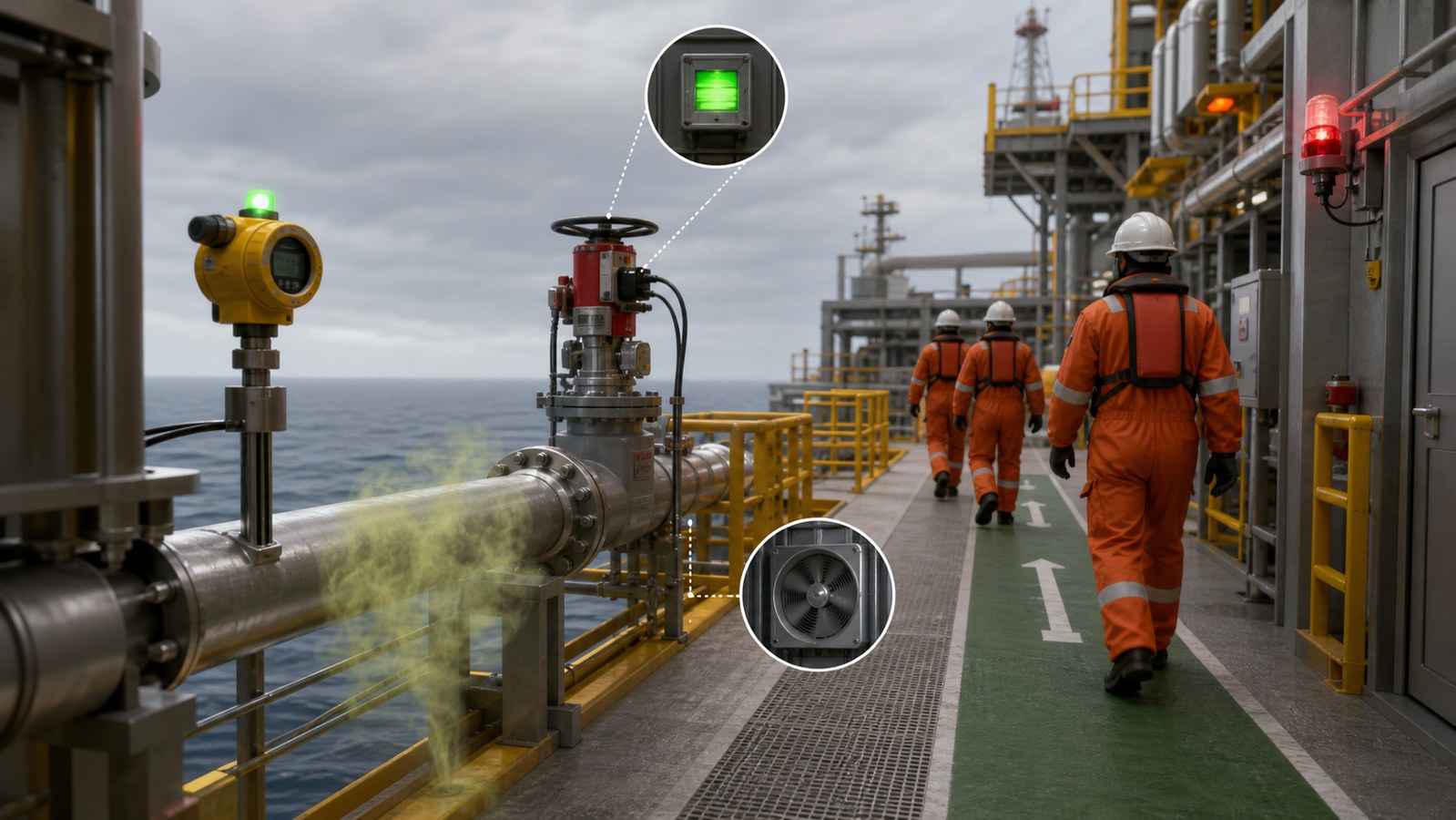
Unlike a static orientation map, an offshore safety training animation adds time and equipment state. It can show a valve moving, pressure changing, a detector entering alarm, ventilation shutting down, an emergency shutdown command propagating, or one egress route becoming unavailable. Learners can follow the relationship between a developing condition and the next approved action.
A responsible production remains subordinate to the operator’s current procedures, SEMS program, facility emergency plan, training requirements, and qualified subject-matter review. It should never invent alarm setpoints, shutdown logic, firefighting tactics, evacuation timing, or survival instructions.
Why Offshore Safety Is a Systems Problem
Several Operations Share a Compact Facility
Production, drilling, maintenance, lifting, marine transfer, aviation, catering, and contractor work may occur within one constrained environment. A change in one area can alter risk somewhere else. A suspended load can affect an access route. Hot work can conflict with hydrocarbon handling. A ventilation change can influence gas migration. Training must therefore show simultaneous operations, not isolated job steps floating in empty space.
Distance and Time Shape the Emergency
Offshore workers cannot assume immediate access to shoreside emergency resources. Weather, sea state, visibility, aircraft status, vessel position, and the condition of the installation can affect evacuation and medical response. The animation should use only timing and transport assumptions approved for the facility, but it can make those dependencies visible before a real event.
Automatic Systems Still Require Human Understanding
Detection, alarm, isolation, depressurization, deluge, ventilation, and emergency shutdown systems may respond automatically or through operator action. Personnel still need to recognize what an alarm means, which areas are affected, what work must stop, and which authority controls the response. A flashing icon without system context teaches recognition but not judgment.
Contractors May Arrive With Different Experience
An offshore installation may host personnel from multiple employers, trades, languages, and training backgrounds. Standardized visuals can support a common site picture, but they should not erase role differences. The crane operator, deck crew, process technician, control-room operator, medic, and temporary visitor do not have identical responsibilities.
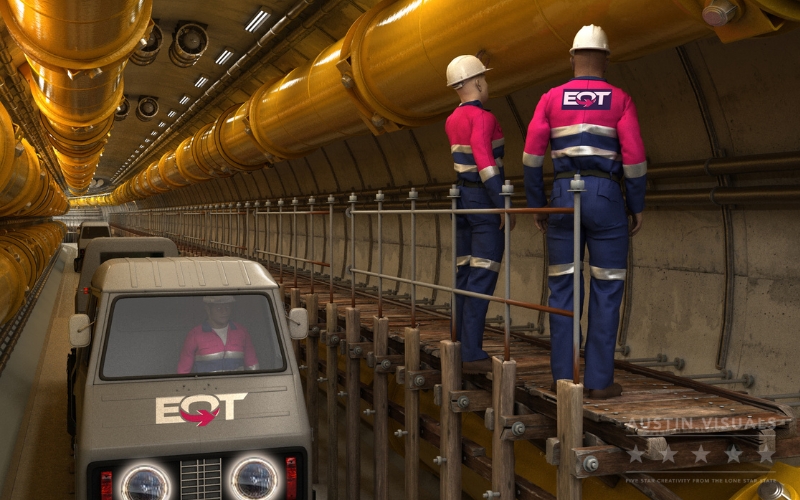
Build the Animation Around Barriers, Not Spectacle
Safety barriers are the engineered, procedural, and organizational measures intended to prevent an initiating event, detect a deviation, limit escalation, or protect people and the environment. An offshore hazard visualization becomes more instructive when it identifies these functions before demonstrating a failure.
For a selected scenario, the storyboard can organize barriers into four layers:
- Prevention: hazard analysis, permit controls, isolation, inspection, maintenance, exclusion zones, competence, and communication
- Detection: instruments, gas and fire detectors, alarms, human observation, and control-room indications
- Control: shutdown, isolation, depressurization, ventilation response, deluge, drainage, and incident command
- Protection and recovery: PPE, temporary refuge, muster, escape, evacuation, rescue, medical response, and accountability
The sequence should show which barriers are available, challenged, bypassed, failed, or awaiting human action. That state-based language helps reviewers find mistakes and gives learners a framework for understanding why the procedure is ordered as it is.
Safety Scenarios That Benefit From Animation
Permit to Work and Simultaneous Operations
A scenario can begin with the planned task, responsible roles, equipment status, isolations, adjacent work, and environmental limits. When a new activity or changing condition creates a conflict, the learner sees why work must pause and the risk must be reassessed. This is more useful than displaying a permit form without the physical situation it controls.
Lifting Operations and Dropped-Object Exposure
An oil rig safety animation can show the crane radius, load path, blind areas, tag-line use, communications, deck obstructions, vessel movement, and the distinction between a controlled exclusion zone and an unsafe shortcut. Physics should remain credible: load swing, boom movement, wind, and line tension cannot be exaggerated for drama.
Hydrocarbon Release, Gas Detection, and Ignition Risk
A leak scenario may trace the approved source, release direction, detector response, alarm state, ventilation behavior, isolation, ignition control, and personnel movement. Gas dispersion should be based on engineering or approved simplified assumptions. Colored vapor can illustrate an invisible hazard, but the video must label that treatment as a visual aid rather than measured concentration.
Fire, Explosion, and Emergency Shutdown
An animation can slow the first seconds of an event so the audience understands detection, alarm, ESD initiation, equipment isolation, ventilation or damper response, deluge, and control-room communication. It should not suggest that every fire follows the same pattern or that an automatic system eliminates the need for the approved emergency organization.
Confined Space, Line Breaking, and Energy Isolation
Cutaways can reveal process inventory, pressure, electrical sources, mechanical movement, adjacent connections, and atmospheric hazards hidden by walls or equipment housings. The training should use the operator’s isolation philosophy, testing requirements, permits, rescue arrangements, and return-to-service procedure.
Helideck, Marine Transfer, and Man-Overboard Response
Aircraft and vessel operations introduce moving equipment, weather, communication, fuel, rotor or propeller hazards, transfer points, and over-water exposure. Animation can orient personnel to safe approach routes and response roles, but it must be reviewed by the specialists responsible for aviation, marine, and rescue operations.
How to Animate Muster and Evacuation Without Creating Bad Training
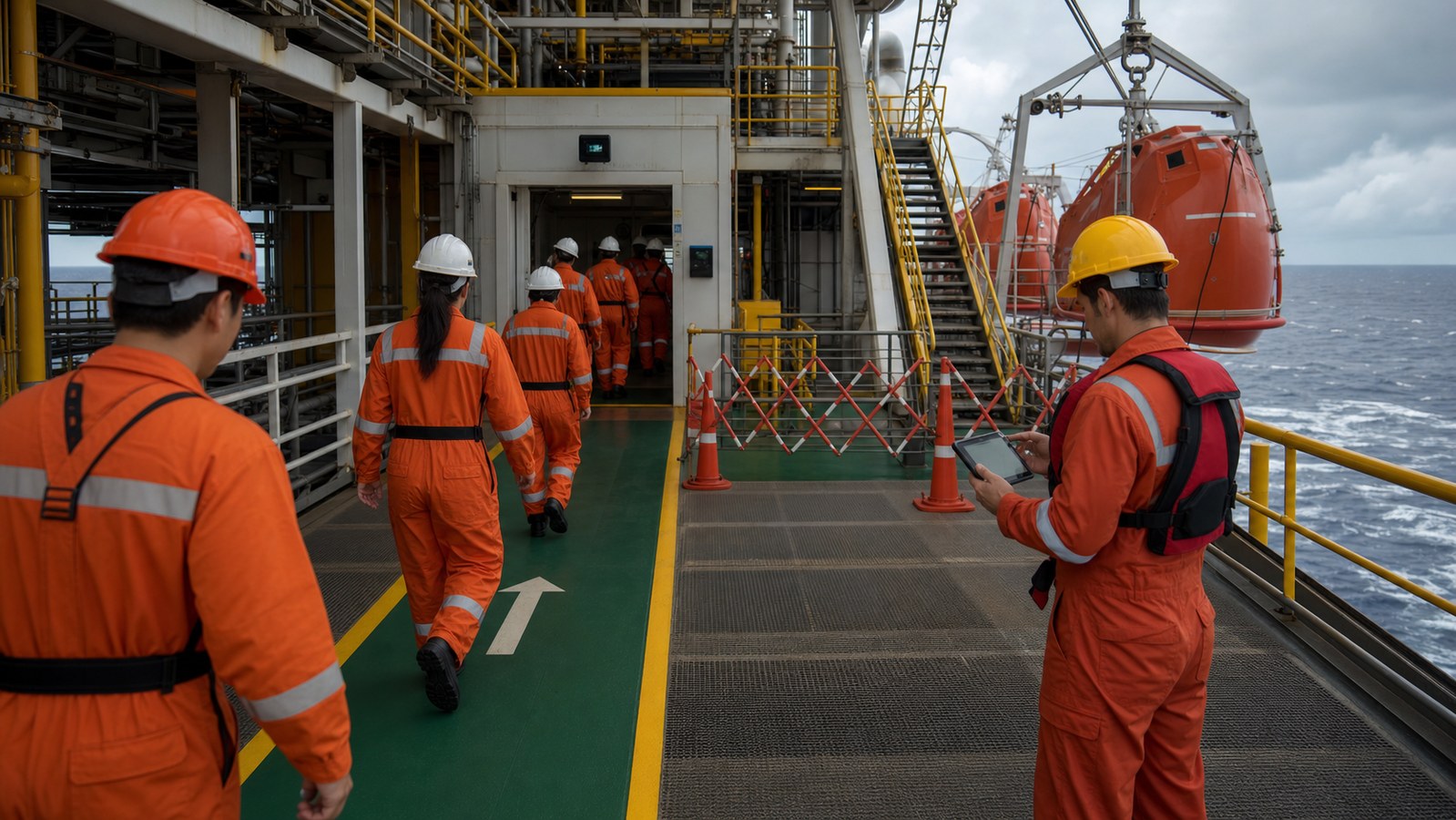
A platform evacuation animation should begin with the facility’s real alarm conventions, accountability method, muster locations, route hierarchy, temporary refuge, and evacuation resources. It should identify which audience is being trained: resident crew, contractor, visitor, emergency team, or control-room personnel.
The visual can present a normal primary route and then introduce one approved complication, such as smoke, a blocked stair, wind direction, loss of lighting, or an unavailable embarkation area. Learners should see the alternate path and the communication that authorizes it. They should not be encouraged to improvise from a visually convenient camera angle.
Useful design practices include:
- Maintain the correct relationship among decks, stairs, doors, refuge areas, lifeboats, life rafts, and transfer points.
- Use consistent symbols for available, restricted, hazardous, and impassable routes.
- Show personnel accountability and missing-person escalation, not only movement toward a muster point.
- Distinguish muster, abandonment, evacuation, escape, and rescue language according to the operator’s terminology.
- Provide role-specific edits so general personnel do not receive emergency-team instructions outside their responsibility.
A Better Structure for Offshore Emergency Response Animation
An offshore emergency response animation works best as a short scenario with explicit decision points. The learner should understand the initial condition, cues, expected communication, control actions, protective actions, and the criteria for escalation or recovery.
- Establish normal operation. Show work status, occupied areas, weather, equipment states, and relevant safeguards.
- Introduce one defined deviation. Use an approved leak, alarm, equipment fault, procedural conflict, or environmental change.
- Reveal the cues. Identify what can be seen, heard, measured, or reported by each role.
- Pause at the decision. Ask the learner to select or state the next approved action.
- Show the response chain. Connect local action, control-room action, incident command, alarms, and personnel movement.
- Demonstrate consequences carefully. Show why the correct choice matters without inventing unsupported casualties or damage.
- Debrief the barriers. Review what prevented escalation, what changed, and what documentation governs the response.
This format supports classroom discussion and LMS assessment because the scenario can stop before the answer appears. It also makes updates easier: a changed alarm, route, or role can be revised in the relevant chapter instead of forcing a complete remake.
Technical Inputs Needed for an Accurate Production
The production team should receive only current, authorized material. Useful inputs may include general arrangement drawings, deck plans, equipment models, process flow diagrams, cause-and-effect documentation, alarm philosophy, shutdown narrative, emergency response plan, muster and evacuation maps, permit examples, JSAs, photographs, video, and interviews with facility specialists.
Before files are transferred, the operator should define security, confidentiality, export-control, cybersecurity, and distribution requirements. A training vendor should not assume that every drawing or control-system detail is appropriate for a general audience or unrestricted LMS.
Review ownership should be assigned by subject:
- Operations validates normal and abnormal equipment behavior.
- Process safety validates hazards, barriers, and escalation logic.
- Emergency response validates alarms, command, routes, muster, and evacuation.
- Marine and aviation specialists validate transfer and transportation content.
- Training specialists validate objectives, language, assessments, and learner scope.
- Document control confirms that approved versions and revision records are retained.
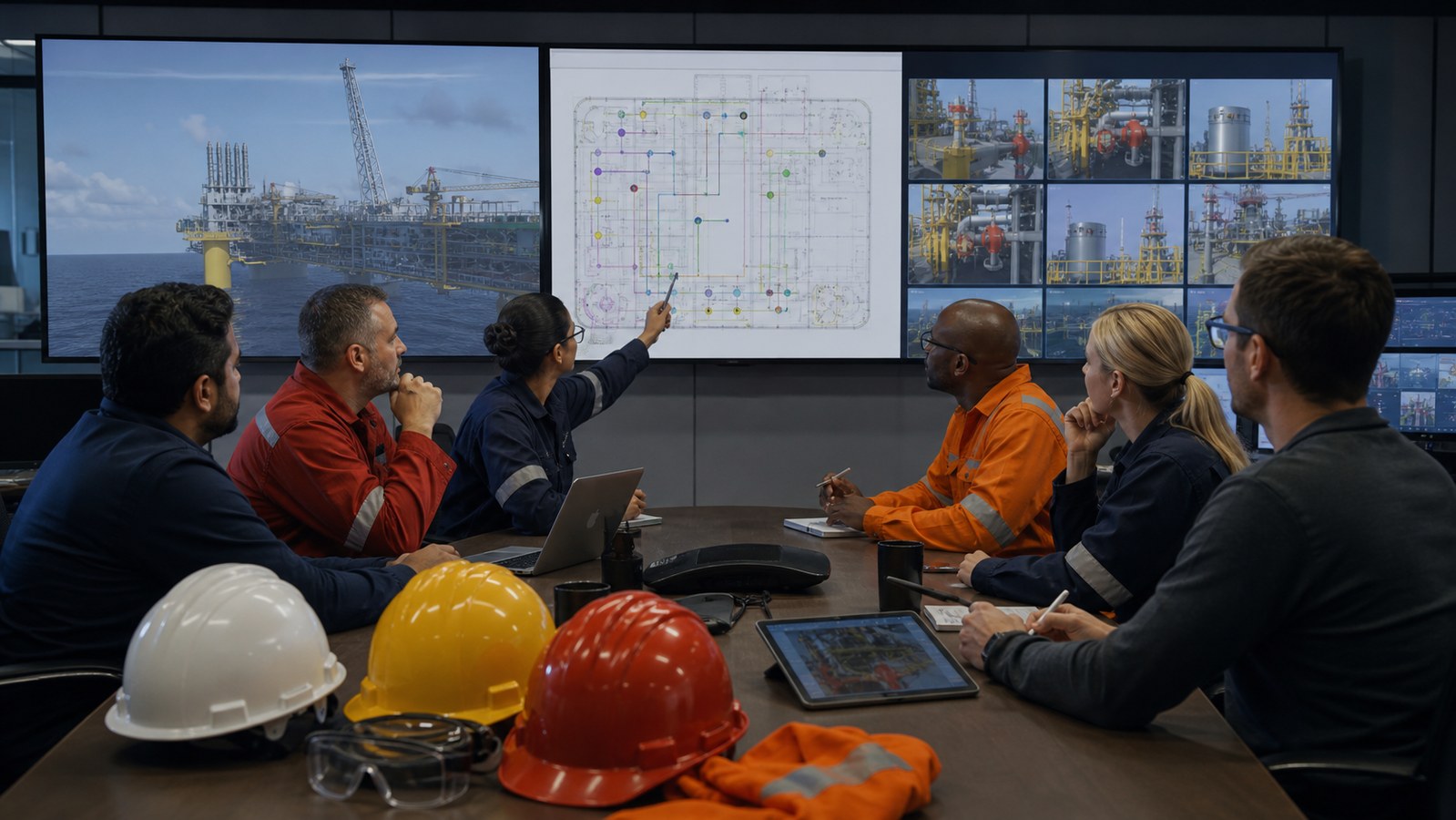
Choosing Between Video, 3D Animation, and Interactive Training
Live-action video is effective when workers need to see real tools, body position, PPE, communication behavior, and site culture. It is less suitable for hidden process conditions, events that cannot be staged safely, or a future installation that does not yet exist.
Linear 3D animation provides a controlled camera, repeatable sequence, cutaways, transparent equipment, and clear state changes. It is well suited to inductions, toolbox talks, instructor-led modules, and demonstrations of rare or hazardous scenarios.
Interactive 3D or VR can let learners inspect the installation, practice route choices, identify hazards, or respond to scenario cues. It requires additional interface design, testing, hardware planning, performance optimization, analytics, and update support. The project should choose interactivity only when learner decisions justify that complexity.
A hybrid program may use filmed introductions, a 3D scenario, 2D decision graphics, and a short assessment. The medium should support the learning objective rather than become a technology showcase.
Why Choose Austin Visuals for Offshore Platform Safety Animation?

Austin Visuals builds offshore training around an operating-state storyboard. Instead of moving immediately into polished rendering, the team identifies the normal state, initiating condition, barrier changes, role-specific cues, approved decisions, and recovery state for each scene. That approach gives operations and safety reviewers a concrete sequence to correct before visual detail makes revisions expensive.
The production can combine a realistic platform environment with process cutaways, route overlays, alarm graphics, incident timelines, and learner questions. The same validated assets can support an induction overview, a task-specific module, a silent briefing loop, a supervisor discussion version, or short refresher segments without presenting every audience with the same level of information.
Austin Visuals also coordinates script development, storyboards, CAD cleanup, 3D modeling, character motion, voiceover, captions, sound, and LMS-ready exports through one production plan. Review related capabilities in 3D animation for oil and gas safety training and offshore drilling training visualization.
Conclusion
Offshore platform safety animation is most effective when it makes risk controls and crew coordination visible before depicting an emergency. The learner should see the planned task, changing condition, barrier status, alarm, communication path, control action, protective action, and accountability process as one connected system.
The finished animation does not replace procedures, drills, competence assessment, hands-on practice, or facility-specific instruction. It gives those programs a repeatable visual layer that can prepare personnel for discussion and practice. Accuracy depends on current source material, narrow scenario definitions, qualified review, and clear disclosure of every simplification.
Ready to turn an offshore hazard or emergency sequence into usable training?Austin Visuals can help organize your approved procedures, facility references, and subject-matter input into a technically reviewable scenario for orientation, operations, safety meetings, or digital learning.
Contact us at info@austinvisuals.com or call (512) 591-8024.
Frequently Asked Questions
What is offshore platform safety animation?
It is a site- or system-specific visual training method that shows platform hazards, safety barriers, alarms, equipment states, crew decisions, emergency routes, and approved response sequences over time.
Which offshore safety topics are best suited to animation?
Useful topics include permit-to-work conflicts, simultaneous operations, lifting, dropped objects, gas detection, hydrocarbon releases, shutdown, fire response, energy isolation, muster, evacuation, marine transfer, and site induction.
Can animation replace offshore emergency drills?
No. Animation can prepare learners, establish a shared site picture, and support debriefing, but it does not replace drills, hands-on practice, competence assessment, current procedures, or facility-specific instruction.
What source files are needed for an offshore safety animation?
Typical sources include general arrangement drawings, deck plans, CAD, process diagrams, cause-and-effect documentation, procedures, emergency plans, route maps, JSAs, photographs, and interviews with authorized specialists.
How do you keep an offshore animation technically accurate?
The team defines a narrow scenario, maps every important claim to an approved source, reviews a low-detail animatic by discipline, documents simplifications, and confirms the final version against controlled source material.
Should offshore training use 2D, 3D, or VR?
Use 2D for decisions, procedures, and system diagrams; 3D for spatial layout, equipment, routes, and hidden mechanisms; and VR when learners must practice choices or navigation and the added development effort is justified.
How long does offshore platform safety animation take to produce?
A focused linear module may take six to ten weeks. A detailed platform model, several scenarios, multiple role versions, interactive content, or extensive technical review can require a longer schedule.