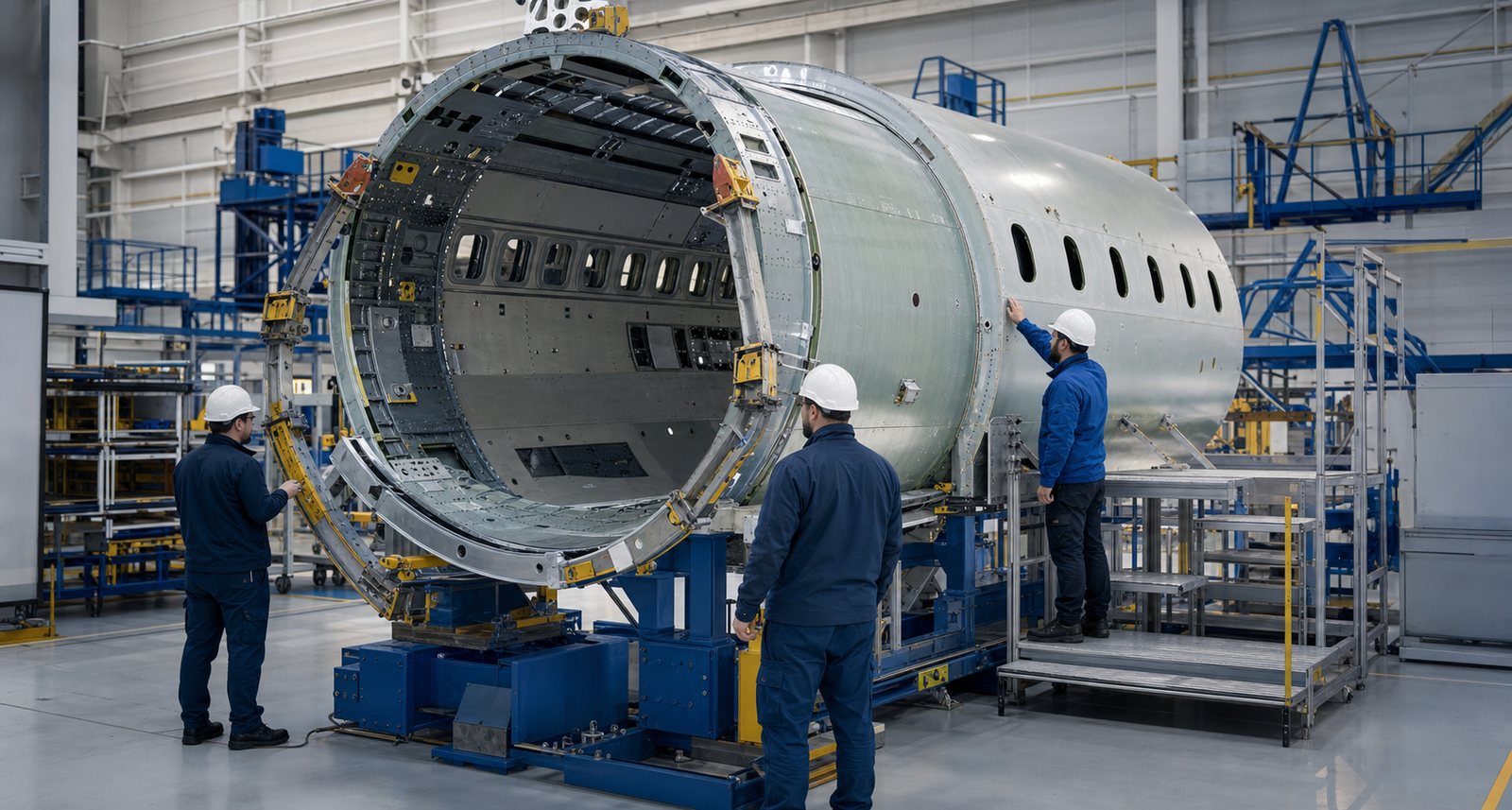
Aerospace products are built from tightly controlled materials, tools, data, and human decisions. A conventional drawing can define dimensions, and a work instruction can describe a task, but neither always shows motion, access, orientation, sequence, or the relationship between parts. A technically reviewed animation can make those relationships visible before a learner approaches production hardware. Austin Visuals develops this kind of visual communication for manufacturers, engineering teams, training groups, and technical marketers.
The goal is not to decorate an engineering process. It is to preserve the important technical facts while presenting them in a form that the intended audience can understand. To discuss an upcoming aerospace visual project, call (512) 591-8024 or email info@austinvisuals.com.
What Is Technical Animation for Aerospace Manufacturing?
Technical animation for aerospace manufacturing is a planned visual explanation of how a component, structure, tool, or process works over time. It may show a fuselage barrel entering a fixture, a bracket installation sequence, composite ply placement, engine module assembly, dimensional inspection, or an approved response to a production condition. The animation can use realistic 3D models, simplified technical graphics, or a combination of both.
The defining feature is technical intent. Camera movement, color, transparency, section views, labels, and timing are chosen to answer a practical question. What moves first? Which surface is inspected? Where is access limited? Which fastener family is used? What must remain clean? Which step requires verification? A strong aerospace manufacturing animation keeps attention on the decision or action instead of making the viewer search through visual clutter.
Animation should support, not silently redefine, the approved process. Source geometry, terminology, tooling, safety details, and sequence should be reviewed by the people who own the engineering or manufacturing instruction. When a visual is intended for training or production support, the project also needs a clear plan for revisions so that the animation does not drift away from configuration-controlled documentation.
Where Aerospace Process Visualization Adds Value
A single aerospace program can involve design engineering, manufacturing engineering, quality, suppliers, operators, customers, and leadership. Each group sees a different slice of the process. Aerospace process visualization provides a shared visual reference while allowing the level of detail to change for each audience.
Manufacturing planning and design review
Before hardware reaches the floor, animation can help teams review installation order, tool approach, human access, temporary supports, and interactions between work packages. A sequence may expose a blocked fastener, an impractical camera or inspection angle, or a component that must be installed earlier than expected. The animation is not a substitute for tolerance analysis or formal process validation, but it can make review conversations faster and more specific.
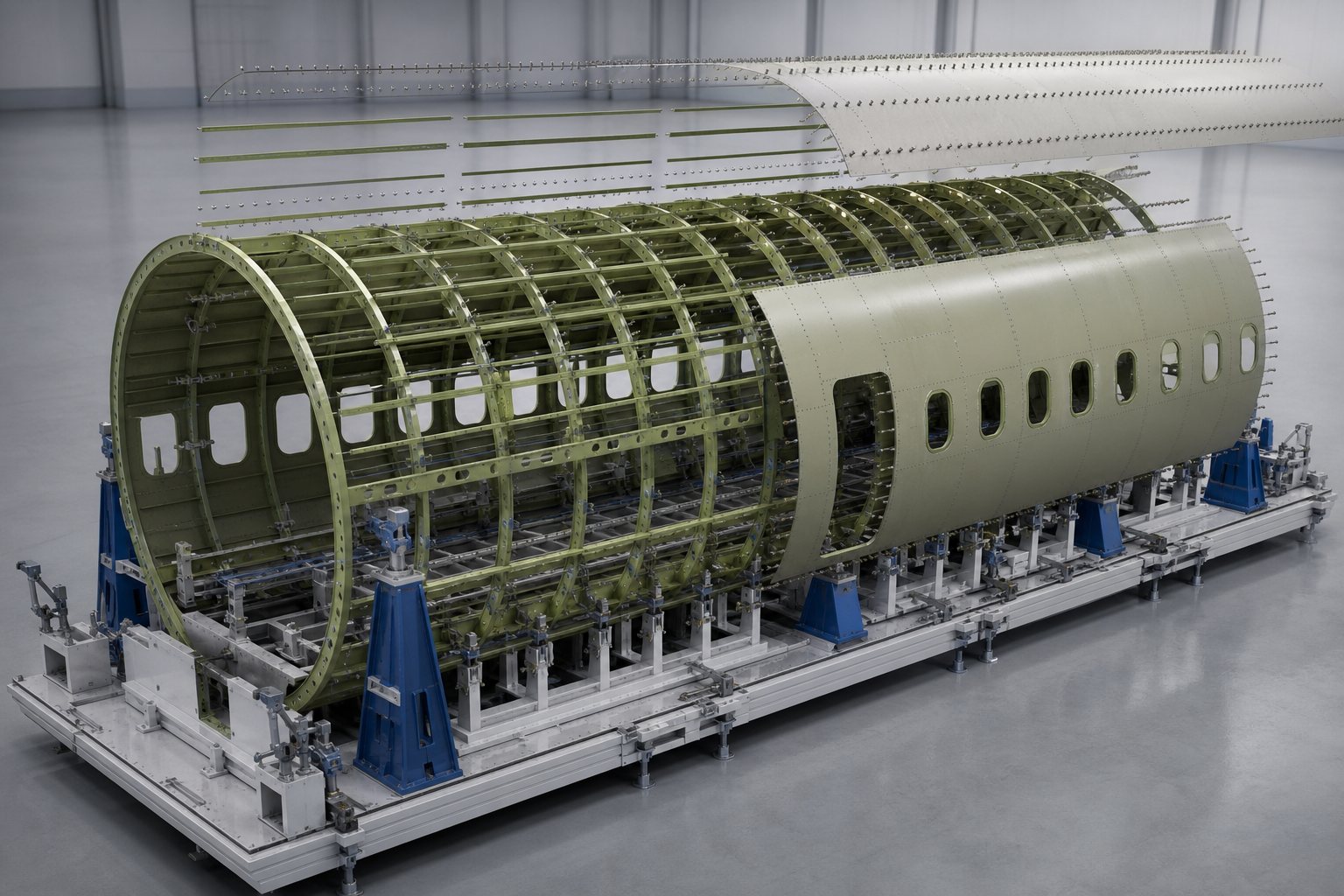
A controlled 3D view is especially useful when the physical assembly hides important structure. Frames, stringers, clips, skins, systems, and temporary tooling can be isolated without pretending that the product is transparent in real life. This is one of the practical strengths of 3D aerospace visualization: it gives the viewer a clear mental model of an assembly while preserving its real spatial relationships.
Composite layup, cure, and finishing
Composite manufacturing depends on material condition, orientation, sequence, tooling, contamination control, process parameters, and inspection. An animation can show how plies relate to a mold, where overlaps occur, how bagging materials are arranged, or how a cured component moves to trimming and inspection. It can also contrast correct and incorrect handling without risking valuable material.
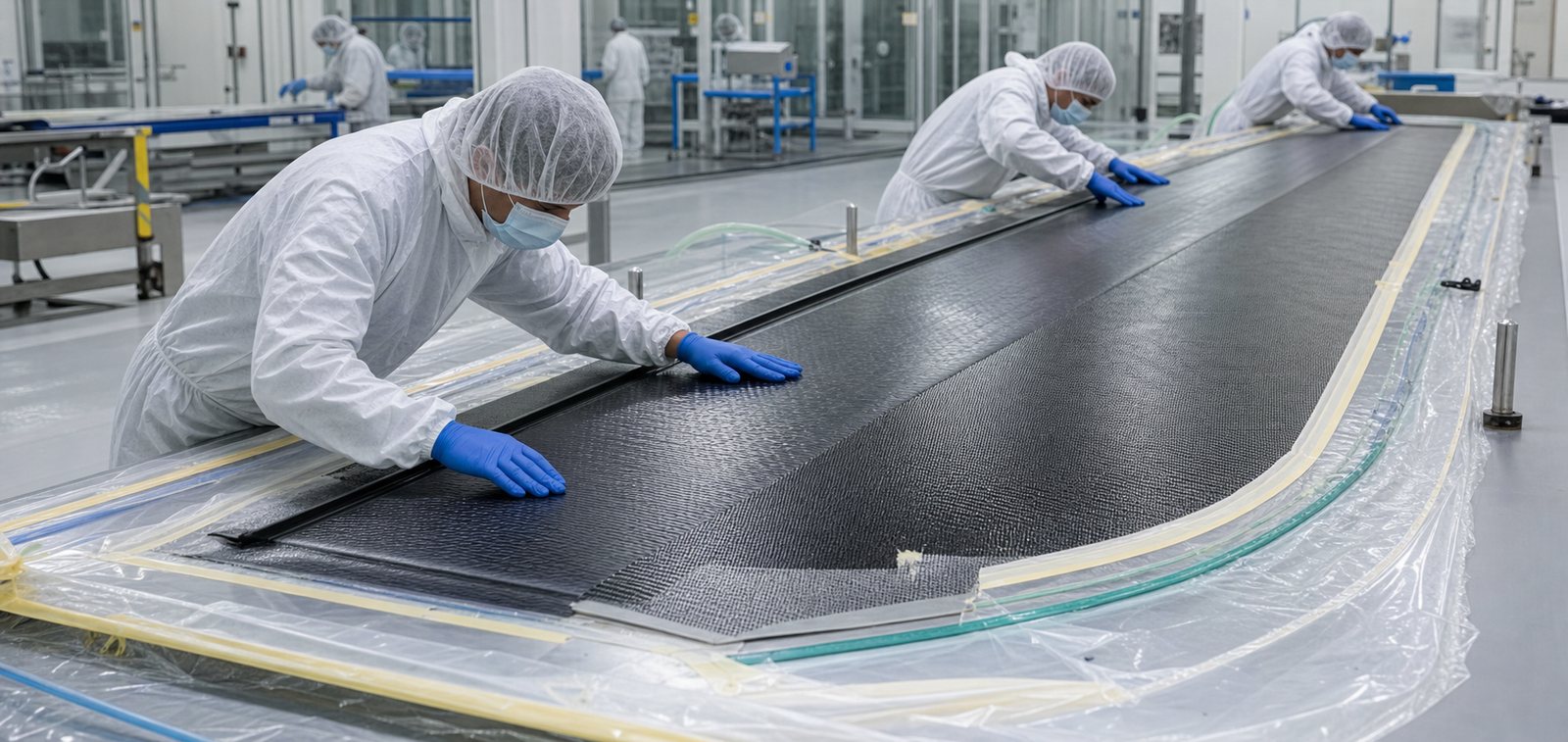
A useful composite manufacturing animation does not imply that every process uses the same layup or cure method. It identifies the specific material system and client-approved procedure being represented. Details such as fiber direction, release materials, breather layers, sealant location, cure equipment, and inspection points should be simplified only when that simplification cannot mislead the audience.
Machining, fastening, and engine assembly
Machined structural parts and propulsion components often contain features that are difficult to see in a wide factory photograph. Animation can isolate a bore, interface, seal, bearing, fastener stack, or tool path while keeping the larger assembly in context. It can show torque sequence, part orientation, protected surfaces, lifting points, or inspection hold points in a measured order.

An aircraft assembly animation is most useful when it explains an action rather than merely rotating a model. For example, an engine module sequence may use an exploded view to show relationships, then return every part to its installed position. It should avoid implying that a technician can reach through adjacent hardware, that a rotor is safe to approach while moving, or that a heavy module can be handled without approved equipment.
Inspection and quality communication
Quality teams can use animation to show measurement locations, scanning patterns, inspection access, flaw orientation, datum strategy, acceptance logic, and documentation flow. The visual can prepare a learner to recognize what the procedure is asking before supervised practice begins. It can also help non-specialists understand why a specific inspection method or controlled environment matters.
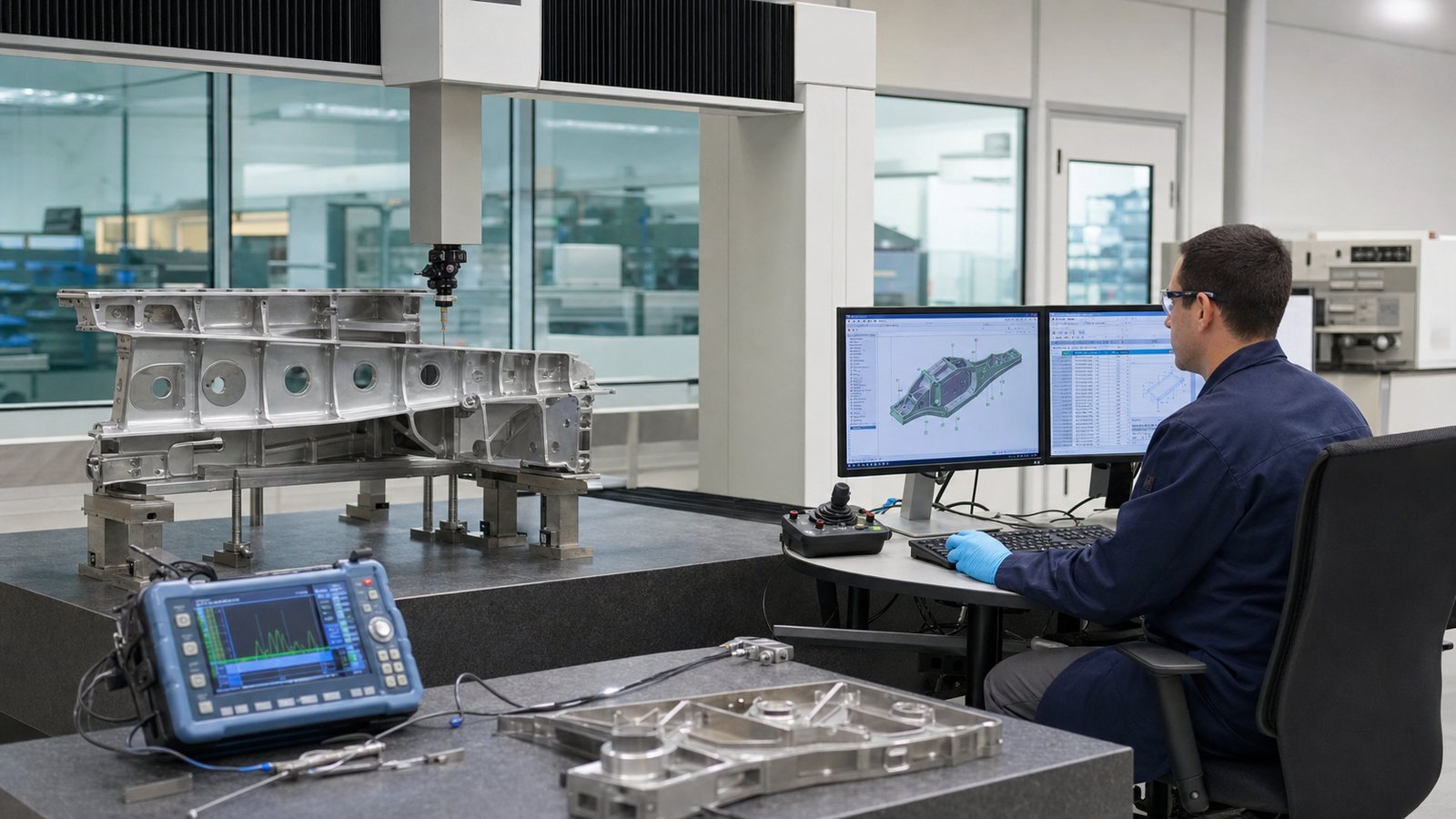
Inspection visuals require careful language. A colorful indication is not automatically a defect, and an animation should not invent acceptance criteria. The approved procedure and qualified personnel remain authoritative. The visual should accurately represent the equipment, component geometry, surface access, and inspection objective while clearly separating demonstration data from actual production results.
Workforce training and knowledge transfer
New technicians often need to understand the full sequence before they can perform one step correctly. Aerospace training animation can preview the work cell, define the start condition, show tool and part orientation, emphasize hazards, and demonstrate what a completed step should look like. Learners can review the sequence before hands-on instruction and revisit it after class.

Animation is also useful when experienced specialists are preparing to retire or move to another program. A structured review with those specialists can capture the reasoning behind a procedure, not just the visible hand motions. That knowledge can then support instructor-led training, onboarding, supplier communication, or recurring qualification content. The final delivery can be divided into short modules so viewers do not need to search through one long video.
Technical Animation Versus CAD Rendering and Live Video
A CAD rendering shows geometry. Live video shows what a camera can see. Technical animation can selectively combine geometry, sequence, and explanation. Each format has a place, and many programs benefit from using them together.
Live video is valuable for real human technique, factory context, and credibility. However, a camera may not fit inside an assembly, and proprietary surroundings may make filming difficult. A still rendering is efficient for a single configuration but cannot fully explain timing or cause and effect. Animation can remove unrelated geometry, pause a critical moment, use a section view, repeat an action, or compare two conditions from the same viewpoint.
The best choice depends on the communication goal. A short live-action introduction may establish the real facility, followed by 3D animation for hidden details and motion graphics for controlled callouts. For an early design review, a clean engineering-style animation may be sufficient. For public marketing, more material and lighting detail may be useful, provided that visual polish does not create false technical claims.
Our Demo Reel
How to Build an Accurate Aerospace Manufacturing Animation
1. Define the decision the visual must support
Start with a specific outcome: prepare technicians for a procedure, explain a process to a customer, review assembly access, support a supplier briefing, or communicate an inspection concept. The same model can produce very different videos depending on the audience and decision. A narrow objective keeps the animation focused and makes review easier.
2. Establish the technical source set
Gather the current CAD configuration, drawings, bills of material, work instructions, tooling information, process photographs, and approved terminology. Identify which source controls each visible detail. If source files disagree, resolve the conflict with the responsible technical owner instead of allowing the animation team to guess.
3. Plan the visual sequence before detailed production
A storyboard or animatic establishes camera angles, sequence, timing, section views, and callouts before expensive rendering begins. Reviewers can confirm that the planned visual answers the right question. This early stage is also the best time to remove unnecessary scenes, protect sensitive geometry, and decide where simplification is acceptable.
4. Prepare engineering geometry for communication
Production CAD often contains more detail than a viewer needs and may be too heavy for animation software. The geometry can be cleaned, organized, and optimized while preserving critical interfaces and proportions. Sensitive or irrelevant features can be omitted by agreement. Materials and textures should distinguish parts clearly without turning the image into a fictional product.
5. Review in technical stages
Reviews should occur before final rendering. A practical sequence includes geometry confirmation, motion and assembly review, terminology review, then final visual and audio review. Manufacturing, quality, safety, and training representatives may each need to approve different aspects. A written assumptions list helps reviewers focus on open decisions.
6. Deliver for the actual learning environment
A factory workstation, learning management system, trade-show display, sales presentation, and executive briefing have different requirements. Deliverables may include a full video, short procedure segments, silent loops, still frames, captions, voiceover versions, or web-optimized files. The project should also preserve source files and revision notes for future updates.
What Information Should You Provide?
The strongest starting package usually includes the current 3D assembly, relevant drawings, the process or learning objective, existing work instructions, reference photos, and a list of subject matter experts. Tooling models, inspection plans, safety requirements, brand guidance, and examples of approved terminology can reduce assumptions.
Not every project can share complete production data. In that case, the team can define a controlled workflow using simplified geometry, neutralized part details, secure file transfer, limited reviewer access, and explicit deletion or retention requirements. The scope should identify what may be shown publicly and what is restricted to internal use.
It also helps to provide a realistic review schedule. A technically complex visual cannot be verified by the animation team alone. Named reviewers should have time to check geometry, sequence, tooling, safety, quality language, and audience suitability before the project reaches final rendering.
Why Choose Austin Visuals for Aerospace Manufacturing Animation?

Austin Visuals helps technical organizations convert complex processes into clear visual stories. Our team can support concept planning, script development, CAD preparation, 3D modeling, animation, motion graphics, voiceover, editing, and delivery. For aerospace programs, we organize reviews around the technical facts that matter: configuration, sequence, tool and part relationships, safe representation, terminology, and audience needs.
We can develop a focused training module, a detailed product or process animation, a hybrid live-action and 3D video, or a set of reusable visuals for presentations and digital learning. The production style can range from clean engineering visualization to photorealistic presentation imagery. In every case, the level of realism should serve comprehension and remain grounded in client-approved information.
Because aerospace work often includes sensitive data and multiple stakeholders, we define review points and assumptions early. That helps engineering, manufacturing, quality, training, and marketing teams see the same project state and provide useful feedback before final delivery.
Our clients include:
How to Measure the Value of the Animation
Measurement should connect to the original communication goal. A training group might compare knowledge checks, instructor time, repeat questions, rework during practice, or time to reach supervised proficiency. A manufacturing team might track review cycles, clarification requests, or the number of process issues identified before hardware execution. A marketing team might measure qualified engagement, presentation completion, or sales-team usage.
Use the animation as part of a controlled process, not as an isolated media file. Collect feedback from viewers and instructors. Record where they pause, where questions remain, and which scenes are reused. When engineering or procedures change, update the animation or clearly retire the outdated version. An accurate visual that remains current is more valuable than a highly polished asset that no longer matches the product.
Frequently Asked Questions
What is technical animation for aerospace manufacturing?
Technical animation for aerospace manufacturing is a visual explanation of an aircraft, spacecraft, engine, component, tool, or production sequence. It uses accurate 2D or 3D motion to clarify assembly, composite fabrication, inspection, maintenance, safety, or training content.
How is aerospace manufacturing animation different from a CAD model?
A CAD model describes geometry and engineering intent. Aerospace manufacturing animation adds timing, sequence, camera direction, callouts, section views, and controlled simplification so a specific audience can understand what happens, in what order, and why.
What files are useful for an aircraft assembly animation?
Useful inputs include CAD assemblies, drawings, bills of material, work instructions, tooling models, process photos, inspection plans, approved terminology, and reviews from manufacturing and quality subject matter experts.
Can animation be used as an approved aerospace work instruction?
Animation can support an approved instruction system, but it should not replace configuration-controlled engineering or quality documentation unless the organization has formally validated and approved that use. The visual must remain aligned with the current approved process.
How can animation explain composite manufacturing?
Composite manufacturing animation can show ply order and orientation, tooling, vacuum bagging, cure stages, trimming, bonding, inspection, and defect-prevention concepts. The level of detail should match the intended training or communication goal.
How long does a technical aerospace animation take to produce?
A focused animation may take several weeks, while a complex program with CAD cleanup, multiple procedures, custom environments, expert reviews, and several deliverables can take longer. Scope, source-data quality, review availability, and required fidelity drive the schedule.
How does Austin Visuals maintain technical accuracy?
Austin Visuals develops the visual plan from client-provided engineering sources, identifies assumptions, uses staged reviews, and invites subject matter experts to verify geometry, sequence, terminology, safety details, and final delivery requirements.
Conclusion
Technical animation for aerospace manufacturing can make hidden structure, controlled sequence, inspection intent, and complex production relationships easier to understand. It is most effective when the objective is specific, the source data is current, subject matter experts review the content, and the final asset is managed alongside approved technical documentation.
For training, design review, supplier communication, technical marketing, or process explanation, the right visual approach can reduce ambiguity without oversimplifying the engineering.
Austin Visuals helps companies turn equipment, workflows, safety procedures, products, and technical processes into clear visual content that teams and customers can understand.
Contact us at info@austinvisuals.com or call (512) 591-8024.