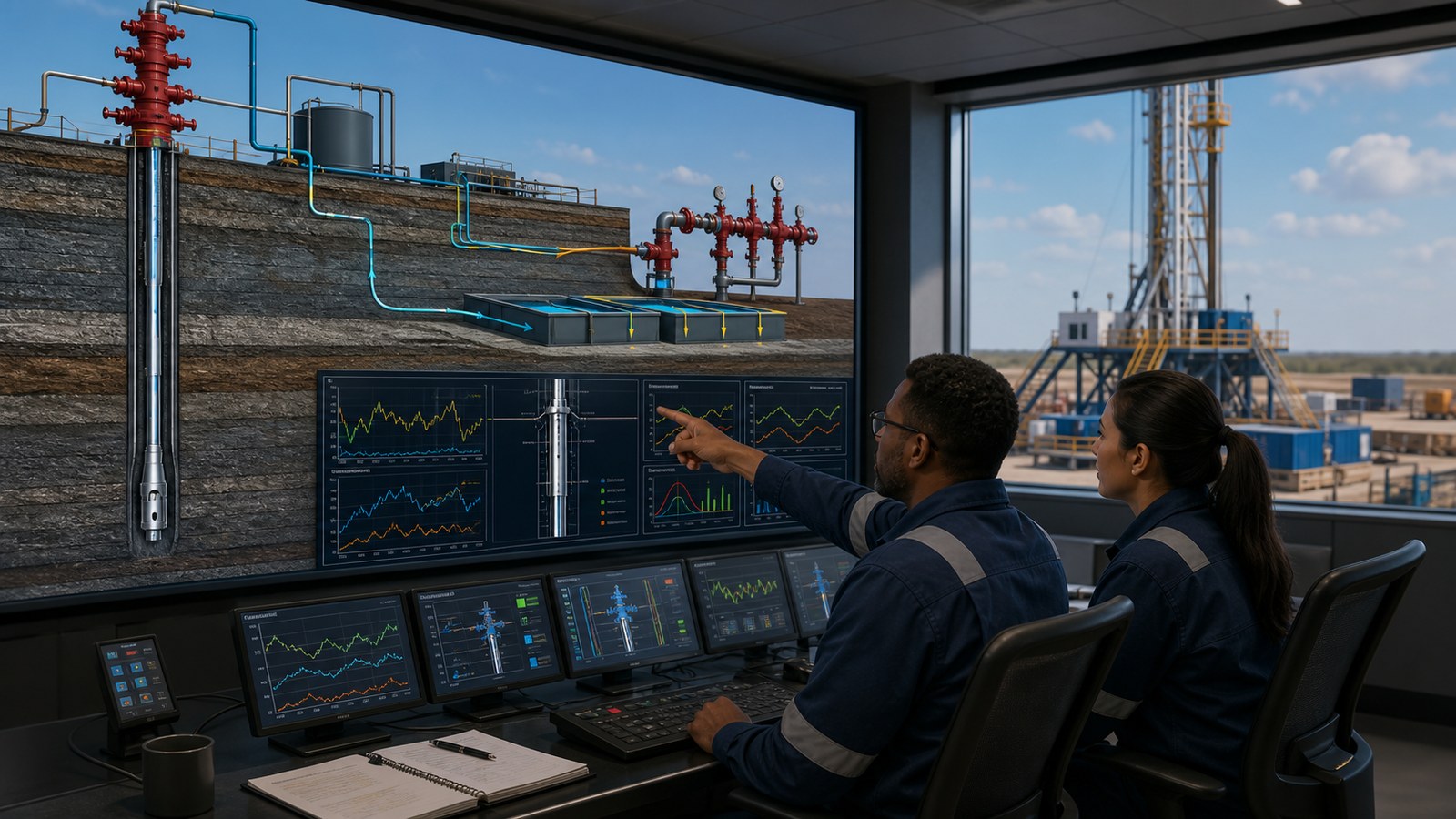
Well control training animation helps drilling teams see how well conditions, surface indicators, barriers, equipment, crew roles, and decisions connect during kick prevention and response. It can place a changing downhole condition beside the information available at the rig floor, mud system, control panel, and supervisory level, giving learners a shared visual model before they practice with approved procedures and simulators.
The best animation does not promise competence after watching a video. It supports a larger, role-based training program by making hidden relationships visible, creating consistent scenario briefings, and preparing crews to discuss what they would notice, report, verify, and do within their assigned responsibilities. Certification requirements, operator procedures, supervised drills, practical assessment, and qualified instruction remain authoritative.
Contact us at info@austinvisuals.com or call (512) 591-8024.
What Is Well Control Training Animation?
Well control training animation is a 2D or 3D visual learning asset that explains how a drilling or well-service team prevents, detects, and manages an unintended influx according to the client’s approved training framework. A sequence may combine a wellbore cutaway, pressure relationships, fluid movement, pit and return-flow trends, blowout preventer components, choke-manifold routing, control interfaces, and role-based communication.
The visual can be linear, showing one reviewed sequence from normal operation through recognition and stabilization, or scenario-based, pausing at decision points so an instructor can ask learners what information they have and what their role requires. Short modules can also isolate one concept, such as barrier status, trip monitoring, sensor interpretation, shut-in communication, or the difference between an indicator and a confirmed condition.
IADC describes WellSharp as role-specific training for people with well control responsibilities, while IWCF structures its drilling program around personnel in critical well control positions. Animation works best when it follows that same logic: the content shown to an equipment operator should not simply duplicate the content made for a supervisor, drilling engineer, or operator representative.
Why Is Well Control Difficult to Explain With Static Materials?
The Important Event May Begin Out of Sight
A learner cannot look directly into the wellbore during operations. They infer conditions from measurements, trends, procedures, calculations, equipment status, and reports from other roles. A static cross-section can identify parts, but it cannot easily show how a downhole change develops while surface evidence arrives at different times.
Animation can synchronize those views. A simplified subsurface model can change alongside return flow, active pit volume, trip-tank behavior, pump conditions, gas information, and crew observations. The goal is not to turn every trend change into a dramatic alarm. It is to teach learners to compare signals with the current operation and follow the approved verification and escalation process.
Several Barriers and Systems Interact
Primary fluid control, mechanical well-control equipment, circulation paths, valves, control systems, and monitoring instruments form a connected system. Showing one component at a time may leave learners unable to explain what is open, closed, available, isolated, or being monitored in a complete scenario.
A controlled 3D cutaway can preserve equipment relationships while using transparency and restrained color to distinguish the relevant flow path and barrier state. It should avoid decorative fluid effects or impossible pipe connections that could create a false mental model.
Different Roles See Different Information
The driller, assistant driller, derrickman, mud engineer, mud logger, toolpusher, drilling supervisor, and remote support team do not perform the same job. A useful training scenario identifies who observes a condition, who communicates it, who controls equipment, who verifies the response, and who makes the next decision under the governing procedure.

How Can Animation Support Kick Prevention and Early Detection?
IADC training materials identify multiple potential kick indicators and warning signs, including changes in return flow, pit volume, pump behavior, trip fill, surface pressure, gas readings, and fluid properties. The training challenge is not merely memorizing a list. Learners must understand which observations are relevant to the current operation, how reliable each signal is, and how the crew communicates and responds under its approved procedure.
Show a Normal Baseline Before the Anomaly
An effective scenario begins with stable, credible conditions. Learners need enough context to recognize what changed. The animation can establish the operation, expected circulation or displacement behavior, current barrier plan, active volumes, and responsible roles before introducing a deviation. Without that baseline, a warning appears as a storytelling trick rather than evidence that a crew member could reasonably detect.
Introduce Signals in a Controlled Sequence
Signals should appear in the order and with the visibility approved by the subject-matter expert. Some scenarios may present one strong indication; others may combine smaller changes that require correlation. The animation should not suggest that one generic dashboard fits every land, offshore, surface-stack, or subsea operation.
Pause at the Communication Handoff
A short pause can ask who notices the change, what they report, what information should accompany the report, and which role owns the next action. This converts passive viewing into guided rehearsal. It also exposes vague phrases such as “tell the supervisor” that may hide uncertainty about timing, terminology, or authority.
How Should Barriers and Well-Control Equipment Be Visualized?
The equipment view should be based on the client’s actual or representative configuration. Useful references include well schematics, casing and drillstring programs, BOP stack drawings, choke and kill manifold diagrams, mud-system layouts, control-system screens, operating manuals, and approved barrier documentation.
A 3D model can show the wellbore, annulus, drillstring, casing, formation intervals, fluid columns, wellhead, BOP stack, choke line, kill line, manifold, mud pumps, pits, and monitoring points. Not every component must remain visible at once. The camera, transparency, and color hierarchy should focus attention on the specific learning objective.
Barrier graphics should distinguish physical status from assumptions. For example, an animation can show a component moving to a commanded position, but it should not imply verified isolation unless the training source defines how that status is confirmed. Likewise, an enlarged annular gap or accelerated fluid movement may help comprehension, but the visual should disclose when scale or time is intentionally simplified.

What Makes a Role-Based Well Control Scenario Effective?
One Scenario, Several Learning Views
A master scenario can support different edits. The driller version may emphasize instrument interpretation, equipment control, and immediate communication. A floor or mud-system version may focus on observations and reporting. A supervisory version may add risk context, verification, decision gates, and coordination with the operator or shore-based support.
This approach avoids making every learner watch a long film in which most actions belong to someone else. It also allows shared events to remain consistent across roles. When the crew later trains together, everyone recognizes the same timeline and understands where their information joins the larger response.
Use Clear Communication, Not Cinematic Dialogue
Dialogue should follow the client’s terminology and communication protocol. Messages need to be concise, unambiguous, and connected to an observed condition or required confirmation. Artificial shouting, heroic behavior, or unexplained shortcuts make a scene exciting but weaken its training value.
Build Human Factors Into the Visual
Situational awareness is influenced by workload, alarm volume, competing tasks, shift handovers, assumptions, and authority gradients. Animation can represent these pressures without manufacturing chaos. A scenario might show two trends changing during a routine task, a handover missing one piece of context, or a junior crew member needing a clear route to raise a concern.
The learning objective is not to blame a character. It is to let the team discuss what made the situation difficult and which communication or verification behavior improves the response.

Which Training Formats Can Use the Same Animation Assets?
Instructor-led courses can use short scenario clips as discussion prompts. LMS modules can combine animation with knowledge checks, branching questions, captions, and completion records. Simulator preparation can introduce the equipment and scenario logic before learners enter a higher-fidelity practical exercise.
Toolbox talks and pre-job meetings may use a concise visual focused on one operation or barrier risk. Refresher training can revisit an event with a new variable or role perspective. Leadership reviews may use a simplified version to explain how training, procedures, equipment, and human factors are being connected.
The master project can also produce still diagrams, printable sequence frames, vertical mobile clips, silent loops, narrated modules, and localized language versions. Reuse should be designed during scripting so every derivative asset retains the correct context and warnings.
How Is an Accurate Well Control Animation Produced?
1. Define the Training Decision
Start with what the learner should recognize, explain, communicate, or practice after the module. “Understand well control” is too broad. A stronger objective might focus on comparing indicators during a specific operation, tracing the relevant barrier path, or explaining role handoffs during an approved scenario.
2. Assemble Controlled References
Gather current well schematics, equipment drawings, operating procedures, training syllabi, screen references, terminology, incident lessons approved for use, and client-specific limitations. Record the revision and owner of each source. Training media should not quietly combine an old procedure with a new equipment configuration.
3. Map Evidence, Roles, and Decisions
Before creating polished 3D scenes, build a scenario map. For each moment, identify the well condition, observable information, role receiving that information, communication event, authorized decision, equipment state, and required reviewer. This map is the technical backbone of the storyboard.
4. Approve an Animatic
A low-detail animatic establishes timing, camera position, screen changes, narration, dialogue, and pause points. Drilling and training specialists can correct the logic before expensive modeling, simulation, lighting, and rendering. Separate reviewers may own well engineering, equipment, operations, HSE, and learning design.
5. Validate the Finished Training Package
Final review should cover technical behavior, terminology, audio clarity, captions, visual accessibility, file formats, LMS requirements, confidentiality, and the relationship to current procedures. Version control matters because a visually polished module may remain in circulation after equipment or policy changes.
What Can Animation Not Replace?
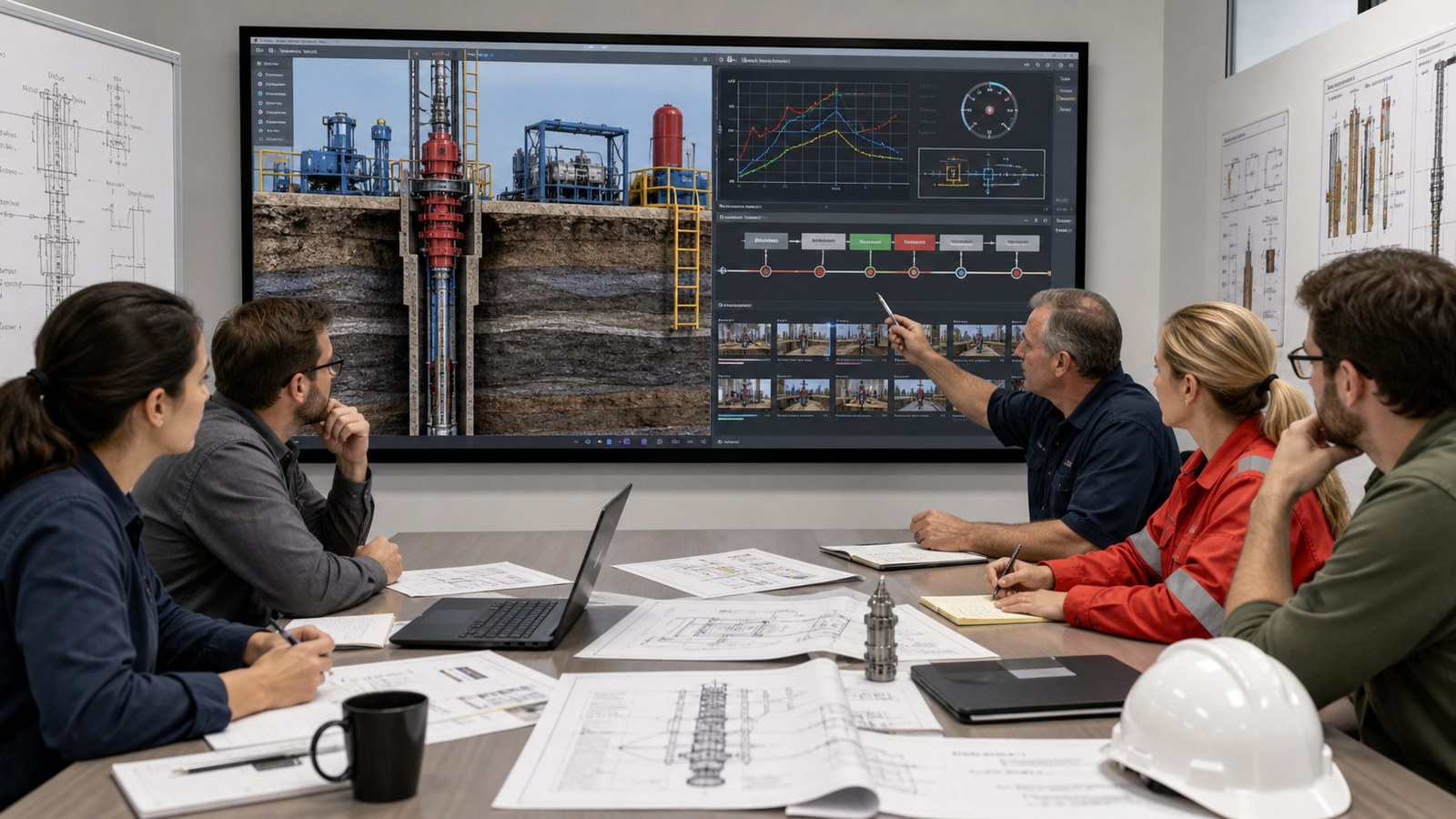
Animation cannot replace accredited well control instruction, certification, operator competency requirements, practical assessment, drills, simulator time, approved procedures, risk assessments, barrier documentation, equipment manuals, or qualified supervision. It must not become an unofficial operating procedure simply because it is easier to watch than the controlled document.
It also cannot resolve missing technical agreement. If reviewers disagree about the equipment configuration, indicator interpretation, decision authority, or response logic, the production team should record and escalate the conflict instead of choosing the version that looks best on screen.
The safest role for animation is to make approved relationships easier to understand and discuss. Links or references within the course should direct learners to the controlling documents and explain which source governs when the visual is simplified.
How Much Does Well Control Training Animation Cost?
Cost depends on runtime, number of scenarios, equipment complexity, source quality, custom 3D modeling, interface recreation, technical-review burden, narration, languages, interactivity, and delivery formats. A focused 2D module built from approved diagrams may require a smaller investment than a detailed 3D land or subsea environment with several role-specific branches.
A useful proposal separates discovery, source audit, script and scenario mapping, storyboard, asset creation, animatic, technical reviews, final animation, voice and captions, LMS packaging, alternate versions, and future updates. Buyers should also define whether working files and reusable model assets are included.
Austin Visuals publishes broader planning information in its guide to 3D technical animation services. A reliable quote for well control content still requires the training objective, equipment scope, source samples, target learners, runtime, deadline, and approval team.
Why Choose Austin Visuals to Work With?

Austin Visuals builds technical animation around the client’s learning objective and review structure. For a well control project, that means separating what must be physically accurate from what may be simplified for visibility, then placing approval gates before detailed finishing. This approach helps drilling specialists correct the scenario while changes remain efficient.
The team can combine CAD-based equipment, wellbore cutaways, fluid-path visualization, interface graphics, character animation, narration, captions, and role-specific edits within one coordinated production. Deliverables can support classroom instruction, LMS distribution, simulator preparation, safety meetings, and controlled internal communication.
Austin Visuals also produces broader oil and gas animation services and drilling animation for rig crew training. That industrial experience is useful when a well control module must fit into a larger library covering rig orientation, equipment, operations, and safety.
Our Clients include:
Conclusion
Well control training animation is most effective when it gives each learner the right view of the same operational story. By connecting a hidden well condition with surface indicators, barrier states, equipment behavior, communication, and decision ownership, it can prepare crews for deeper instructor-led learning and practical exercises.
The production should begin with controlled sources, use role-specific objectives, expose uncertainty instead of hiding it, and remain clearly subordinate to approved procedures and accredited training. When those safeguards are built into the workflow, animation becomes a reusable bridge between theory, discussion, simulation, and field readiness.
Contact us at info@austinvisuals.com or call (512) 591-8024.
Frequently Asked Questions
What is well control training animation?
It is a visual learning asset that connects well conditions, surface indicators, barriers, equipment, crew roles, and approved response logic. It may use 2D diagrams, realistic 3D cutaways, interface graphics, or scenario-based animation.
Can animation replace IADC WellSharp or IWCF training?
No. Animation can support preparation, explanation, discussion, and refresher learning, but it does not replace accredited instruction, certification, practical assessment, simulator exercises, employer requirements, or supervised drills.
Which kick indicators can a training animation show?
Depending on the approved scenario, it can visualize return-flow changes, pit-volume changes, trip-fill behavior, pump trends, surface pressure, gas information, fluid-property changes, and other observations relevant to the operation.
Can one animation be customized for different rig roles?
Yes. A master scenario can be edited for drillers, assistant drillers, mud-system personnel, mud loggers, supervisors, engineers, and operator representatives so each audience sees its information, communication duties, and decision boundaries.
What source files are needed for a well control animation?
Useful inputs include well schematics, casing and drillstring data, BOP and manifold drawings, mud-system layouts, screen references, controlled procedures, training objectives, terminology, and designated technical reviewers.
Can the animation be delivered through an LMS?
Yes. The visual can be packaged as narrated video, captioned modules, short scenario clips, or interactive content with knowledge checks. LMS tracking and SCORM or xAPI requirements should be defined before production.
How is technical accuracy maintained?
The project should use controlled references, a documented scenario map, an approved animatic, and milestone reviews by the client’s drilling, equipment, operations, HSE, and training specialists before final delivery.