Lean concepts are practical, but they are not always easy to teach from slides alone. Material may travel farther than people realize. A buffer may hide a process problem. Changeover time may be distributed across preparation, removal, positioning, adjustment, and verification. Standard work may look simple until a learner must coordinate parts, tools, motion, quality checks, and safety requirements. Austin Visuals creates technical animation that can make these relationships visible without pretending that one generic factory represents every operation.
The animation should support observation, discussion, experimentation, and supervised practice. It should not replace current standard work or the people who own the process. For help planning a realistic visual training program, contact Austin Visuals at (512) 591-8024 or info@austinvisuals.com.
What Is 3D Animation for Lean Manufacturing Training?
3D animation for lean manufacturing training is a visual method for explaining how people, material, equipment, information, and decisions move through a production system. It can show a current state, isolate a source of delay, demonstrate a standard method, compare workplace layouts, or preview a proposed future state. The same model can be simplified for an introductory course or made more detailed for operators, supervisors, manufacturing engineers, and continuous-improvement teams.
A useful lean manufacturing animation is built around a specific learning objective. It might ask learners to identify excess motion, distinguish value-added from non-value-added activity, follow a pull signal, locate a constraint, or understand why a tool belongs at the point of use. Camera placement, timing, color, isolation, and repetition are chosen to make that objective easier to evaluate.
Realism matters, but more detail is not always better. A factory-wide scene may need simplified equipment so viewers can follow flow. A job-instruction module may require accurate part orientation, tool access, and hand sequence. The project should state which elements are exact, representative, or intentionally simplified.
Why Lean Training Benefits From Manufacturing Process Visualization
Lean manufacturing asks people to see a process as a system. Employees working at one station may not see upstream batching, downstream waiting, information delays, or the total distance a product travels. Manufacturing process visualization can reveal those connections in one controlled view.
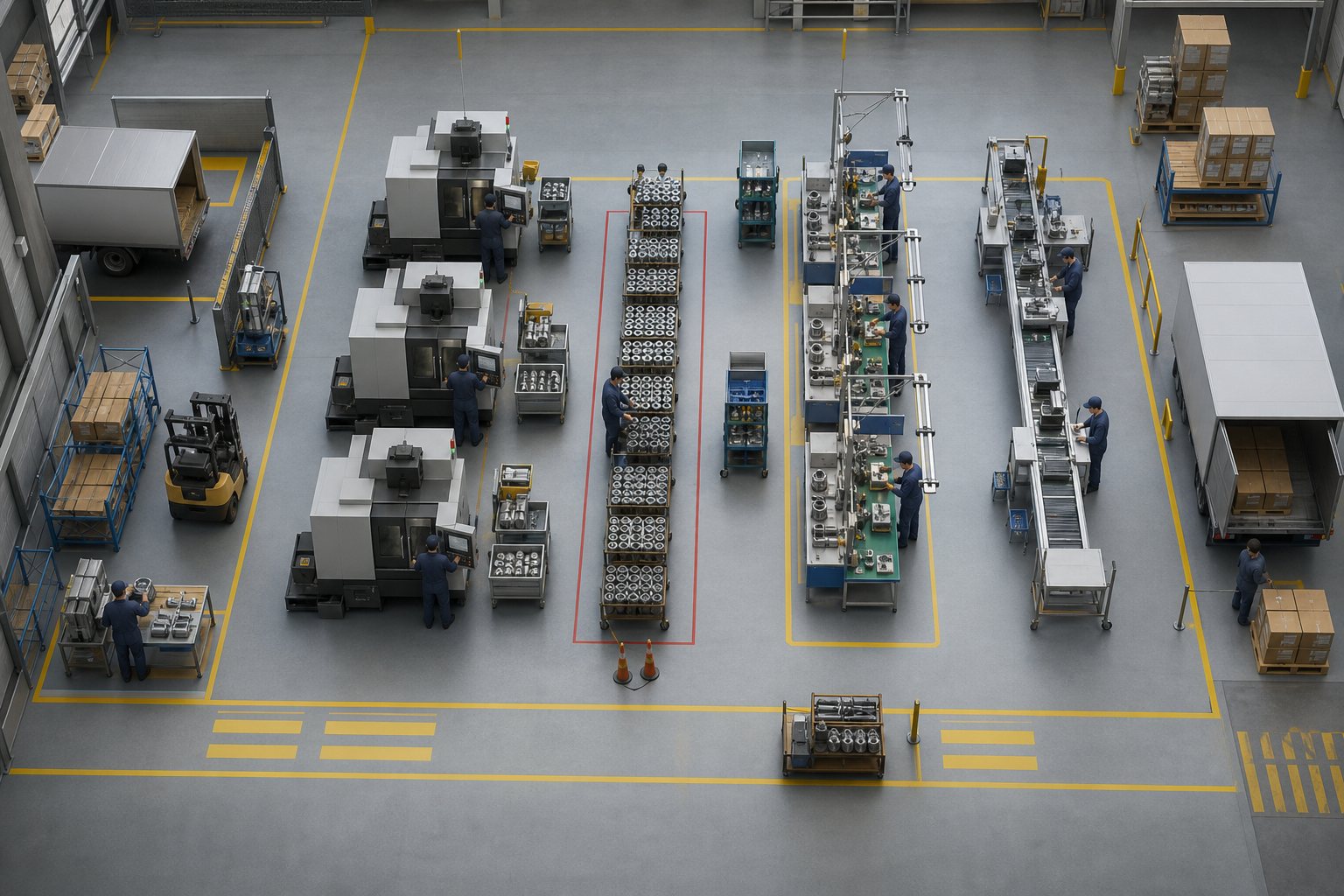
Animation also gives instructors control over time. A ten-minute event can be compressed, a two-second handoff can be slowed down, and two process states can be shown from the same camera. A queue can build gradually so learners understand why it appears. A layout change can be previewed without claiming that the proposed result has already been validated.
Because every learner sees the same baseline sequence, discussion becomes more specific. Instead of arguing from different memories of the process, a group can pause at a frame and ask what is happening, which information is missing, and what evidence would be needed before changing the work.
Applications of 3D Animation in Lean Manufacturing Programs
Value-stream mapping and future-state discussion
Value-stream mapping links process steps with the movement of material and information. A value stream mapping animation can connect map symbols to the actual factory context: receiving, processing, queues, inspection, movement, scheduling, and shipment. Learners can see why the map records more than machine cycle time.
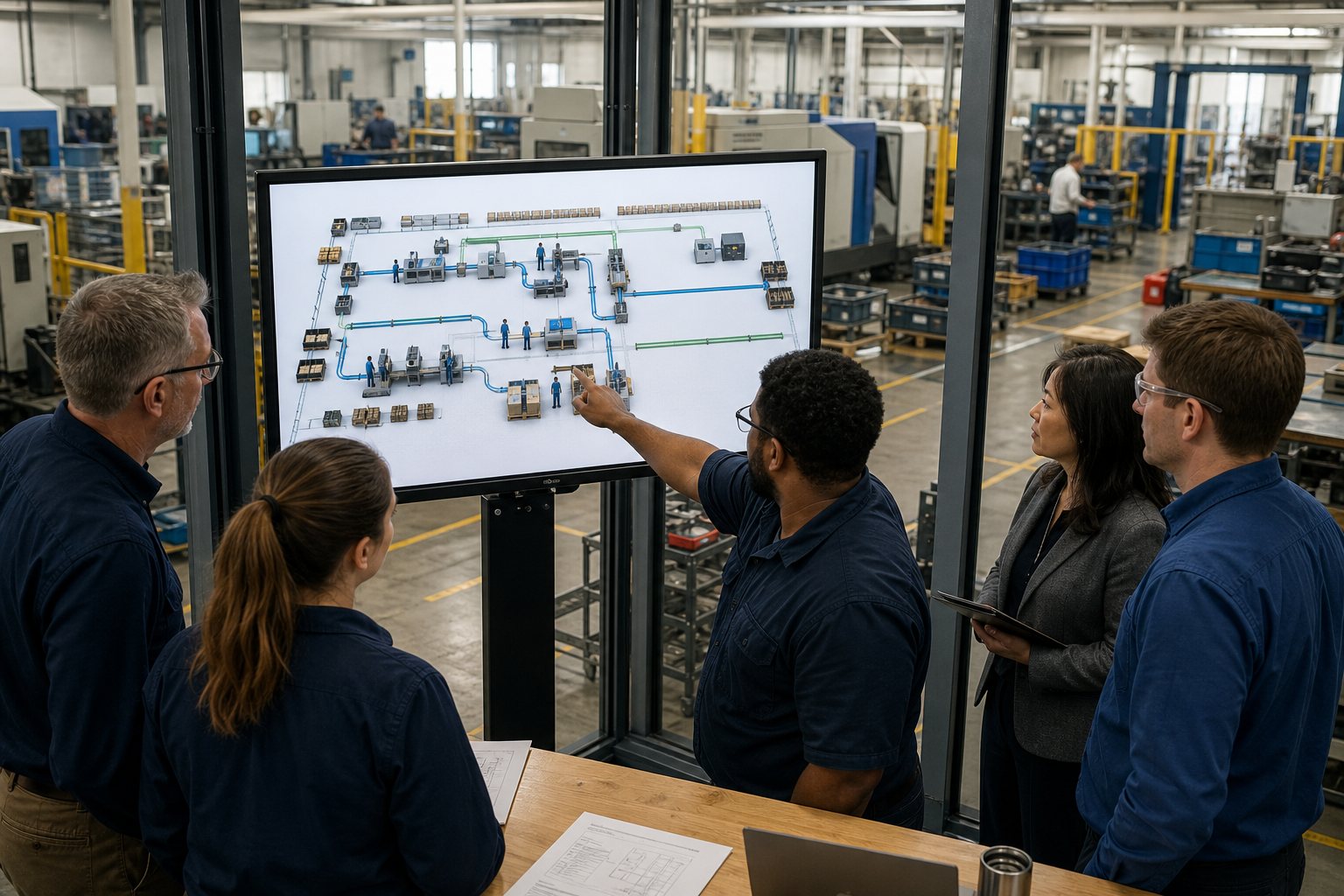
A current-state sequence can show where inventory accumulates, where information arrives late, or where material changes direction repeatedly. A future-state sequence can then illustrate a proposed improvement such as smaller buffers, revised layout, pull signals, continuous flow, or reduced setup time. The animation should use verified data and clearly identify proposals as proposals.
5S and workplace organization
5S is easier to understand when learners can inspect a realistic workstation. Animation can show unnecessary items being removed, tools moving to point-of-use locations, cleaning revealing an equipment condition, standard locations becoming visible, and audit routines supporting sustainment. The visual should focus on function and usability rather than creating an unrealistically perfect showroom.
Workplace organization also affects safety, maintenance, quality, and motion. A tool location that appears tidy may still require an awkward reach. A bin may block access to a fixture. A cleaning step may expose a leak or loose fastener. Animation can present these relationships for discussion while the team validates the final arrangement at the actual workplace.
Standard work and Training Within Industry
Standard work defines the current best-known method for performing a task safely, correctly, and consistently. Standard work animation can break a job into visible steps, highlight key points, and explain reasons. It can show the relationship between the operator, fixture, tools, components, quality checks, and expected completion state.
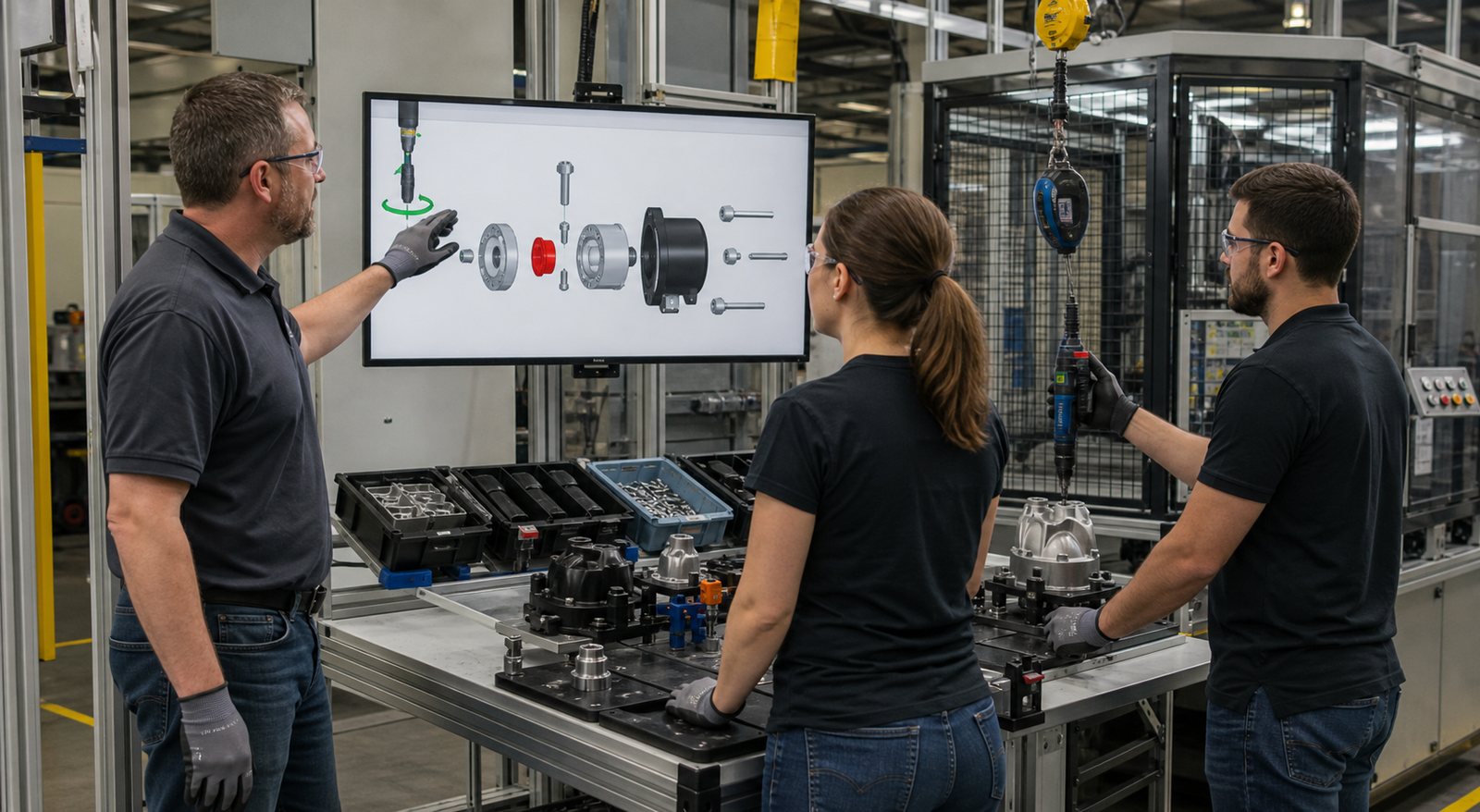
The visual is particularly useful when an important feature is hidden from the normal viewing angle or when multiple instructors describe a task differently. A repeatable sequence gives the training team a common reference. The approved instruction and supervised demonstration remain authoritative, and operator feedback should be used when refining the visual.
Quick changeover and setup reduction
Setup reduction often begins by observing the current changeover and separating work that requires the machine to be stopped from preparation that can be completed safely beforehand. Animation can reconstruct the sequence, show tool and fixture movement, distinguish waiting from active work, and compare the current and proposed methods from the same viewpoint.
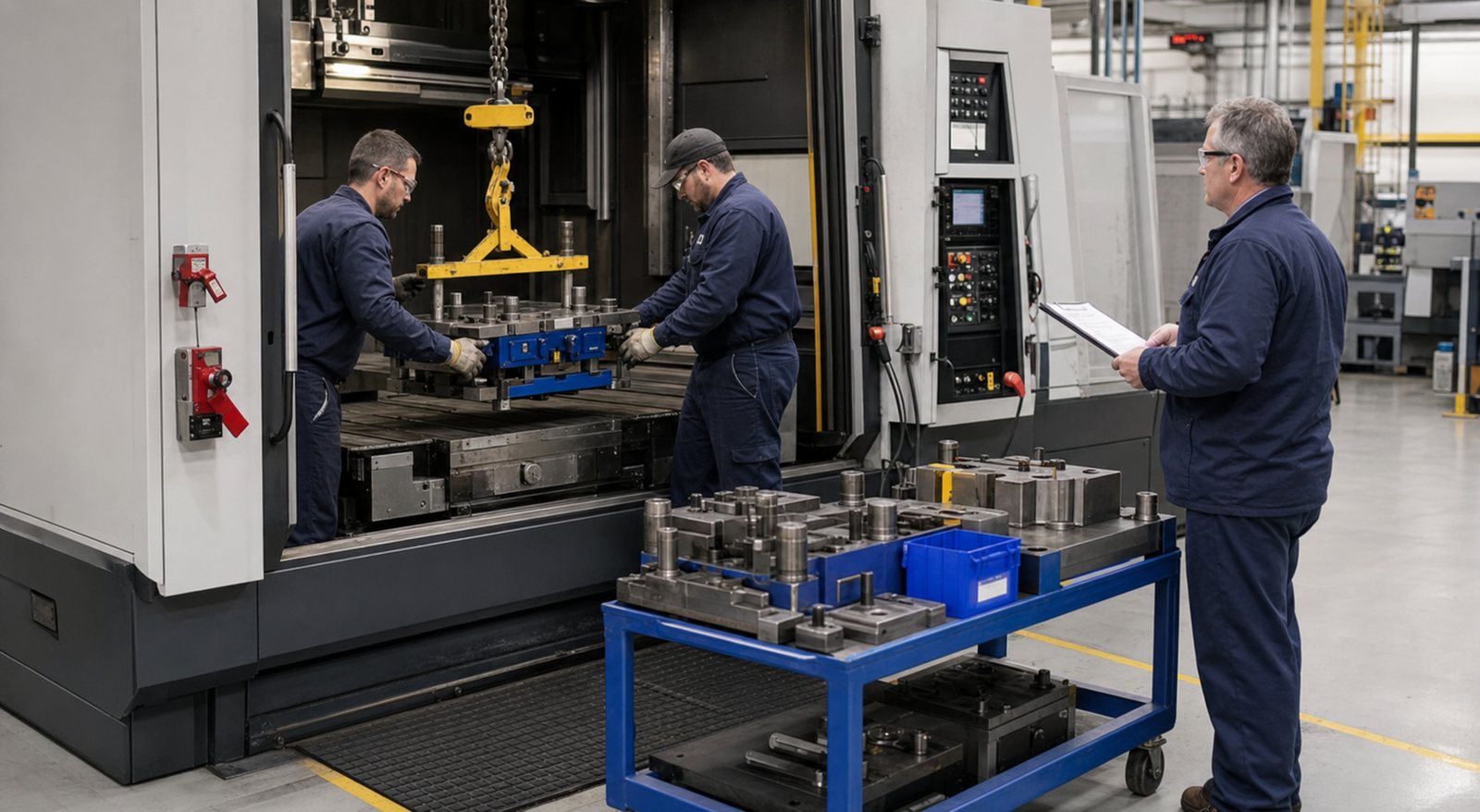
A training sequence can show a prepared changeover cart, preset tooling, lifting support, fastener locations, alignment, adjustment, verification, and return to production. It must represent a safe equipment state and should never imply access to energized hazards. The final method needs validation by the people responsible for equipment, maintenance, safety, quality, and production.
Flow, pull systems, and bottleneck awareness
Flow is difficult to learn from isolated workstation metrics. A process may look efficient locally while producing excess work-in-process for the next step. A factory-level animation can show the effect of uneven cycle times, large batches, downtime, or an unbalanced line. It can also demonstrate why simply making one machine faster may not improve customer lead time.
Pull concepts can be illustrated through replenishment and authorization rather than decorative arrows. Learners can watch what happens when a downstream process consumes material, when a defined signal is triggered, and when upstream work is limited. The animation should avoid suggesting that one pull design fits every product mix or demand pattern.
Problem solving and continuous improvement
Continuous improvement training works best when learners examine evidence, form a hypothesis, test a change, and compare results. Animation can create a repeatable scenario in which a defect, delay, excess motion, or queue emerges over time. Learners can identify the condition, ask what data is missing, and propose a next observation.
The scenario should not teach that every problem has an obvious visual cause. Some causes require measurement, interviews, maintenance records, quality data, or experiments. Animation is useful for structuring the conversation, but it should preserve uncertainty where the evidence is incomplete.
How to Design Effective 3D Manufacturing Training
1. Define the learner and the behavior
Specify who will use the module and what they should be able to do afterward. A new operator, a supervisor, an engineer, and an executive need different levels of detail. “Understand lean” is too broad. “Identify the eight categories of waste in this production sequence” or “explain why this buffer forms” gives the animation a testable purpose.
2. Observe the real process
Source information may include layout drawings, CAD, standard work, cycle observations, process photos, material routes, changeover records, and interviews. People who perform the work should participate. The animation team should not infer a standard method from CAD alone because production reality includes access, sequence, variation, maintenance, and human judgment.
3. Build the current state before the future state
A proposed improvement is easier to evaluate when viewers first understand the baseline. Show the current sequence, define known assumptions, and identify which data drives the model. Then present the future state as a testable concept, not a guaranteed result.
4. Review motion before visual polish
Storyboards and low-detail animatics allow reviewers to correct sequence, equipment states, material paths, safety conditions, and timing before final rendering. Operators, manufacturing engineering, quality, maintenance, safety, and continuous-improvement leaders may each own different details.
5. Connect animation with active learning
Pause points, observation questions, comparison tasks, and workplace exercises make the module more useful than passive viewing alone. Learners can mark waste, predict the next bottleneck, compare layouts, or explain the reason for a key standard-work point. Follow the animation with supervised practice or a real improvement activity where appropriate.
What Information Should a Manufacturer Provide?
A strong starting package includes the learning objective, intended audience, process steps, layout, equipment references, material routes, standard work, current improvement priorities, and a reviewer list. Cycle and changeover data can strengthen process-flow scenes, but the project should state the source and date of that data.
CAD is helpful for accurate equipment and fixture relationships, but it is not always required. Photos, video references, simple drawings, and structured review sessions may support a training-level model. Confidential geometry can be simplified while retaining the process relationship the learner needs to understand.
Review time should be planned. The animation producer can organize the visual and identify inconsistencies, but process owners must verify the technical content. A short assumptions log helps reviewers distinguish approved details from generic representations.
Why Choose Austin Visuals for Lean Manufacturing Animation?

Austin Visuals helps manufacturing teams turn complex equipment, workflow, and training content into clear visual sequences. Our team can support discovery, scripting, storyboarding, CAD preparation, 3D modeling, animation, motion graphics, voiceover, editing, and delivery. We build review points around the technical details that matter rather than waiting until final rendering to request feedback.
A project may be a short job-instruction module, a factory-wide value-stream visualization, a quick-changeover comparison, a 5S lesson, or a reusable library of manufacturing scenes. The style can range from simplified engineering graphics to realistic 3D imagery. We match the visual detail to the audience and learning objective.
We also help organize the content for different delivery environments, including instructor-led sessions, learning-management systems, shop-floor monitors, presentations, and internal communication. Source files and revision notes can be retained according to the agreed workflow so future process changes are easier to manage.
Our Clients include:

How to Measure the Training Program
Training measures can include knowledge checks, time required to explain a concept, repeat questions, observed standard-work adherence, improvement ideas generated, or the learner’s ability to identify process relationships. Operational measures such as lead time, changeover time, work-in-process, quality, and productivity should be tracked through the improvement project, not attributed to animation alone.
Collect feedback from instructors and learners. Identify scenes that clarify the process, moments that create confusion, and details that are no longer current. A focused revision may improve the module more than adding visual complexity everywhere.
Finally, assign ownership. Standard work, layout, tools, equipment, and process conditions change. Someone should assess whether the training animation remains current after a change and retire outdated versions when necessary.
Frequently Asked Questions
What is 3D animation for lean manufacturing training?
3D animation for lean manufacturing training is a visual method for teaching waste identification, value-stream relationships, standard work, workplace organization, flow, setup reduction, problem solving, and other continuous-improvement concepts in a realistic manufacturing context.
Can animation replace hands-on lean training?
No. Animation can prepare learners, provide a repeatable demonstration, and make hidden process relationships visible, but effective lean training still benefits from observation at the workplace, team discussion, supervised practice, and improvement activity using real process data.
How can animation teach value stream mapping?
Animation can connect the current-state map to the physical movement of material and information, then show how changes to buffers, sequence, flow, pull signals, or setup time affect the future state. The map and animation should use verified process data.
What manufacturing information is needed to create the animation?
Useful inputs include process steps, facility layout, cycle and changeover information, material routes, standard work, equipment references, work-in-process locations, improvement goals, photos, CAD when available, and reviews from operators and process owners.
Can one animation support several lean training modules?
Yes. A shared factory model can support separate modules for value-stream mapping, 5S, standard work, setup reduction, flow, quality at the source, and problem solving, provided each module has a clear objective and current technical review.
How should a company measure the value of lean training animation?
Measures may include knowledge checks, time to understand the process, instructor effort, observed standard-work adherence, improvement ideas generated, repeat questions, and training completion. Operational results should be evaluated with care because animation is only one part of the improvement system.
How does Austin Visuals create accurate lean manufacturing animation?
Austin Visuals starts with client-provided process information, documents assumptions, develops a storyboard or animatic, and uses staged reviews with operators, engineering, quality, safety, and continuous-improvement leaders before final rendering and delivery.
Conclusion
3D animation for lean manufacturing training can help teams see waste, flow, standard work, workplace organization, changeover, and improvement opportunities as connected parts of a production system. It is most useful when it begins with a specific objective, reflects the real process, documents assumptions, and receives review from the people who perform and own the work.
Used alongside discussion, observation, and supervised practice, animation can provide a repeatable foundation for lean learning without oversimplifying the decisions required on the factory floor.
Austin Visuals helps companies turn equipment, workflows, safety procedures, products, and technical processes into clear visual content that teams and customers can understand.
Contact us at info@austinvisuals.com or call (512) 591-8024.