Oil and gas drilling animation training helps rig crews see equipment relationships, operating sequences, hidden downhole processes, and critical hazard boundaries before they encounter those conditions at the wellsite. Austin Visuals creates realistic technical animation for drilling orientation, operations, safety communication, and workforce training. To discuss a project, call (512) 591-8024 or email info@austinvisuals.com.
A drilling rig is a connected system. The top drive or rotary system, drillstring, bit, hoisting equipment, mud pumps, solids-control equipment, wellhead, blowout preventer stack, instruments, and crew actions influence one another. New personnel may learn the names of these parts without immediately understanding how energy, fluids, loads, pressure, and people move through the operation. A carefully reviewed drilling rig training animation can provide that system-level view.
Animation is a learning aid, not an operating authority. It must not replace the employer’s current procedures, risk assessments, job safety analysis, site orientation, competent supervision, well-control certification, drills, or hands-on practice. Austin Visuals works from client-provided technical material and designated expert review so the finished visual supports the approved training program.
What Is Oil and Gas Drilling Animation Training?
Oil and gas drilling animation training is the use of 2D or 3D visual sequences to teach how drilling systems work and how a crew should recognize, communicate about, and respond to defined operating conditions. The animation can move from a complete rig view to a focused equipment detail, cut through the wellbore, slow down a fast event, repeat a sequence, or compare correct and incorrect positioning without exposing learners to an active hazard.
A useful module begins with a measurable objective. The learner might need to locate major rig systems, trace the drilling-fluid path, describe the stages of a connection, identify a line-of-fire exposure, recognize the purpose of an exclusion zone, or explain their role during a specific drill. The script, camera, timing, labels, narration, and assessment should all serve that objective.
Realism should be controlled. A broad orientation scene may simplify hoses and structural details so the audience can follow the main systems. A task-level module may need exact equipment states, control locations, clearances, hand positions, and communications. The project team should identify what is exact, what is representative, and what has been intentionally omitted.
Rig Orientation and Equipment Relationships
Rig orientation is one of the strongest uses for 3D drilling visualization. A learner can see the derrick or mast, drill floor, hoisting path, top drive, setback area, catwalk, pipe-handling equipment, drawworks area, mud tanks, pumps, solids-control equipment, wellhead, and BOP stack from consistent viewpoints. The animation can then isolate each system while preserving its location within the whole rig.
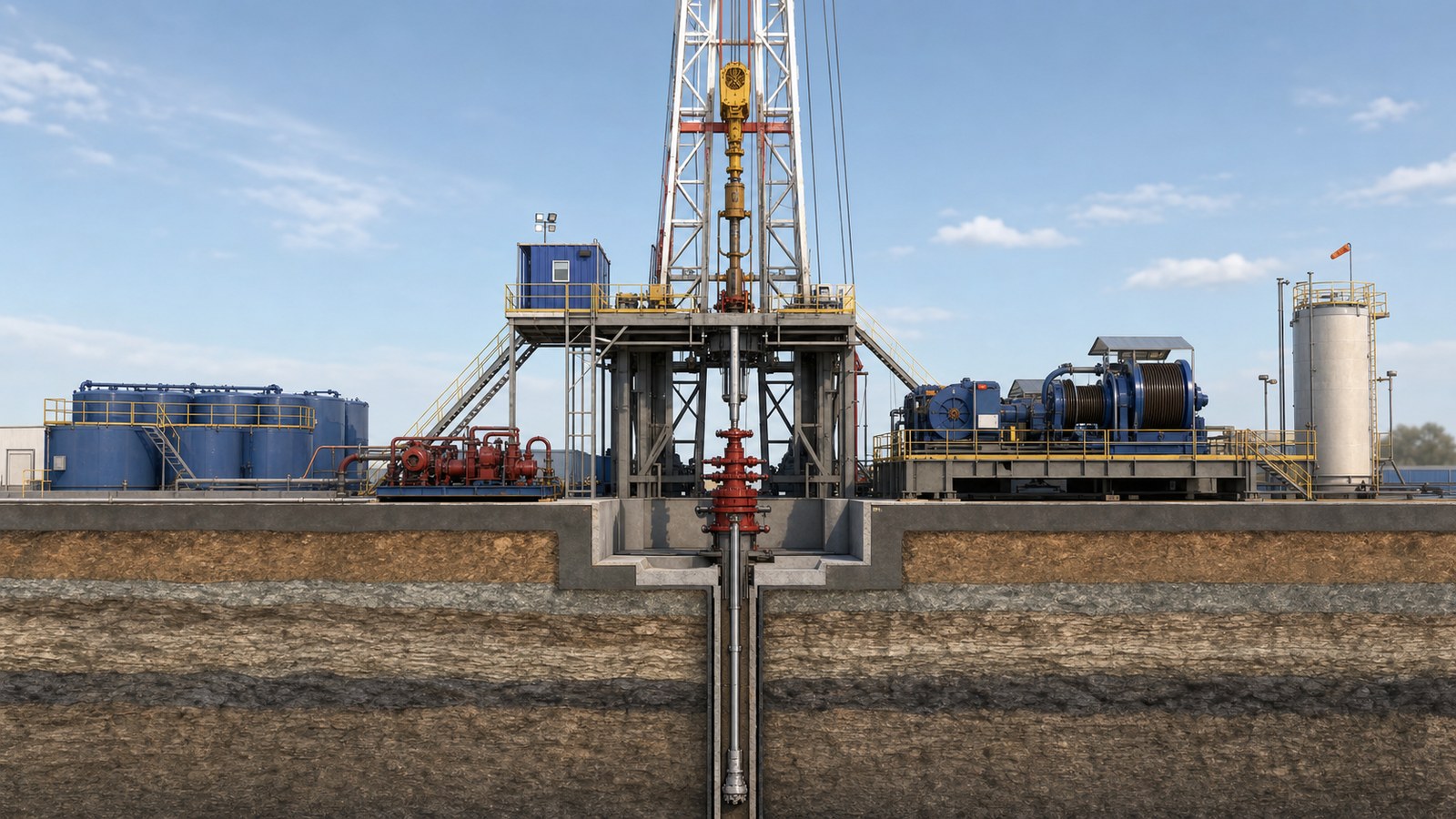
This spatial understanding supports later instruction. When the trainer discusses a suspended load, rotating equipment, a high-pressure line, or an emergency route, the learner already knows where the hazard exists relative to normal work positions. Orientation modules can also introduce access restrictions, muster areas, communication methods, alarms, and site-specific terminology.
Land and offshore operations should not be treated as interchangeable. Layout, equipment, crew roles, marine systems, well-control arrangements, escape routes, and emergency responsibilities can differ. A generic model can teach principles, but operational training should use a model and script reviewed for the actual rig type and company program.
Explaining Drillstring and Mud Circulation
Some of the most important drilling activity happens beyond normal sight. A drilling process animation can cut through the wellbore to show the drillstring, bottom-hole assembly, bit, casing or open hole, and annulus. It can then connect those downhole elements to the mud pumps, standpipe, rotary hose, top drive, return line, shakers, tanks, and treatment equipment at the surface.
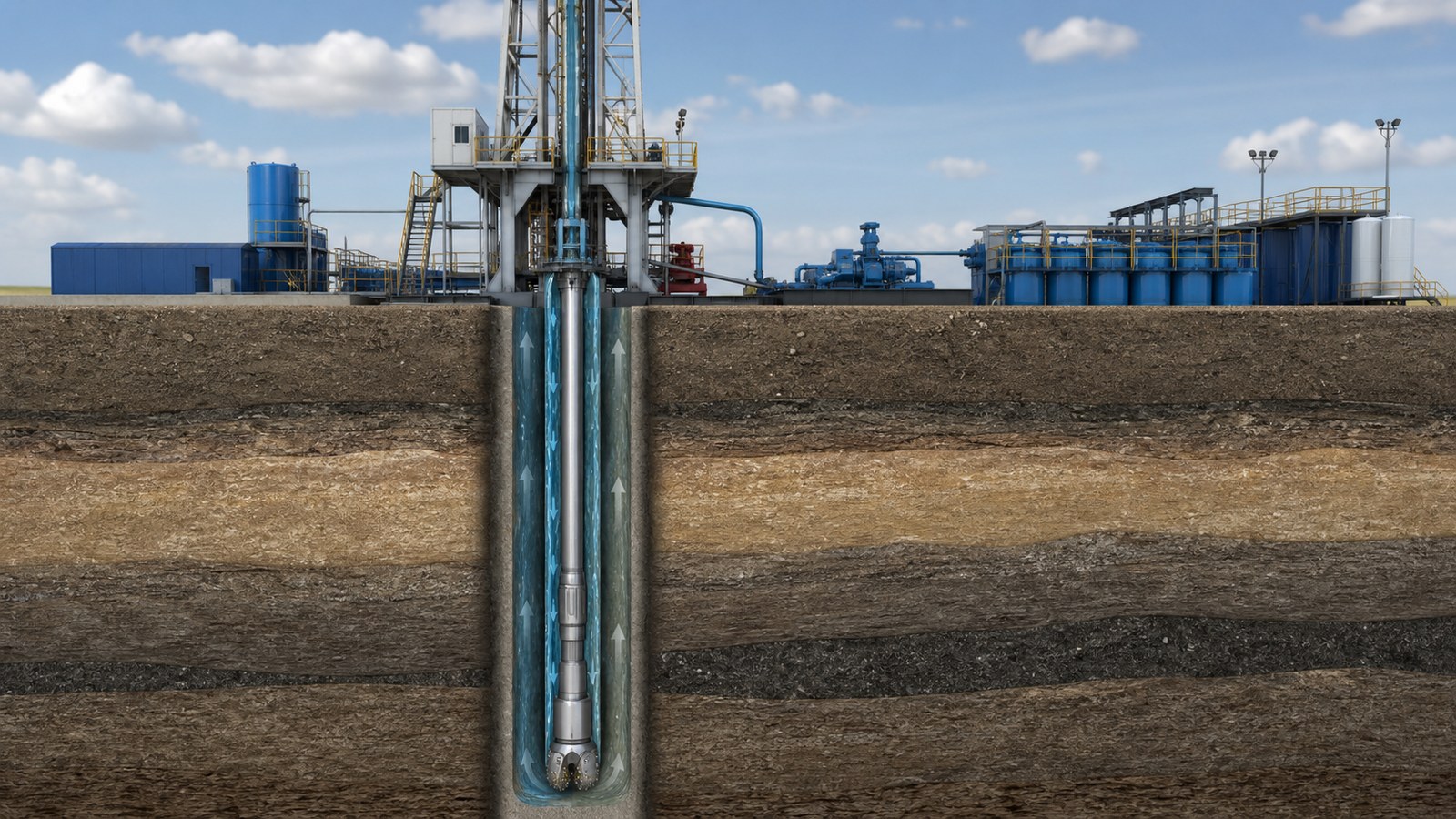
Time and scale can be adjusted to explain circulation without pretending that the visual is a live engineering model. Flow paths may be color-separated, the formation made partly transparent, and the camera moved from surface to bottom hole. Pressure relationships, cuttings transport, fluid losses, gains, and changes in returns can be introduced at the level appropriate for the audience.
The animation team should avoid inventing values or equipment behavior. Flow direction, valve state, pump status, well geometry, and terminology should come from approved references. If a scene is conceptual, the narration should say so. When real numbers are included, the client must verify that they are correct for the training scenario and not mistaken for operating instructions.
Tripping, Connections, and Pipe-Handling Awareness
Making connections and moving tubulars combine heavy equipment, suspended loads, stored energy, rotating components, restricted visibility, and coordinated crew actions. Animation can break a sequence into equipment states and safe observation points. It can show where a tubular is moving, which mechanism controls it, where workers should not stand, and when communication or confirmation is required.
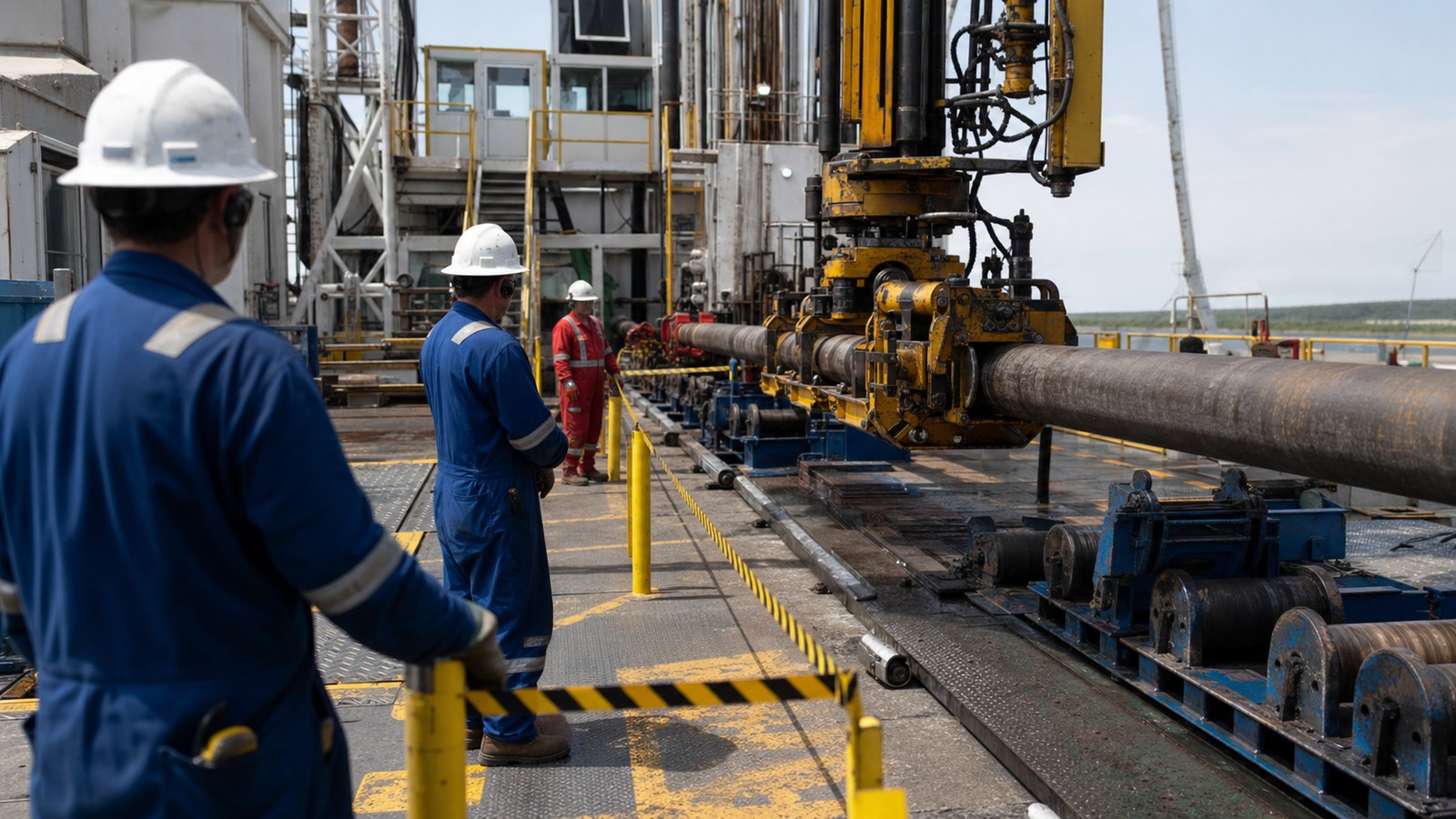
A strong rig crew safety training scene does more than place workers in hard hats. It represents realistic PPE, access, barriers, body positions, equipment guarding, and line-of-fire boundaries. It should never normalize a person under a suspended load, between moving equipment and a fixed object, or reaching into an active mechanism. OSHA’s oil and gas eTool identifies struck-by and caught-in hazards as important concerns during drilling and servicing, so client safety reviewers should verify every visible position and action.
The visual can support a pre-job briefing by showing the planned sequence from more than one angle. Trainers can pause before movement begins and ask learners to identify the load path, red zone, pinch points, communication method, and stop-work triggers. The approved JSA or JHA and the supervisor’s direction remain controlling.
Well-Control Awareness Without False Confidence
Well control training animation can help learners understand relationships that are difficult to convey with a flat diagram. A cutaway can place the wellbore, drillstring, fluid columns, formation zones, wellhead, BOP stack, choke line, and surface equipment in one visual model. Changes can be introduced gradually so the audience sees what information is available and which role detects, reports, confirms, or acts.
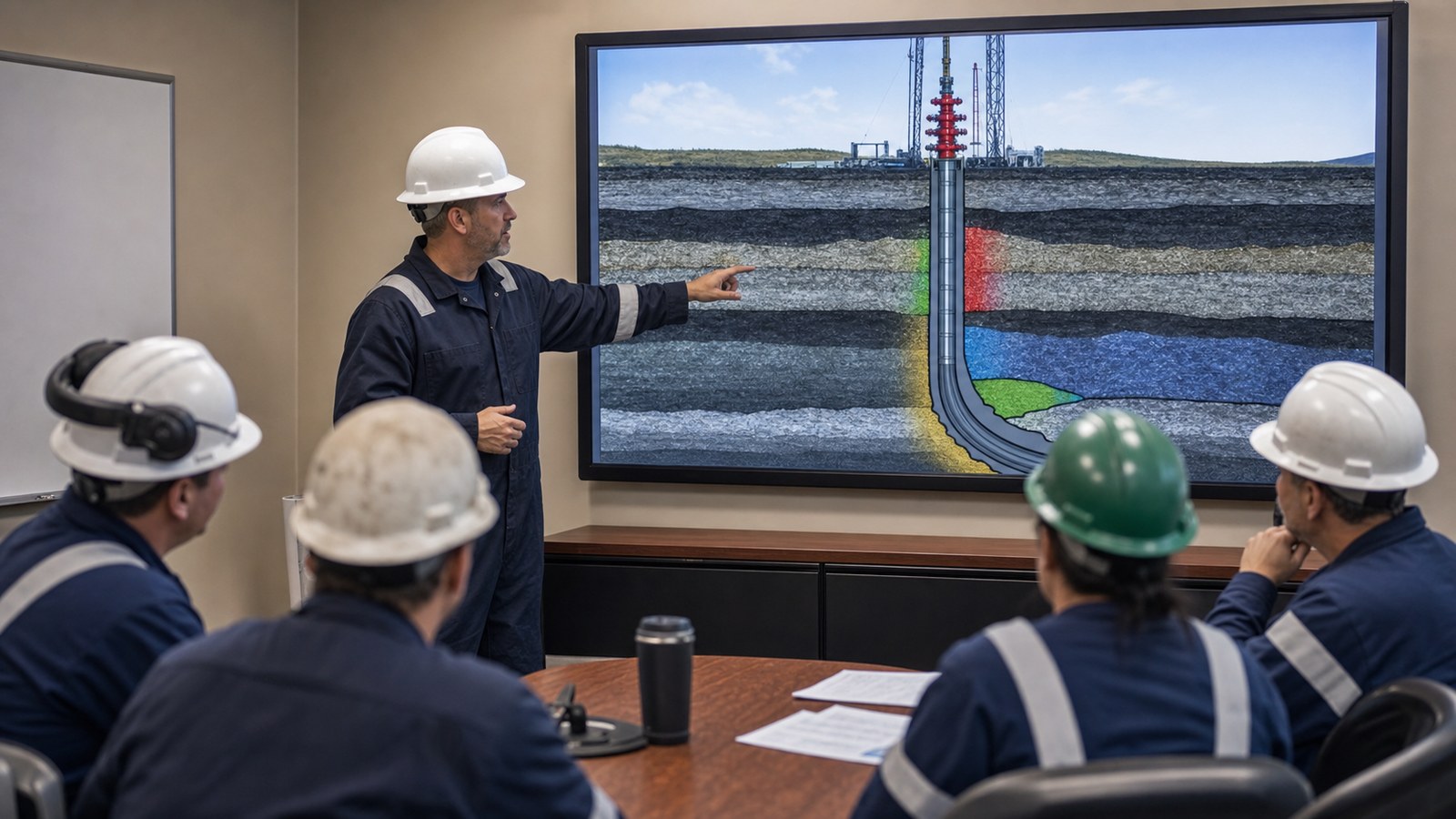
The purpose is not to turn a short video into a well-control qualification. Roles have different required knowledge and skills, and recognized training programs use defined learning outcomes, assessment, and recurring practice. Animation should be incorporated into the employer’s approved curriculum and reviewed by qualified well-control personnel.
Scenario design should preserve uncertainty. A visual should not imply that every influx, loss, equipment failure, or pressure change has one obvious cause. It can show the observations available to the crew, pause for a decision, and then explain the approved response for that scenario. Controls, indications, and sequences must match the relevant surface or subsea system.
Lifting, Dropped Objects, and Emergency Response
Lifting operations can be difficult to communicate from a single photograph because the load path and exclusion zone change throughout the move. An oilfield safety animation can show the lift plan, rigging arrangement, equipment path, tag-line use, barricades, communications, and safe observation positions over time. It can also isolate potential dropped objects and show how securing, inspection, and access controls reduce exposure.
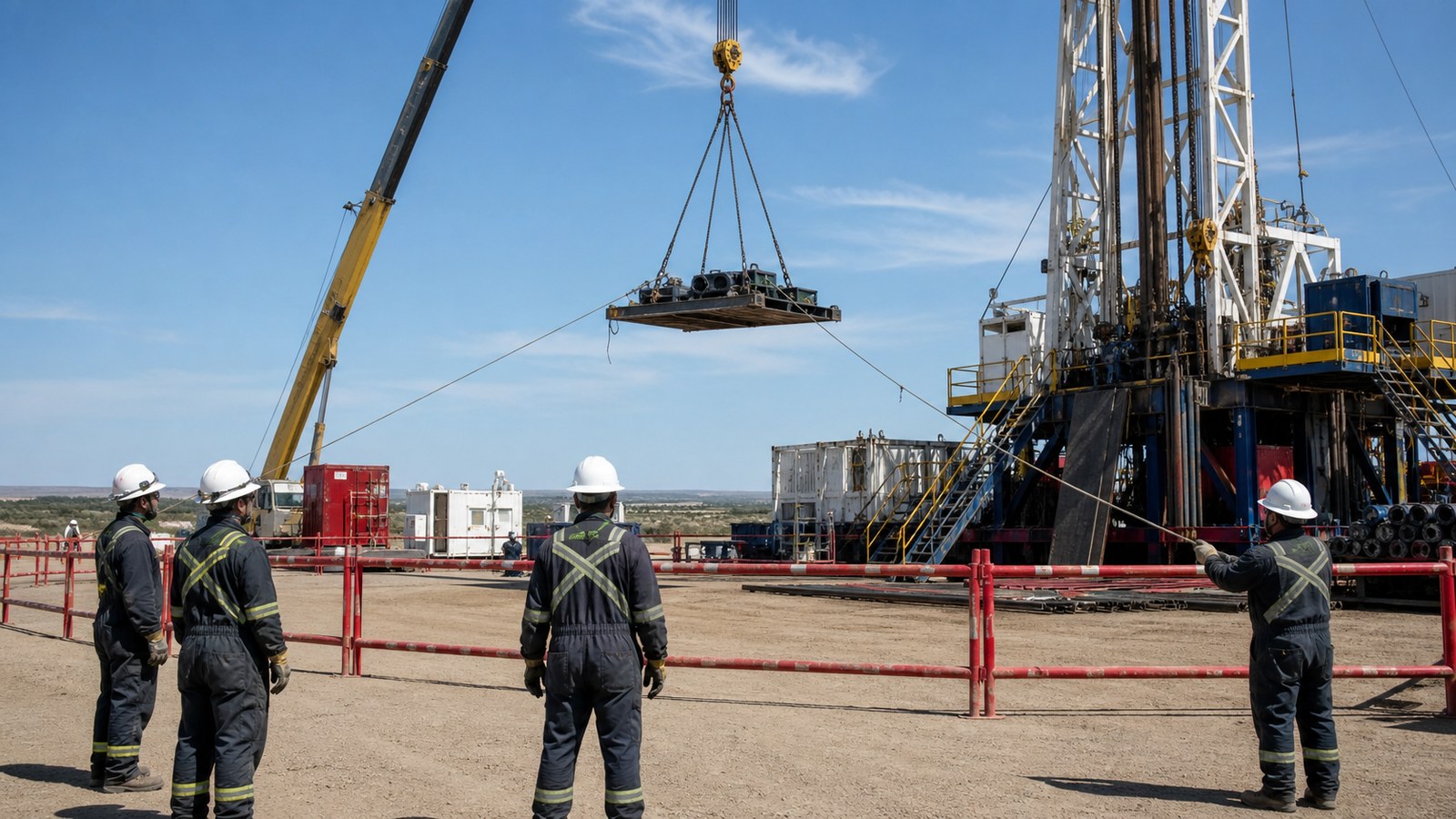
OSHA guidance for rigging and wellsite work emphasizes inspecting lifting equipment, keeping workers clear of suspended loads, and using appropriate controls. The training visual should reflect the client’s lift plan, equipment ratings, inspection program, and local requirements. Decorative rigging or an unrealistic load balance can teach the wrong lesson even when the scene looks polished.
Emergency modules can establish the situation, alarm, communication chain, shutdown or evacuation expectations, routes, muster arrangements, and accountability process. They are useful for orientation and drill preparation, but they do not replace actual drills. The animation should never reveal sensitive security information or contradict site-specific emergency plans.
How to Build an Accurate Drilling Training Animation
1. Define the audience and task
Identify whether the learners are new hires, floorhands, derrickhands, drillers, supervisors, contractors, visitors, or support personnel. Define what they need to recognize or do after the module. A broad audience may need system relationships; an experienced role may need a detailed decision scenario.
2. Collect controlled references
Useful inputs include current procedures, rig layout, equipment manuals, JSA or JHA documents, safety rules, training slides, photos, video, CAD, terminology, PPE requirements, alarm conventions, and emergency plans. Record document dates and owners. Outdated photographs should not silently override current procedures.
3. Map the sequence before final rendering
A storyboard establishes the learning flow, while an animatic tests timing, camera position, equipment states, narration, and learner prompts. Review these stages before adding final textures and lighting. Corrections to load paths or valve states are far less costly before final rendering.
4. Assign technical reviewers
Drilling, well-control, HSE, training, and equipment specialists may own different parts of the content. Give each reviewer a defined approval area and use consolidated feedback. An assumptions log prevents a generic modeling choice from being mistaken for an approved operating detail.
5. Connect the visual to practice
Use pause points, questions, tabletop discussion, simulator activity, supervised demonstration, and field observation where appropriate. Ask learners to identify hazards, predict the next equipment state, explain a communication step, or compare the animation with the current procedure. This makes the visual part of an active learning program.
Production Formats and Reusable Training Assets
A drilling animation can be delivered as a narrated video, short module, silent loop, presentation segment, LMS-ready file, or a set of clips for instructor-led training. Captions, alternate language narration, and clean versions without voiceover can support a distributed workforce. The exact package should be planned early so text size, runtime, aspect ratio, and file compression fit the delivery environment.
A well-organized 3D rig model can support more than one module. After the core geometry is approved, the production team may create orientation, circulation, pipe handling, lifting, maintenance, or emergency scenes from the same asset base. Reuse saves effort only when model ownership, revision control, and technical updates are managed.
Training content should have an owner and review date. Equipment, layouts, procedures, and hazards change. Retire obsolete versions, record revisions, and update the visual when a change affects learner decisions. A visually impressive but outdated animation can create more confusion than a simple current diagram.
Why Choose Austin Visuals for Drilling Training Animation?

Austin Visuals helps oil and gas organizations translate complex equipment, processes, and safety content into realistic visual communication. Our production team can support discovery, scripting, storyboarding, CAD preparation, 3D modeling, technical animation, motion graphics, voiceover, editing, and delivery. We build review checkpoints into the process so technical corrections happen before final rendering.
The scope can range from a focused two-minute orientation sequence to a library of role-specific modules. Visual style can range from clean engineering visualization to photorealistic 3D animation, depending on the audience and learning objective. We can also prepare still images and short clips for manuals, presentations, toolbox talks, and LMS use.
Most importantly, Austin Visuals treats the client’s specialists as the technical authority. We organize references, flag missing information, document assumptions, and present work-in-progress in a format that drilling, HSE, training, and engineering reviewers can evaluate. To plan an oil and gas training animation, call (512) 591-8024 or email info@austinvisuals.com.
Our Clients include:

Frequently Asked Questions
What is oil and gas drilling animation training?
Oil and gas drilling animation training uses reviewed visual sequences to explain rig systems, drilling operations, hazards, controls, and crew responsibilities. It can show equipment relationships and hidden downhole processes that are difficult to demonstrate safely in the field.
Which rig operations can animation explain?
Animation can support rig orientation, drilling-fluid circulation, making connections, tripping, mechanized pipe handling, lifting, dropped-object prevention, well-control awareness, emergency response, and other client-defined operations.
Can animation replace well-control certification or hands-on training?
No. Animation is a supporting learning resource. It does not replace approved operating procedures, site-specific instruction, competent supervision, required certification, drills, or hands-on practice with the equipment and controls used by the employer.
What information is needed to create a drilling training animation?
Useful inputs include the learning objective, audience, procedures, JSA or JHA materials, equipment manuals, rig layout, photos, video, CAD when available, terminology, PPE and exclusion-zone rules, emergency expectations, and designated technical reviewers.
Can one animation be adapted for land and offshore drilling crews?
A shared instructional structure can sometimes be reused, but land and offshore rigs can differ in equipment, layout, well-control systems, logistics, roles, and emergency arrangements. Each version should be reviewed for the specific rig and operating context.
How long does a drilling animation project take?
Timing depends on scope, source-material quality, model complexity, runtime, review availability, and delivery formats. A focused module may take several weeks, while a multi-module program or detailed rig model can require a longer production schedule.
How does Austin Visuals maintain technical accuracy?
Austin Visuals organizes client references, documents assumptions, develops storyboards and animatics, and schedules reviews with client-designated drilling, safety, training, and engineering specialists before final rendering and delivery.
Conclusion
Oil and gas drilling animation training can give rig crews a consistent view of equipment relationships, fluid circulation, pipe handling, lifting, well-control awareness, and emergency expectations. Its value comes from a clear learning objective, accurate client references, staged technical review, and connection to approved procedures and real practice.
When animation is treated as one component of a complete training system, it can make difficult concepts visible without suggesting that a video replaces judgment, supervision, certification, or field competence.
Austin Visuals helps oil and gas teams turn equipment, operations, hazards, and procedures into clear visual content for workforce communication and training.
Contact us at info@austinvisuals.com or call (512) 591-8024.