
Animation and CGI create visual differentiation through deliberate choices in shape, composition, materials, and motion. A distinctive treatment gives the subject a recognizable appearance while keeping its meaning clear. Extra detail or faster movement does not, by itself, establish that viewers will pay attention or understand the message.
CGI means computer-generated imagery and can include still images. Animation introduces change over time. Both can share a visual style, but a style that works in one attractive frame still needs testing across camera views, transitions, and the sizes at which people will see it.
Define what should look different
Specify which visible qualities distinguish the work before choosing a rendering treatment. Descriptions such as “modern” or “premium” leave too much room for conflicting interpretations.
Translate a broad preference into decisions that can be compared. A restrained treatment might use a small palette, broad areas of empty space, and limited camera movement. An illustrative treatment might use simplified shapes and visible outlines. Neither description determines whether the explanation is accurate or appropriate for its audience.
Identify what must remain recognizable. A product’s proportions, a component’s position, or an approved symbol may carry information that the style cannot change. Separate those constraints from choices such as background color or the softness of a shadow.
A short visual brief can describe the subject, the viewing setting, and the required distinctions. If the viewer must identify two related parts, explain how the design will distinguish them. If the image is intended mainly to establish a mood, avoid adding technical labels that suggest a more precise explanation than it provides.
Use shape and composition to establish a focal point
The arrangement of shapes should make the important relationship visible. Review the image at a small size to check whether that relationship survives without fine detail.
A silhouette test can reveal whether the subject’s overall form is doing enough work. View the object as a flat shape and ask whether its orientation and important features remain distinguishable. If two parts merge into one outline, changing the viewpoint or spacing may help more than adding surface decoration.
Then examine the surrounding space. A bright background object or a dense arrangement of labels can compete with the feature the viewer needs to see. Adjust the composition so the main subject has a clear boundary and an understandable place in the scene.
Use framing consistently when comparing design options. If one option uses a close-up and another uses a wide view, reviewers may react to the framing instead of the proposed style. Keep the subject, camera position, and image size comparable until those choices are intentionally part of the comparison.
Make color and surface choices carry specific information
A palette or material treatment should help identify the subject and its parts. Decide which colors are decorative and which ones communicate meaning.
When color identifies a state or category, add another cue where needed. W3C’s explanation of the Use of Color criterion describes using information such as shape or text alongside color. In an explanatory graphic, a label or pattern can preserve a distinction that depends too heavily on hue.
Surface appearance is a separate choice from color. Epic’s physically based materials documentation explains that roughness affects how sharp or blurry reflections appear. A glossy surface and a matte surface can therefore make the same geometry read differently under the same lighting.
Use those controls with a reason. A bright reflection might help describe a curved housing but obscure a printed marking. Additional wear can suggest that an object has been used. If that condition is not part of the intended subject, adding it for visual interest changes the information being presented.
Choose where realism is necessary
Realism is useful when a viewer needs to judge a real appearance or spatial relationship. A simplified treatment can be appropriate when detail would conceal the relationship being explained.
Divide the scene into information that must be faithful and information that can be stylized. A device’s outer form may need accurate proportions while its background remains abstract. A diagram may separate components farther than they would move in use, provided the presentation makes the explanatory separation clear.
For a fictional desk fan illustration, one option might show familiar materials and a realistic setting. Another might use a flat background and simplified surfaces to emphasize the fan’s outline. These are design alternatives, not evidence that either option produces a particular marketing outcome.
| Design choice | Keep consistent during comparison | Question to resolve |
|---|---|---|
| Simplified or realistic geometry | Subject and intended explanation | Which details are necessary for recognition? |
| Matte or reflective surfaces | Lighting and camera view | Does the finish reveal or conceal useful detail? |
| Limited or varied palette | Labels and category meanings | Are important distinctions still understandable? |
| Static or moving camera | Subject position and explanation | Does movement reveal something the still view cannot? |
Set motion rules before animating every shot
A moving sequence needs consistent decisions about timing, camera behavior, and the order in which information appears. A single style frame cannot show those decisions.
Prepare a rough motion test using representative elements. Check how an object enters the frame, where it pauses, and whether labels remain readable while it moves. A treatment that depends on many simultaneous movements may leave the viewer uncertain about which event matters.
Distinguish movement that describes the subject from movement added for presentation. An object rotating can reveal its form. A camera orbit may instead show a changing viewpoint without explaining any new relationship. Choose the movement according to what the viewer needs to see.
Keep any deliberate timing changes clear. An accelerated assembly or a slow close-up can help explain a sequence, but it should not imply an unsupported operating speed. The person responsible for the subject matter should review those choices alongside the artist’s motion treatment.
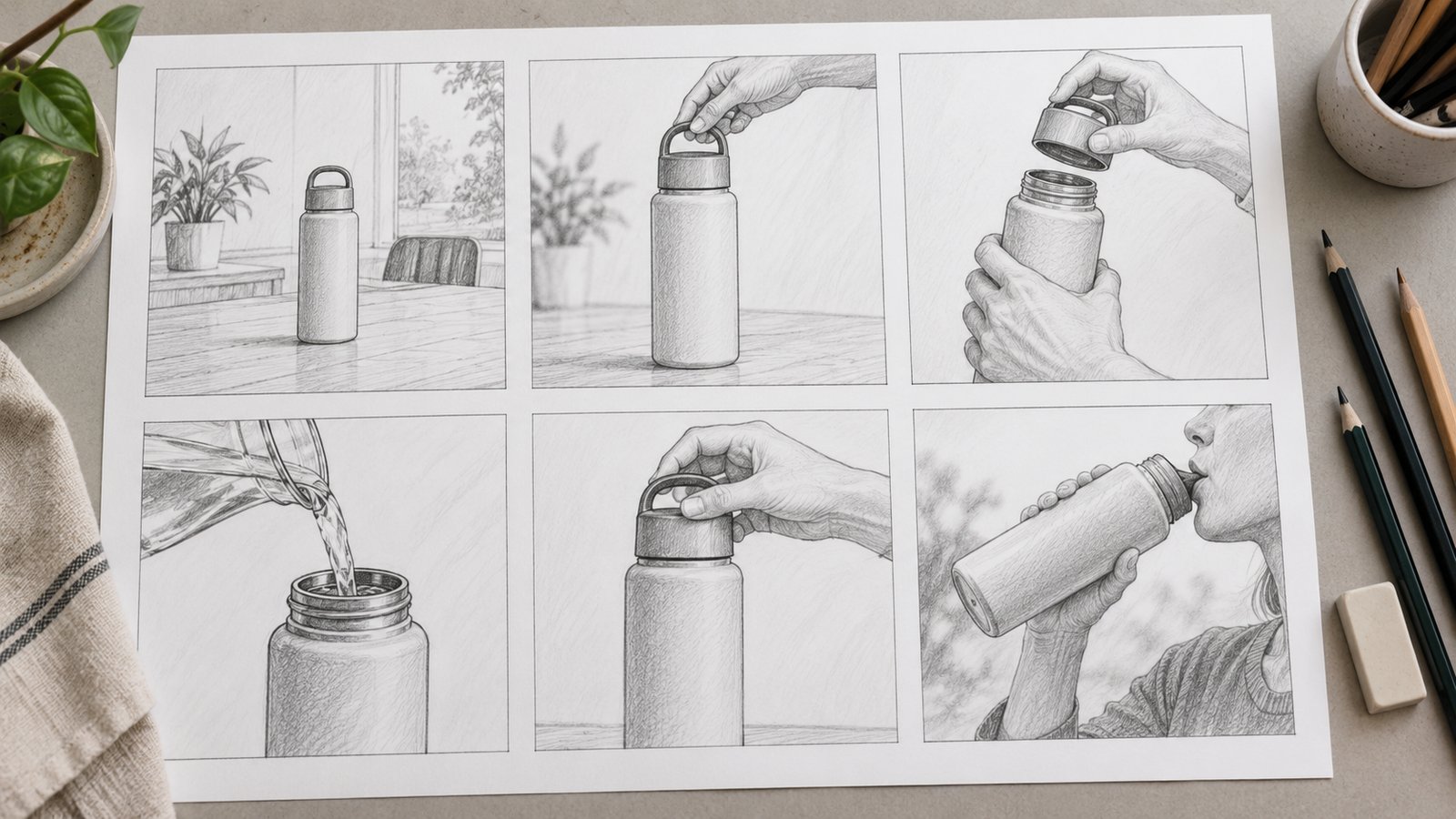
Compare still images and video under fair conditions
Use a still image to assess composition and surface appearance, and use a timed preview to assess how the explanation develops. Review both when deciding on a visual treatment for animation.
A useful review set includes a representative wide view, a detail view, and a short transition. Choose frames that expose potential problems, such as small labels, overlapping shapes, or reflective surfaces. Comparing only the most attractive frame can hide weaknesses elsewhere in the sequence.
Show options at the planned output size and, where practical, on the intended display. Check how the composition changes when a landscape frame becomes a vertical crop. If a required component disappears, the alternate format needs a framing decision rather than a simple export setting.
Keep the explanation constant while comparing treatments. If one option has more narration or different labels, record that difference. Reviewers otherwise cannot tell whether their preference concerns the visual design or the additional information.
Build a style sheet that resolves future questions
A style sheet records the choices another artist or reviewer needs to apply consistently. Include representative examples and the reason each rule matters.
Record the palette, surface references, camera conventions, label treatment, and motion behavior relevant to the work. Specify where a rule can change. A title sequence may use a different background from an explanatory diagram while retaining the same typography and category colors.
Separate fixed references from illustrations of a preference. An approved product drawing controls geometry; a mood reference may only suggest lighting. This distinction prevents an attractive reference from becoming an unintended instruction to copy its subject, branding, or factual details.
Include the difficult cases. A transparent object, dark surface, or crowded diagram can test whether the visual system is practical. Resolve those cases before expanding the treatment across many scenes, where inconsistent work would require a larger revision.
Review recognition and clarity before choosing a treatment
Ask reviewers to describe what they see and what they believe is happening. Their answers provide more specific feedback than a preference for the option that looks most impressive.
- Identify the subject and its orientation without reading the production brief.
- Describe the relationship or change the image is intended to show.
- Point out any label, material, or motion that suggests an unintended meaning.
- Check the same information in a small frame and an alternate crop.
- Record the selected treatment and unresolved questions before further production.
Use factual corrections differently from style preferences. A reviewer identifying the wrong component needs to supply the correct reference. A reviewer requesting softer lighting should explain which visible detail is currently difficult to read. Both comments can be valid, but they require different changes.
A small review does not establish how an entire market will respond. It can identify an unclear explanation or inconsistent visual rule. Claims about attention, recall, or commercial results need their own evaluation after the content is used with the relevant audience.
Keep the visual differences purposeful
A recognizable visual treatment comes from decisions that work together across the sequence. Preserve the subject’s meaning, test representative frames in motion, and document the rules that other scenes must follow. The resulting comparison gives a team a practical basis for choosing a style and identifying the revisions it still needs.
Frequently asked questions
What is the difference between animation and CGI?
CGI refers to computer-generated imagery, including still images. Animation depicts change over time and may use CGI, drawings, or other techniques. A project can therefore contain CGI that is never animated.
Does more realistic CGI always communicate better?
No. Realism is useful when real appearance or spatial detail matters. Simplification may make a particular relationship easier to inspect. Judge the treatment against the subject and explanation rather than a general preference for realism.
What should a style frame demonstrate?
A style frame should demonstrate representative composition, materials, lighting, and labels. Include a difficult view as well as an attractive one. Use a separate motion test to judge timing and transitions.
How can a design remain understandable without relying on color?
Support important color differences with labels, shapes, patterns, or another appropriate cue. Check whether viewers can still identify the relevant states or categories when they cannot distinguish the intended hues.
Should different video formats use the same composition?
They can share a visual system, but the framing may need to change. Review required details and label readability in each crop. A landscape composition is not automatically suitable for a vertical display.
Can a distinctive style guarantee attention or sales?
No. A style can create visible differences and support a clear explanation, but audience response requires separate evidence. Evaluate recognition and understanding first, then measure relevant outcomes in the actual viewing context.