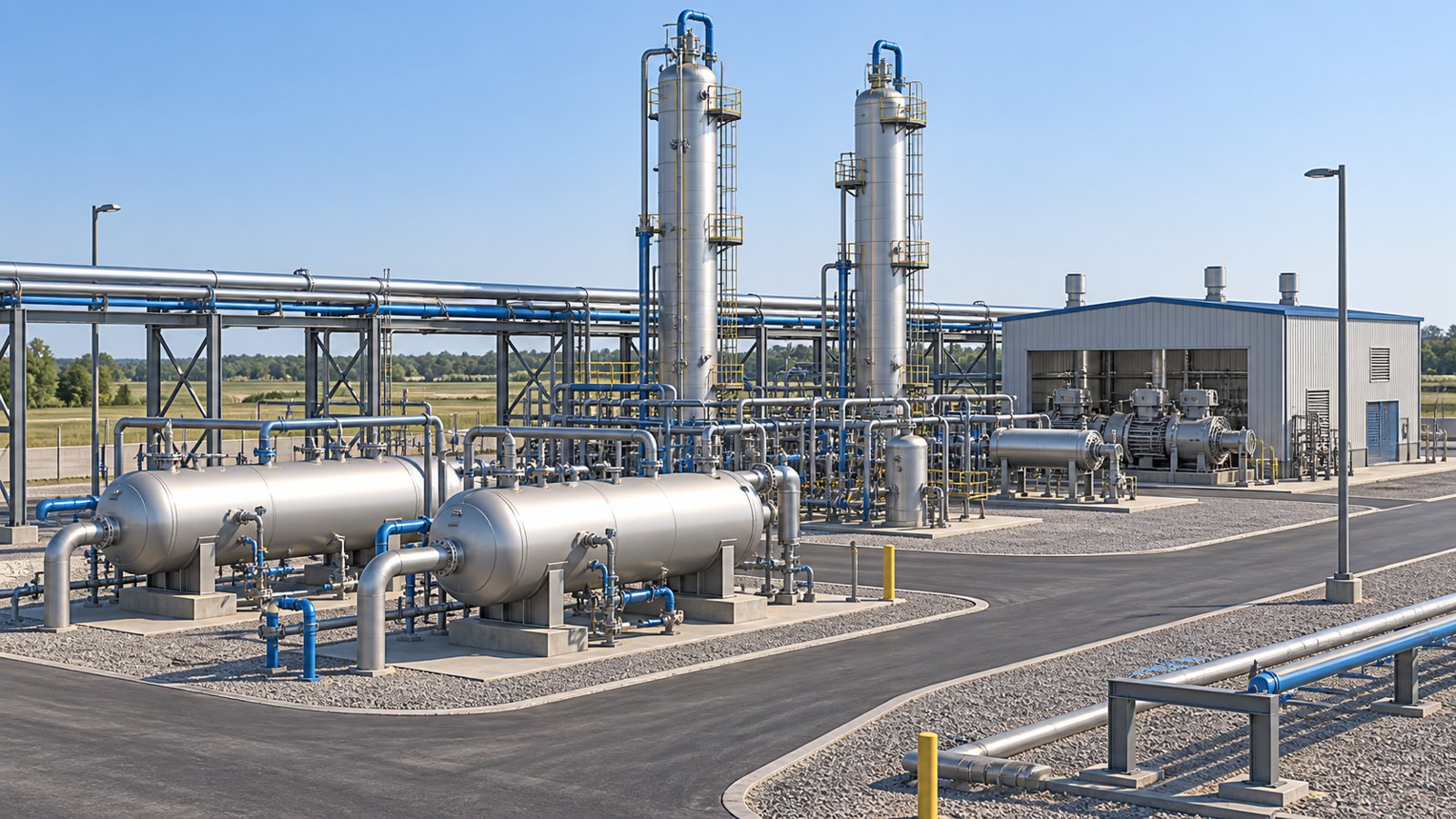
Gas processing plant animation uses animated equipment views and process sequences to explain how raw natural gas is conditioned, treated, and prepared for its intended market. For operations training, it connects the plant overview with equipment purpose, stream relationships, and approved learning objectives. Austin Visuals can help turn technical source material into a clear visual explanation that supports your training program.
A newcomer may recognize a vessel during a walkdown without understanding its place in the process. An experienced employee moving to another unit may understand individual equipment but need a clearer picture of its upstream and downstream relationships. Animation can connect those views without requiring learners to interpret an entire drawing set at once.
The strongest training content is built from the facility’s approved information. Share your process description, drawings, equipment references, and review requirements with Austin Visuals. Call (512) 591-8024 or email info@austinvisuals.com to plan the production scope.
What Gas Processing Plant Animation Should Explain
A useful animation answers three questions: what enters a process area, what changes there, and where the resulting streams go. It can move from a plant overview to a selected unit, show a simplified internal view, and then return to the overall process so learners retain their bearings.
The U.S. Energy Information Administration explains that natural gas processing separates liquids and removes water and other unwanted constituents before delivery. The actual treatment requirements depend on the incoming gas and the intended product. Its natural gas delivery and processing overview provides general background; a facility-specific animation still needs the site’s own process basis.
Define whether the video is an orientation, an equipment explanation, or a procedure-support module. Orientation explains the plant’s purpose. Equipment content explains a selected mechanism or separation function. Procedure-support content must follow approved site documentation and review. Mixing all three into one uninterrupted presentation often makes the learning objective harder to identify.
Build the Process Story Around the Actual Facility
There is no universal sequence that accurately represents every gas plant. Feed composition, product requirements, selected technology, and integration with other facilities determine the arrangement. Establish the correct process blocks before detailed modeling, and distinguish units that are on site from activities performed elsewhere.
Inlet separation and conditioning
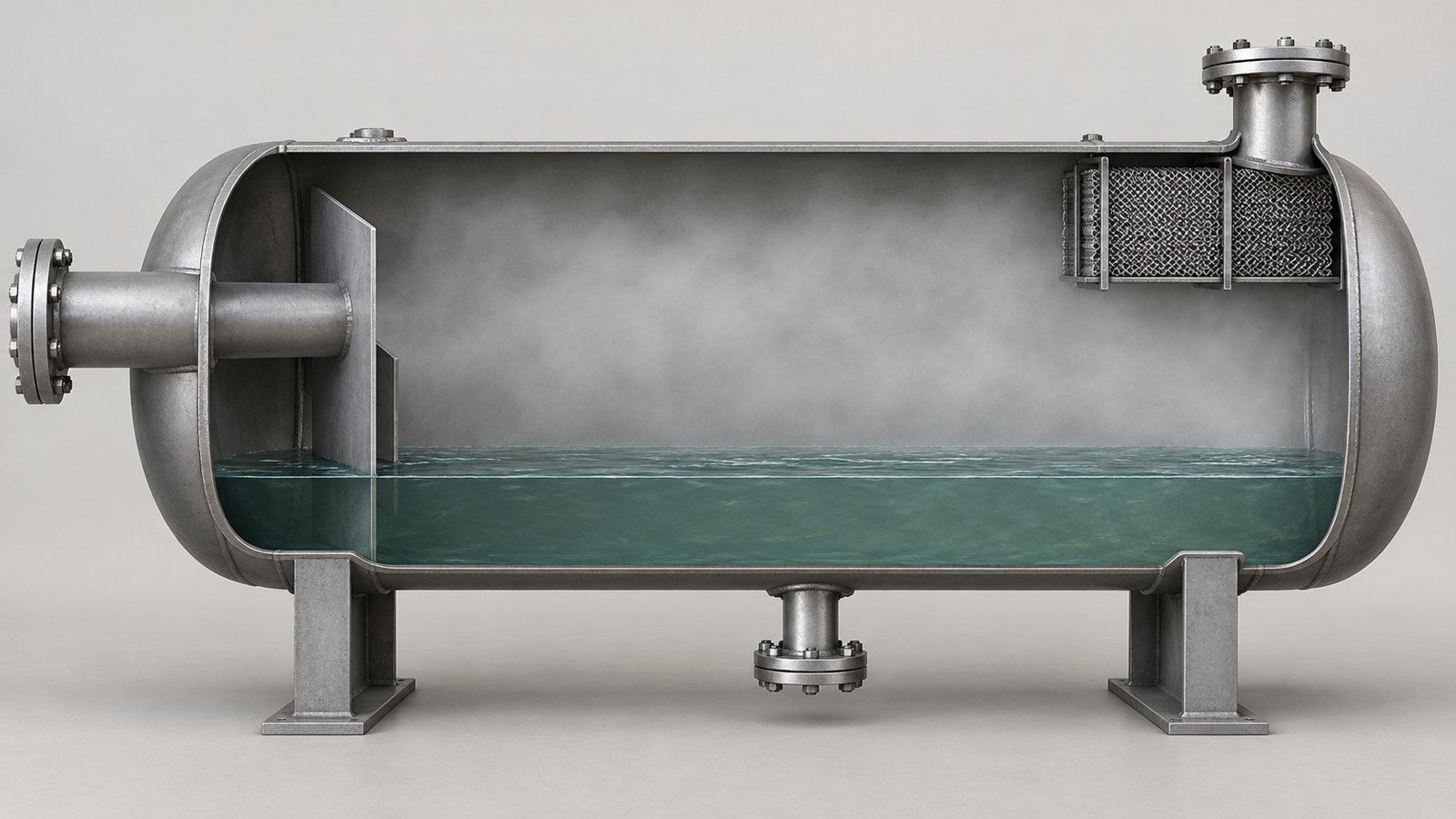
An inlet section can be introduced by showing the incoming stream and the purpose of separating free liquids or entrained material where the design requires it. A cutaway may help explain the different paths through a vessel. Keep the internal arrangement consistent with the selected equipment rather than substituting an attractive generic model.
For a training storyboard, identify the inlet, relevant outlets, and the downstream destination. That creates a stronger explanation than a long camera orbit around the equipment. Include only the internal details needed to understand the learning point, and have the equipment or process reviewer approve the simplification.
Acid gas removal
Where the process requires removal of hydrogen sulfide or carbon dioxide, the animation can explain the function of the selected treating system. For an amine-based system, a simplified view can distinguish the gas path from the circulating solvent and show that solvent treatment and regeneration form part of a larger system.
Do not suggest that every gas plant uses the same solvent or that all contaminants leave through a single generic outlet. The script should name only the technology and stream destinations supported by the approved process description.
Dehydration
Gas dehydration removes water vapor. Depending on the application, the facility may use glycol absorption, molecular sieve adsorption, or another selected arrangement. These are different mechanisms and should not share an interchangeable animation of particles passing through a filter.
A glycol dehydration animation can distinguish the gas and liquid paths, while a molecular sieve explanation can distinguish adsorption from the separate regeneration function. Neither needs to invent operating values or switching steps. The purpose is to explain the approved system, with the depth set by the training objective.
Liquids recovery and product routing
Some plants recover natural gas liquids through the selected separation process. The visual story should distinguish the treated gas route from recovered liquid streams and identify the facility boundary. Fractionation may be associated with the broader supply chain without being located at the same plant.
Keep NGL recovery separate from LNG production in the narration. Recovering natural gas liquids is not the same task as liquefying a methane-rich gas stream. A simple destination view can prevent learners from carrying the wrong mental picture into later modules.
Use PFDs and P&IDs for Different Review Tasks
A process flow diagram helps establish the major equipment, streams, and unit relationships. A piping and instrumentation diagram provides more detailed information about piping, instrumentation, and related components. The animation producer should know which drawing supports each visual claim and which revision is current.
Begin the storyboard with the broad process flow. Add equipment tags and selected instrumentation only when they contribute to the lesson. Copying every symbol into the picture can make the scene harder to read without improving understanding. Conversely, removing a component that matters to the explanation can change the meaning.
Create a source register linking scenes to approved documents. Each entry can include the scene number, equipment or process area, drawing revision, information owner, and unresolved questions. This lets reviewers distinguish a deliberate visual simplification from a missing or incorrect detail.
Keep visual geometry and procedural information connected but separately reviewed. A model may look correct while the narrated sequence is wrong. A script may describe the right sequence while a line in the image connects to the wrong destination. Both require an explicit check.
Design Short Modules Around Learning Objectives
A gas plant operator training program benefits from modules that each answer a bounded question. One module might establish the plant overview. Another might explain why an inlet separator is present. A third might compare the purpose of treating and dehydration. This creates reusable lessons instead of a single video that must be replayed in full.
For a hypothetical inlet-separation lesson, the opening can locate the unit in the process. The next scene identifies the incoming stream and equipment boundaries. A simplified cutaway explains the separation function, followed by a return to the overall flow. A final question asks learners to identify the downstream route. This is a storyboard example, not an operating procedure.
Use consistent visual conventions across modules. Keep equipment names, stream colors, camera orientation, and labels stable. Explain the convention once and retain it. If gas is represented by animated particles, clarify that the particles are a visual aid rather than a depiction of visible gas or measured flow behavior.
Leave enough time to read labels and observe the relationship being explained. Rapid transitions may look impressive in a promotional film but can obscure the exact moment a learner needs to understand. Review pacing with the intended audience, not only the production team.
Keep Explanations Separate From Operating Instructions
Industrial process animation can explain equipment purpose without authorizing an action in an operating plant. If the content includes a procedure, its prerequisites, steps, and limits must come from the current approved site material. The animation team should not invent a valve lineup, alarm response, bypass, or operating setpoint to make a scene feel complete.
Specify the audience’s role. An orientation for visitors requires different detail from training for qualified operators. A maintenance overview has different information needs from a commercial presentation. Make the intended use visible in the production brief and have the responsible site team approve the final material.
Where an abnormal-condition example is educationally useful, define the scenario and its boundaries with the training owner. Avoid suggesting a universal response across different plants. Animation supports classroom discussion and supervised learning; it does not replace facility procedures, practical assessment, or authorization requirements.
Plan Technical Review Before Detailed Rendering
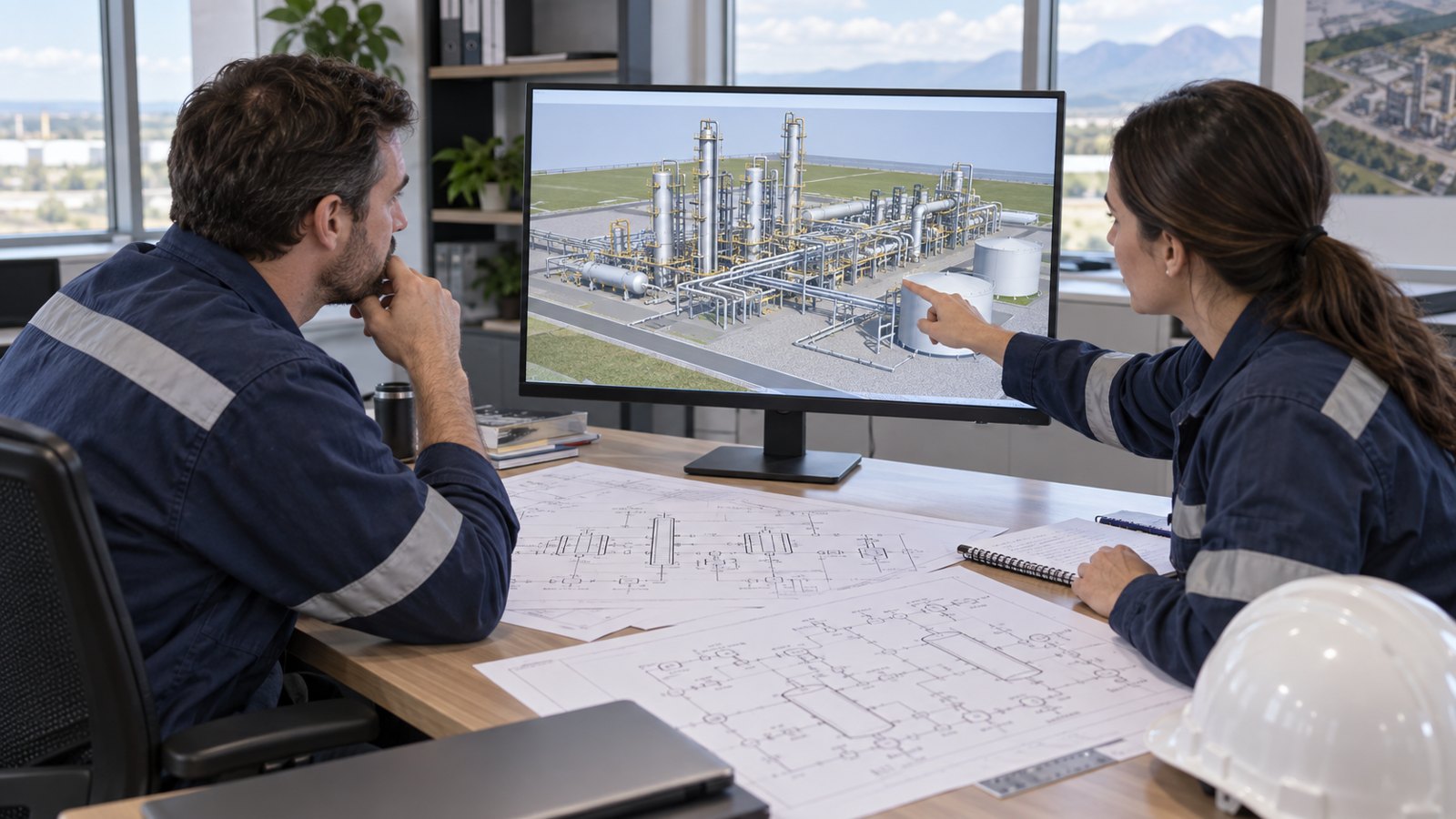
Review the script first, then the storyboard, then a simplified model or animatic. This sequence gives subject-matter experts opportunities to correct meaning before the team invests in detailed textures, lighting, and final rendering. Document approval at each stage so later changes can be assessed clearly.
- Process reviewer: verifies stream destinations and the explanation of each unit.
- Equipment reviewer: checks the relevant geometry and internal representation.
- Training owner: checks the learning objective, audience, and assessment.
- Operations reviewer: checks any site-specific terminology or procedural content.
- Communications owner: checks branding, narration, captions, and delivery versions.
A person may hold more than one role, but the responsibilities should remain explicit. Collect one consolidated set of comments per review round. Resolve conflicting instructions within the client team before asking the animator to implement changes.
At final review, trace a selected stream from its first appearance to its destination. Check labels against narration and compare the module’s source register with the approved revisions. Also inspect the final export for small text, rushed transitions, and missing captions.
Measure Understanding and Maintain the Content
Define success in terms of what learners can explain or identify after the module. A useful check might ask them to locate a unit in the process, distinguish two treatment purposes, or identify which document governs a site-specific action. Completion of a video is not by itself proof of understanding.
Pilot the material with a small group representative of its audience. Ask where they lost context and which labels or transitions were unclear. Use the findings to revise the explanation before wider distribution. Avoid claiming a percentage improvement in training performance unless an appropriate evaluation actually supports it.
Assign an owner for updates. When equipment, routing, terminology, or approved procedures change, review the affected scenes. Store the source register, narration, captions, and editable assets according to the agreed handoff. A modular structure makes it easier to locate and revise affected content without rebuilding unrelated lessons.
How Austin Visuals Helps With Gas Plant Animation
Austin Visuals can help translate approved technical information into a visual story that fits the audience. Its oil and gas 3D animation services provide a starting point for discussing facility overviews, equipment explanations, and training content.
Prepare a brief identifying the process area, required runtime, source material, and technical reviewers. Include the expected delivery formats: a presentation video, individual modules, captioned versions, or still images. If learning-management-system packaging or interactive features are needed, specify those requirements rather than assuming they are part of every video project.
The production scope should define what will be modeled, which information comes from the client, and how approvals work. That gives the creative team room to make the explanation clear while keeping technical authority with the appropriate reviewers.
Our Clients include:
Turn the Process Into a Clear Learning Sequence
Gas processing plant animation works best when it follows the actual facility and answers a defined learning question. Build the process story from approved sources, show only the detail the audience needs, and review both the visual relationships and narration. The result should help learners connect equipment with purpose and understand where each module fits within their broader training.
Ready to improve industrial communication with animation?
Austin Visuals helps companies turn equipment, workflows, and technical processes into clear visual content. Contact info@austinvisuals.com or call (512) 591-8024 to discuss your gas plant project.
Frequently Asked Questions
What is gas processing plant animation?
It is an animated explanation of gas plant equipment, streams, and process relationships. It can support orientation, equipment education, and training built from approved facility information.
Which gas processing stages should the animation include?
Include the stages relevant to the actual facility and learning objective. These may cover inlet separation, treating, dehydration, liquids recovery, and product routing; the sequence is plant-specific.
Is gas dehydration the same as gas sweetening?
No. Dehydration removes water vapor, while sweetening addresses acid gases such as hydrogen sulfide and carbon dioxide. The animation should show the selected technology for each function.
What source files are needed for a gas plant animation?
Start with the approved process description, current drawings, equipment references, and learning objectives. Identify document revisions and the reviewers responsible for technical accuracy.
Can animation replace operator procedures or practical training?
No. Animation supports understanding but does not replace approved procedures, supervised practice, competency assessment, or authorization to operate equipment.
How do you keep a training animation accurate?
Use approved sources, maintain a scene-to-document register, and review the script, storyboard, models, and final export. Assign an owner to update affected scenes when the facility changes.