Manufacturing training has to be clear, repeatable, and practical. A plant may have skilled trainers, detailed SOPs, and experienced supervisors, but many procedures are still hard to teach with text, photos, or live demonstrations alone. Equipment may be guarded, fast-moving, dangerous, internal, or unavailable during production. Technical training animation for manufacturing gives teams a way to show the work from angles a camera cannot capture.
For plant managers, training teams, safety leaders, and equipment manufacturers, animation can explain the exact sequence of a task, the reason behind a safety step, the movement inside a machine, or the path of material through a production line. It can be used in onboarding, LMS courses, toolbox talks, maintenance training, sales enablement, and standard work documentation.
If your team needs clear manufacturing training visuals, Austin Visuals can help turn complex procedures into animation your workforce can understand and reuse. Email info@austinvisuals.com or call (512) 591-8024 to discuss a training animation project.
What Technical Training Animation Means in Manufacturing
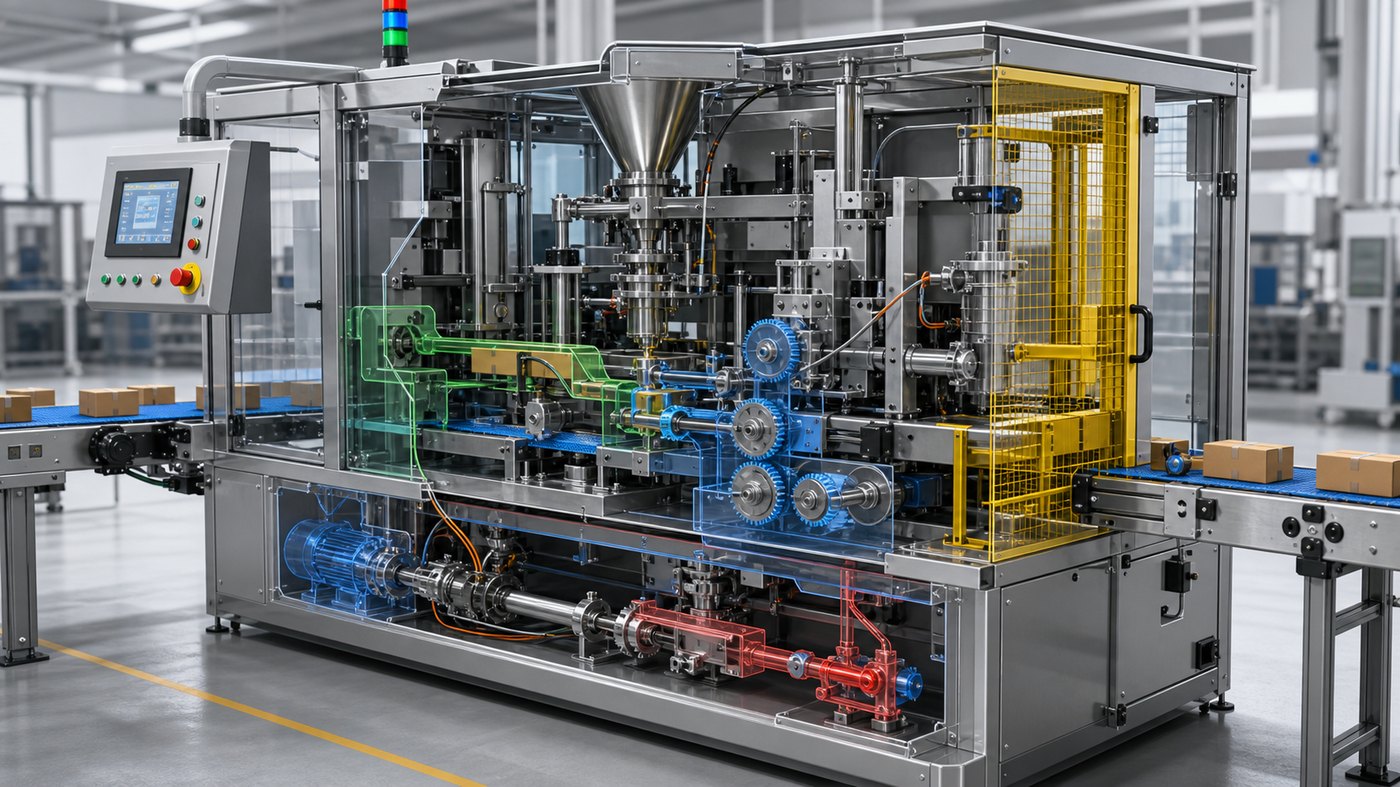
Technical training animation for manufacturing is the use of animated visuals to explain equipment, workflows, procedures, hazards, and quality requirements. It can be created in 2D, 3D, motion graphics, or a hybrid style depending on the topic. A simple safety process may need clean icons and motion graphics. A machine operation module may need accurate 3D models, cutaways, and animated part movement.
The strength of animation is that it can control what the learner sees. A trainer can remove a machine housing, pause a fast operation, zoom into a sensor, isolate a single component, or show material flow through a hidden chamber. This helps learners understand cause and effect instead of memorizing steps without context.
Manufacturing teams also use animation when the real environment is difficult to film. A production line may be too loud, too crowded, too dangerous, or too busy for a clean video shoot. Animation can simplify the scene while still preserving the technical information that matters.
For related context, Austin Visuals has covered how 3D animation can elevate manufacturing process efficiency. Training uses the same visual principle: make the process visible so people can understand it faster.
Why Manufacturing Teams Need Better Visual Training
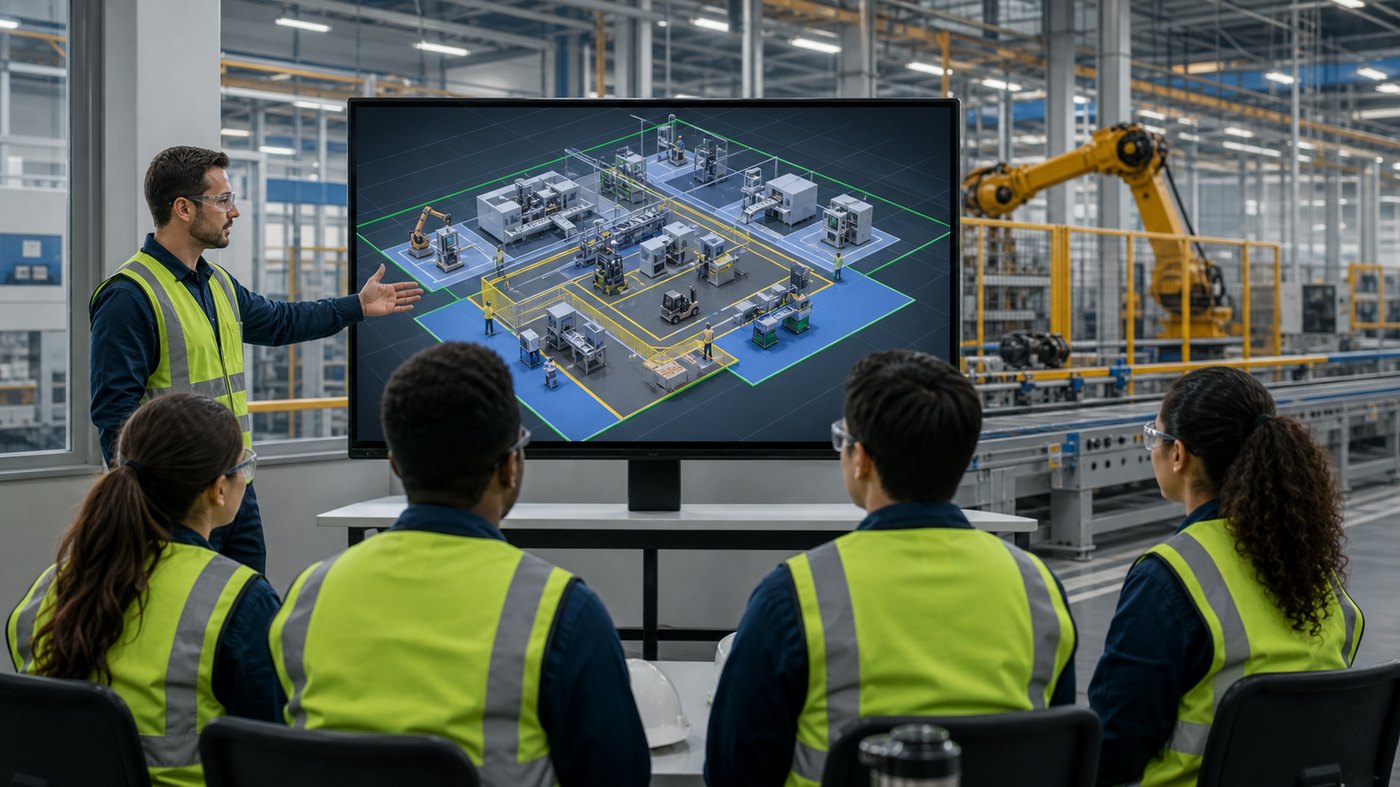
Manufacturing training often has to reach people with different levels of experience. A new operator may need basic orientation. A maintenance technician may need a deeper mechanical explanation. A supervisor may need a process overview. A quality inspector may need details on defect recognition. One animation package can support several audiences when the content is planned carefully.
Text-based procedures can be precise, but they often assume the reader already understands the environment. Photos can help, but they usually show one angle and one moment. Live demonstration is valuable, but it depends on the trainer, schedule, and equipment availability. Animation fills the gap by showing motion, sequence, timing, and internal relationships.
This is useful for onboarding because new workers can see the overall workflow before they step onto the floor. They can understand where materials enter, where equipment sits, which zones are restricted, what PPE is expected, and how their role connects to upstream and downstream tasks. That context makes hands-on training more productive.
Austin Visuals also discusses broader industrial communication in industrial process animation for better understanding. The same approach applies inside the plant: animation can turn a complicated workflow into a visual sequence people can follow.
Using Animation for Equipment Operation and Standard Work
Equipment operation training is one of the strongest uses for manufacturing animation. Many machines involve moving parts, safety interlocks, sensors, pneumatic or hydraulic systems, tooling changes, and control steps that are difficult to see from the outside. A 3D training module can show the machine in context, then move inside the system to explain how the components work together.
Standard work training can also benefit. A procedure may include setup, inspection, loading, activation, monitoring, adjustment, shutdown, and cleanup. Animation can walk through each stage in order while highlighting only the information needed at that moment. This reduces cognitive overload and helps learners remember the proper sequence.
When equipment changes, animation can be updated more cleanly than a full live-action reshoot. If a guard, sensor, control panel, or component changes, the animation team can revise the visual asset and keep the training current. That matters for manufacturers with frequent process improvements, new product introductions, or multi-site standardization needs.
For companies working from CAD or engineering source material, Austin Visuals’ article on technical 3D animation for competitive advantage shows how technical files can become practical communication tools.
Improving Safety Training and Hazard Awareness
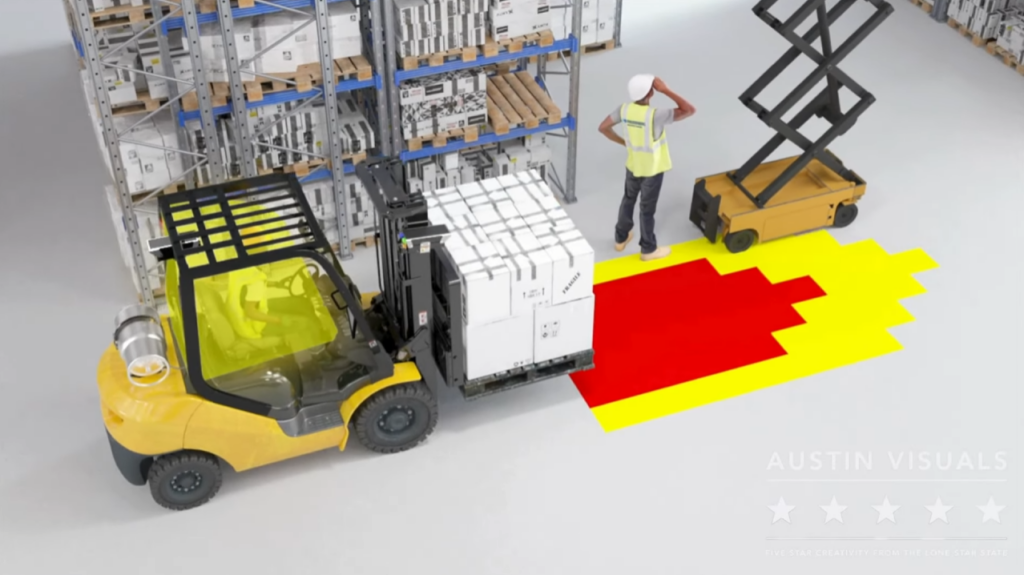
Safety training is often where animation delivers immediate value. Some hazards are too dangerous to demonstrate in real life. Pinch points, robot movement, stored energy, pressure, heat, confined spaces, suspended loads, chemical exposure, and electrical risks may not be visible until something goes wrong. Animation can show the hazard clearly without putting anyone at risk.
A technical safety animation can show correct and incorrect actions, freeze the moment before a mistake, highlight the danger zone, and then show the safe procedure. It can also visualize invisible forces such as stored energy, pressure release, heat transfer, or airflow. This helps learners understand why the rule exists.
For lockout tagout, animation can show each energy source, isolation point, verification step, and the consequence of skipping a step. For robotic workcells, animation can show restricted areas, sensor fields, safe entry procedure, and unexpected movement. For conveyors, it can show nip points, entanglement risks, and safe clearing practices.
Animation should not replace hands-on safety training, but it can make hands-on training stronger. Workers enter the real environment with a clearer mental model of the hazard and the correct behavior.
Supporting Quality Control and Process Consistency
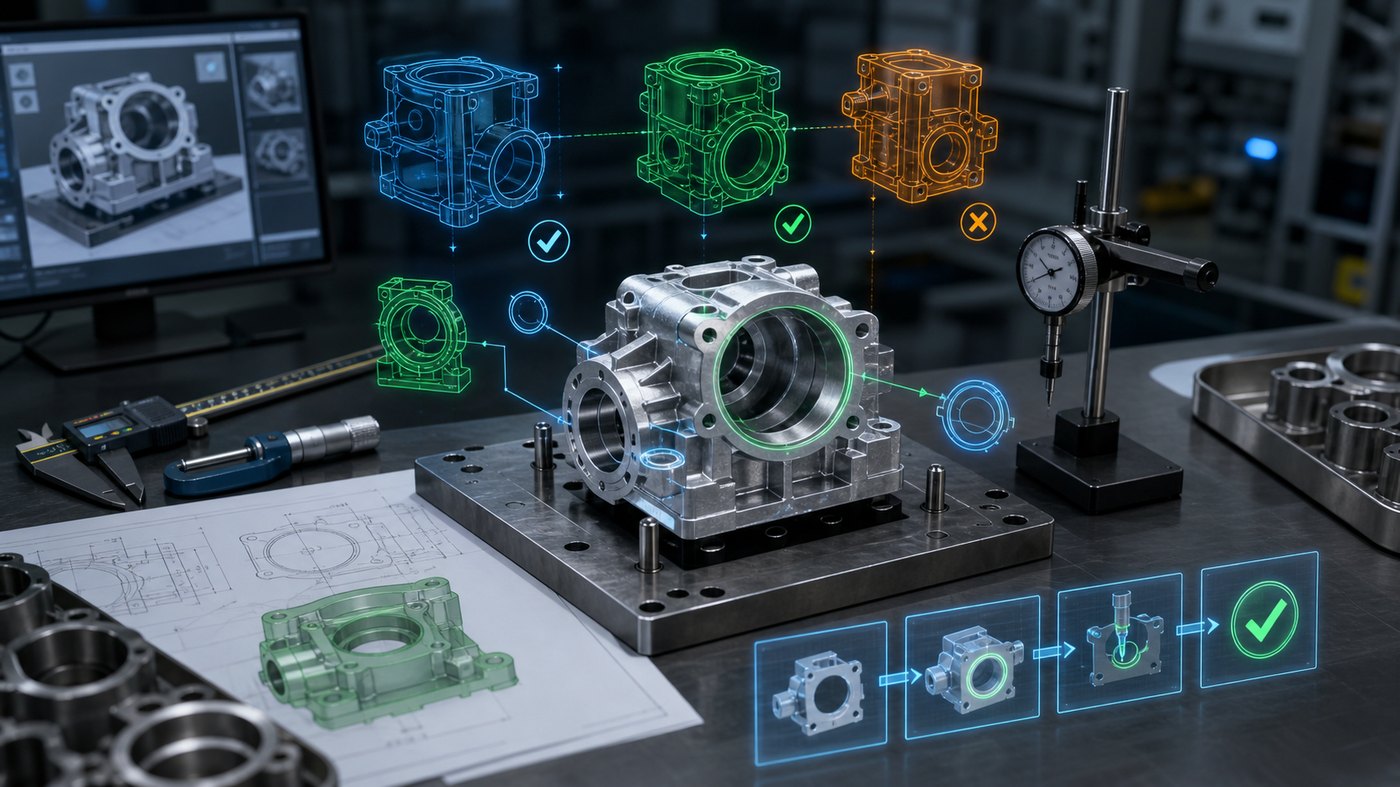
Manufacturing training is also about quality. A small variation in part orientation, measurement technique, torque sequence, cleaning step, or inspection timing can affect the final product. Animation can show quality requirements from the exact angle the learner needs, with visual emphasis on checkpoints and common errors.
For example, an animated module can show how a part should seat in a fixture, where to inspect for a defect, how a measurement tool should align, or how an incorrect setup creates downstream rework. Instead of only telling workers what to check, the animation can show why the check matters.
This is useful for standardizing procedures across shifts and facilities. When every site receives the same visual training, companies reduce variation in how a process is explained. Supervisors can still coach locally, but the foundation is consistent.
The importance of accuracy is similar to the ideas in Austin Visuals’ post on engineering-grade 3D visualization. Manufacturing training visuals need to be clear enough for learners and accurate enough for technical reviewers.
Training Maintenance and Technical Teams
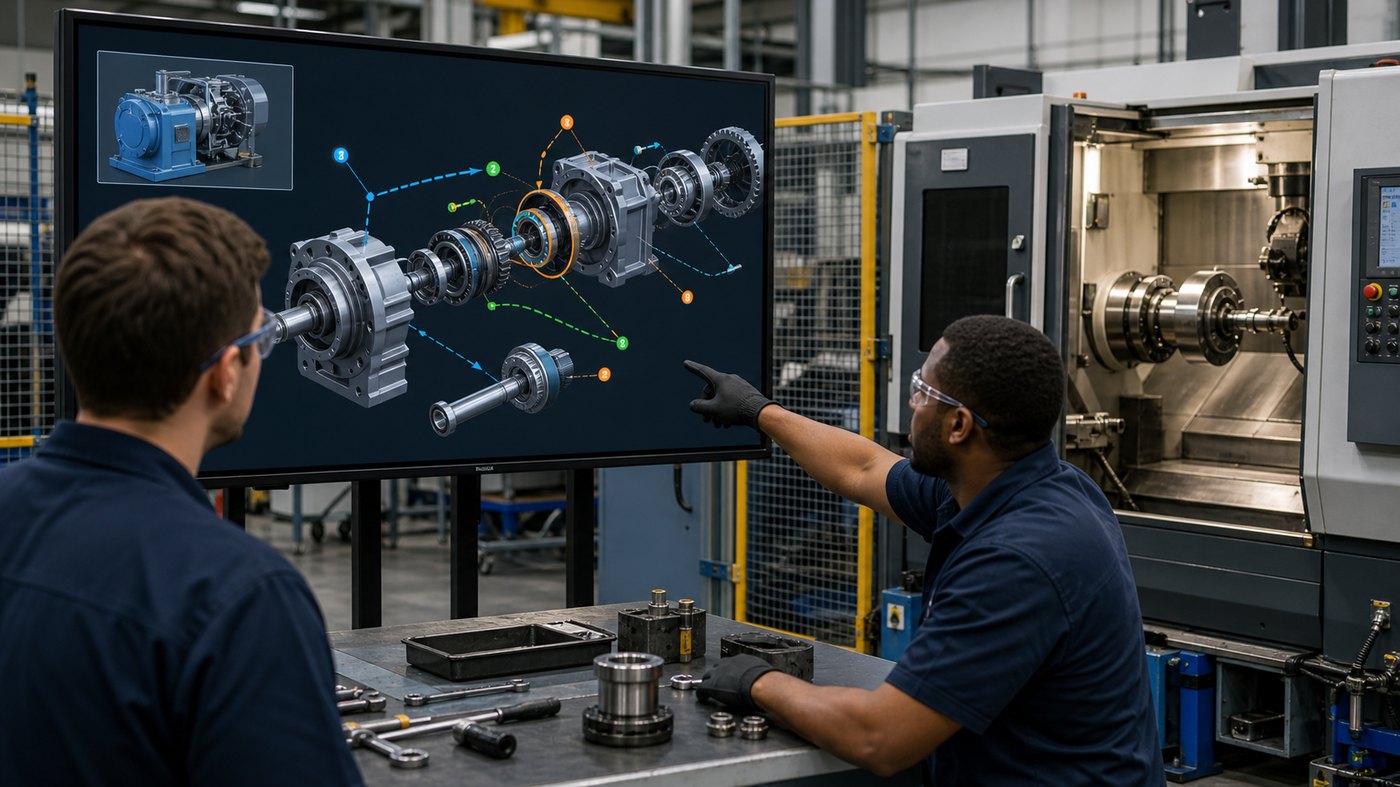
Maintenance teams often need training that goes deeper than operator-level instruction. Technicians may need to understand part removal, access points, alignment, lubrication, calibration, troubleshooting, or reassembly. A camera may not be able to capture these steps clearly inside crowded equipment. Animation can use exploded views, transparent housings, and controlled camera movement to explain the procedure.
This is valuable for rare but critical tasks. If a maintenance procedure happens only a few times per year, workers may not get enough repetition to feel confident. An animation can be reviewed before the task, used during classroom instruction, or embedded in a digital work instruction system.
Animation can also preserve knowledge from experienced technicians. When senior team members understand a process that is not fully documented, a training animation project can capture that knowledge through interviews, references, and review cycles. The final asset becomes part of the company’s training library.
Best Practices for a Manufacturing Training Animation Project
A strong project starts with a specific learning objective. The goal should not be “make a video about the machine.” A better objective might be “teach operators how to clear a jam safely,” “show new employees the material flow through the line,” or “explain the inspection points that prevent a recurring defect.”
Gather useful source materials early. These may include CAD files, photos, SOPs, training manuals, safety procedures, quality documents, maintenance instructions, process maps, incident reports, and notes from operators or engineers. The animation team can then decide which details to model accurately and which details to simplify for clarity.
Review should include subject matter experts from the right departments. Operations, safety, quality, maintenance, engineering, and training teams may all see different risks. Their input helps the animation become accurate and useful rather than just attractive.
For training programs that involve complex systems, Austin Visuals’ article on animation for training and simulation is relevant beyond aerospace. The principle is the same: technical audiences need visual assets that respect accuracy and support learning.
FAQ: Technical Training Animation for Manufacturing
What is technical training animation for manufacturing?
It is animated training content that explains manufacturing equipment, workflows, safety procedures, quality checks, maintenance steps, and standard work using 2D, 3D, or motion graphics.
When should a manufacturer use animation instead of live video?
Animation is useful when the process is internal, fast, dangerous, hard to film, unavailable during production, or easier to understand with cutaways, slow motion, overlays, and controlled camera angles.
Can training animation be made from CAD files?
Yes. CAD files, photos, drawings, SOPs, and engineering references can help create accurate 3D visuals for equipment operation, maintenance, safety, and process training.
Is animation useful for safety training?
Yes. Animation can show hazard zones, unsafe actions, lockout steps, robot movement, pinch points, and stored energy without putting workers in danger during a demonstration.
How long should a manufacturing training animation be?
Most modules work best when focused. A short lesson may cover one task in one to three minutes, while larger topics can be split into a series of shorter modules.
Can animation support multilingual training?
Yes. Visual modules can be paired with translated narration, captions, or text overlays, making them easier to adapt for teams across different locations.
Does Austin Visuals create manufacturing training animation?
Yes. Austin Visuals creates 2D and 3D animation for manufacturing training, industrial safety, equipment operation, maintenance, product education, and technical communication.
Conclusion
Technical training animation for manufacturing helps teams explain work that is hard to show with manuals, photos, or live video alone. It can reveal internal equipment motion, show the correct procedure, explain hidden hazards, standardize quality checks, and support onboarding across locations.
For manufacturers, animation is not only a polished video asset. It is a practical communication tool that can improve consistency, reduce confusion, support safety, and preserve technical knowledge. When the training topic depends on motion, sequence, or invisible details, animation gives learners a clearer way to understand the task.
Austin Visuals helps companies turn equipment, workflows, safety procedures, products, and technical processes into clear visual content that teams and customers can understand.
Contact us at info@austinvisuals.com or call (512) 591-8024.