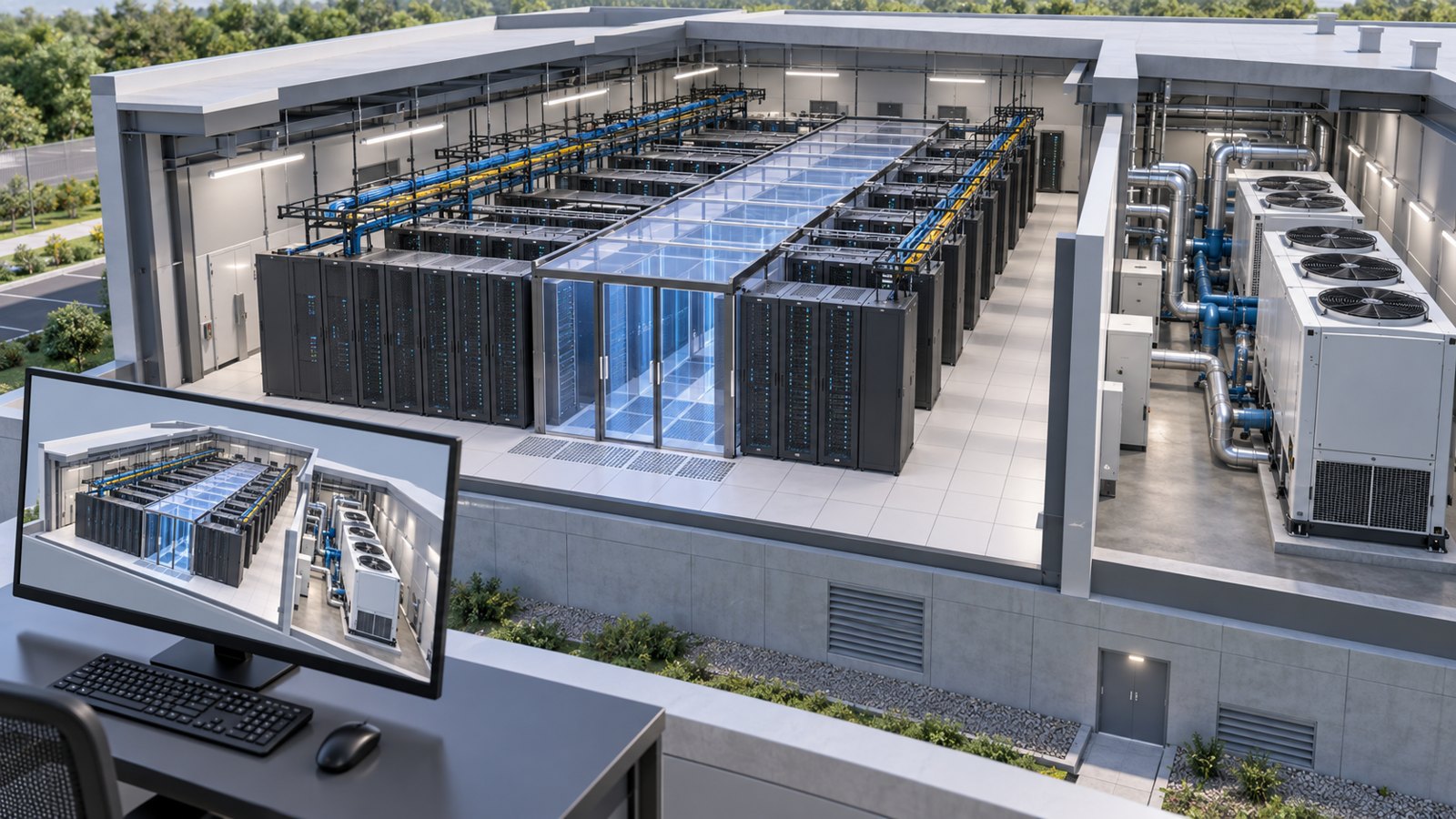
Data center digital twin visualization presents a facility’s equipment, layout, and relevant operating or simulation data in a spatial view. It helps teams understand how racks, cooling, power, and planned changes relate. A credible view identifies whether it shows a design scenario, a measured condition, or a model prediction. Austin Visuals can help communicate those relationships through 3D content built from approved project information.
The value comes from answering a decision question. Where would a proposed rack sit? Which cooling path serves that area? What changed between the baseline and the proposed configuration? A realistic image can make those relationships easier to discuss, but visual polish alone does not establish that the model is current or its predictions are reliable.
Share your approved drawings, models, or simulation exports with Austin Visuals to plan a clear technical story. Call (512) 591-8024 or email info@austinvisuals.com to define the visualization scope.
What Data Center Digital Twin Visualization Actually Shows
A digital twin is a digital representation connected to information about the system it represents. Its usefulness depends on the purpose, underlying model, and data relationship. NVIDIA’s digital twin overview describes the role of simulation and digital representations across physical systems. In a data center, the visible scene is one layer of a larger technical workflow.
That scene may display rack locations, equipment identities, cooling units, containment, cable routes, or selected system states. Not every project needs every layer. A facilities review may prioritize access and spatial context, while a thermal review needs a defensible relationship between geometry, load assumptions, and simulation results.
Decide what a viewer can conclude from each view. If an animation shows a conceptual cooling path, describe it as an explanation. If a color map comes from engineering analysis, identify the scenario, variable, units, and relevant limitations. If a value comes from a sensor, show its time and data status.
3D Models, BIM, DCIM, and Digital Twins
These tools can support each other, but their names do not guarantee the same capabilities. A 3D model describes geometry. Building information modeling, or BIM, organizes building information and relationships. Data center infrastructure management, or DCIM, commonly supports asset, capacity, and operational information. A digital twin workflow connects representations and relevant behavior or data for a defined purpose.
A rendered flythrough can explain a proposed facility without being an operational digital twin. A BIM model can supply geometry without providing a validated thermal prediction. A monitoring dashboard can show current values without containing a physics model. Establish which functions your project actually requires before selecting a presentation format.
Cadence’s digital twin onboarding guide discusses integration with DCIM and configuration management databases. This illustrates why source-system coordination matters. The visualization team should know which system owns an asset identifier and which source supplies its current attributes.
For a practical kickoff, define three deliverables separately: the explanatory visuals, the engineering analysis, and any live software integration. Identify the owner of each. A video producer, simulation engineer, and platform integrator may contribute to the same project while carrying different responsibilities.
Useful Views for Cooling, Power, and Capacity Reviews
Cooling and airflow
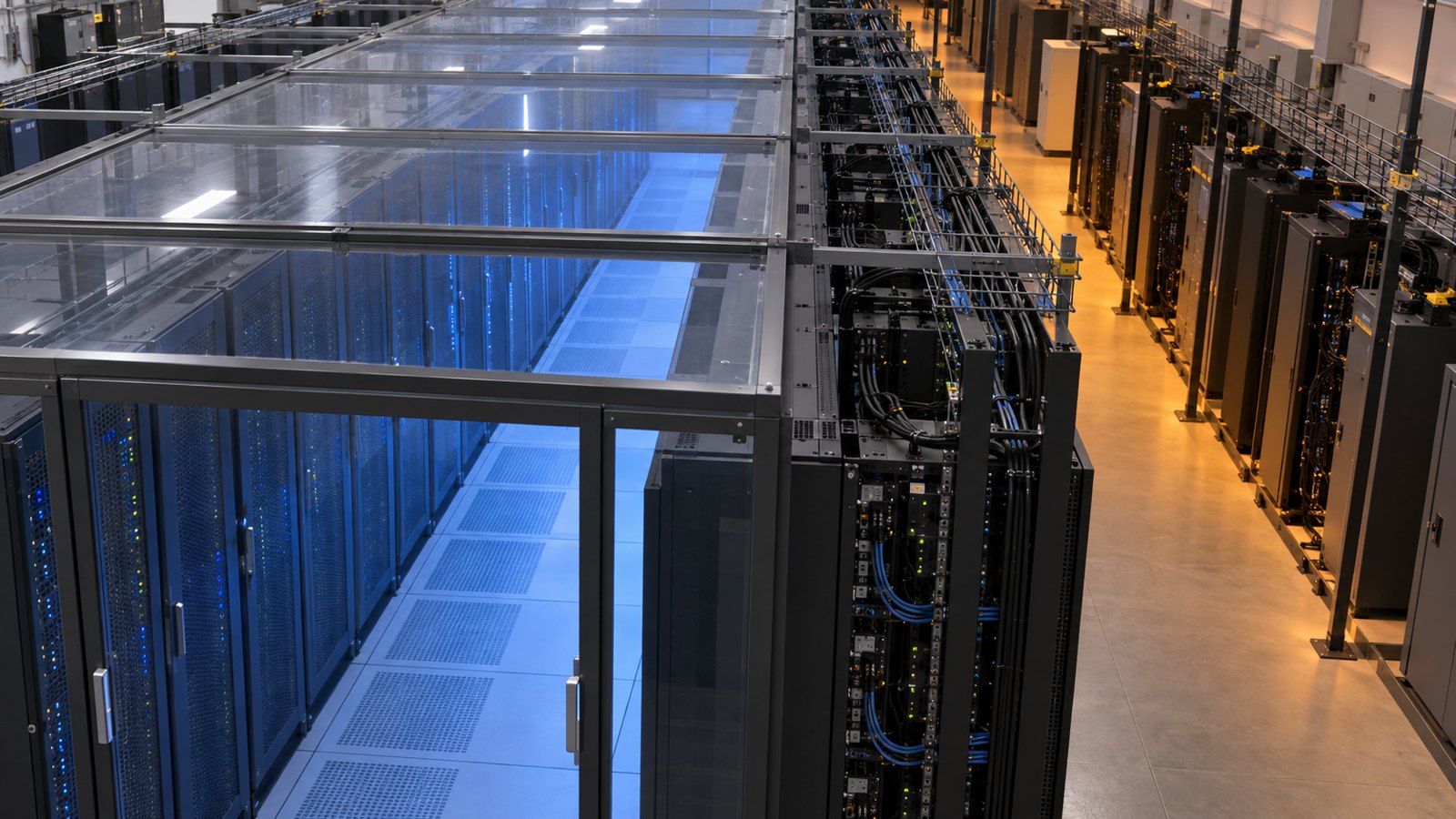
A spatial view can help reviewers understand rack orientation, containment, cooling equipment, and where a proposed change sits. A thermal simulation view adds predicted behavior under specified conditions. Keep those roles clear: decorative blue and red shading is not a calculated temperature field.
When engineering results are available, retain the variable, units, scale, and scenario information. Use the same color scale across alternatives. Otherwise, two images can look equally acceptable even when they represent different ranges. Ask the responsible engineer which slices or viewpoints best communicate the result without hiding an important region.
Power relationships
A power visualization can show how selected equipment relates to upstream components, using approved diagrams and asset mappings. Keep the visual hierarchy simple enough for the intended audience. A sales presentation may need an overview; a technical review may require detailed equipment identification and explicit operating assumptions.
A highlighted power route does not prove redundancy or validate a switching procedure. Treat those conclusions as engineering responsibilities. When an animation depicts a failure or maintenance scenario, obtain approval of the sequence and state which elements are intentionally omitted for clarity.
Capacity and expansion
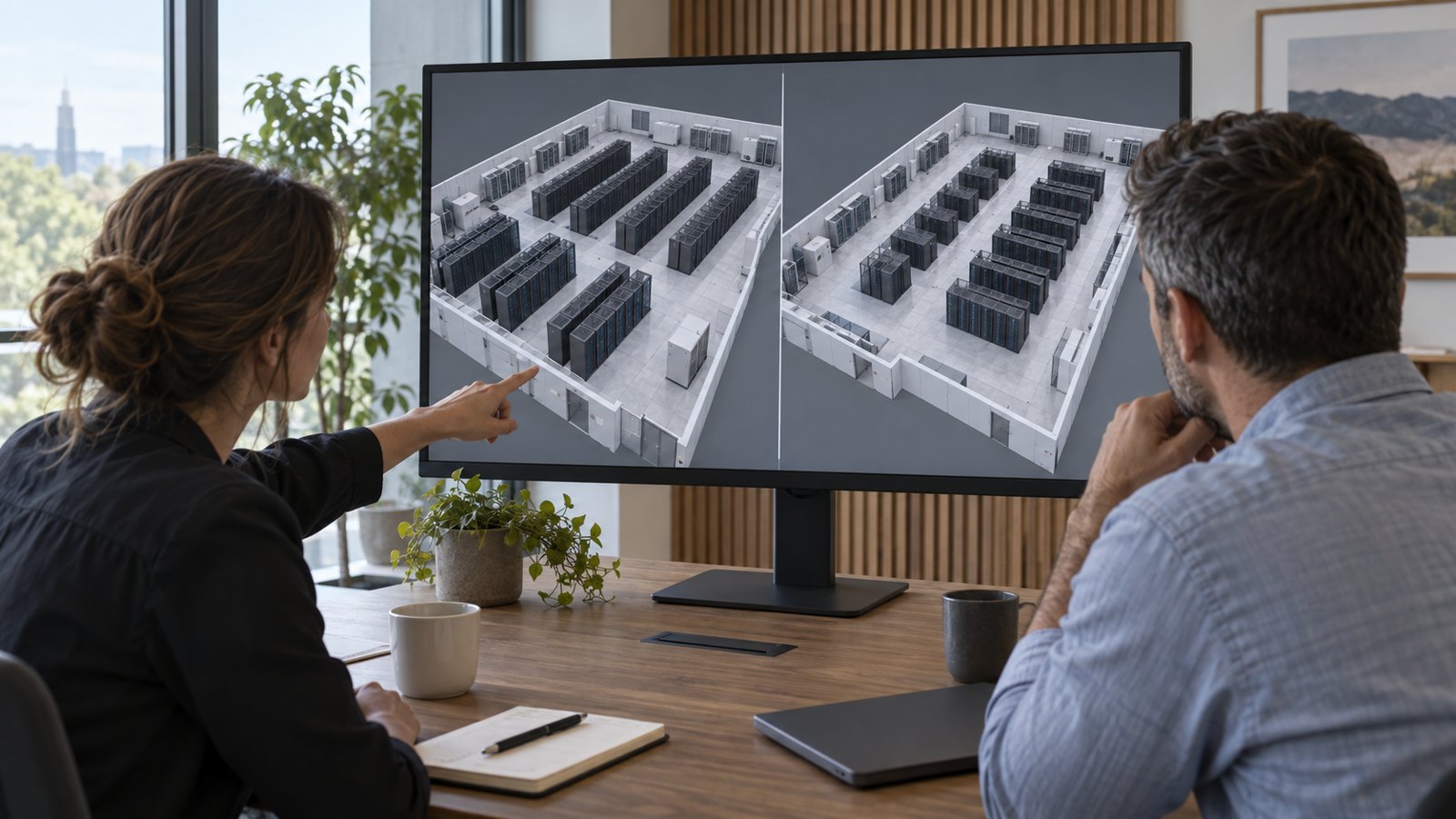
Comparing a baseline layout with a proposed layout helps stakeholders locate added racks, changed aisles, and affected equipment. Keep both views aligned so viewers do not mistake a camera change for a design change. Use a short summary of assumptions beside the spatial comparison.
For example, a hypothetical expansion review might compare the placement of a new rack group while holding the rest of the layout constant. The visualization can explain the placement; the supporting analysis must determine whether the proposed electrical and cooling conditions are acceptable. Do not convert an illustrative scenario into an implied performance guarantee.
Prepare the Source Data Before Building the Scene
A reliable visual production starts with a source inventory. Gather the approved facility layout, equipment list, available CAD or BIM, relevant diagrams, and any simulation outputs to be shown. Record the revision date and owner for each source so conflicting files can be resolved before modeling.
Choose a stable identifier for each asset that needs data attached. A rack nickname in a slide deck may differ from its DCIM name or drawing label. Build and review a mapping rather than matching objects by appearance. A well-rendered rack with the wrong data attached can be more misleading than an obvious missing value.
- Geometry: coordinates, dimensions, orientation, and agreed level of detail.
- Assets: identifiers, equipment types, and attributes needed for the use case.
- Scenarios: baseline, proposed changes, assumptions, and approval status.
- Results: variable, units, scale, source, time, and scenario association.
- Governance: owners, revision process, access rules, and intended audience.
Use only the detail that improves the decision. Internal components may be unnecessary in a campus overview but essential in a rack-level explanation. Simplification should be deliberate and documented, particularly when removing geometry could change an engineering interpretation or obscure a relevant access constraint.
Build the Visualization Around a Review Workflow
Start with one bounded question and one approved baseline. This makes it easier to verify the source information and evaluate whether the view helps its audience. Expanding an unclear initial scope to an entire facility can multiply review work without producing a more useful answer.
First, align on a storyboard or screen plan. Identify the opening context, the selected equipment, the proposed change, and the takeaway. For an interactive experience, specify what users can select, which layers they can hide, and what information appears with each asset.
Next, review a simplified scene before detailed materials and lighting. Check rack counts, locations, naming, system relationships, and camera angles. Then integrate approved data or analysis exports. Finally, review the polished output for technical meaning as well as visual quality.
Cadence’s Reality Digital Twin platform describes modeling, simulation, and connections to live information. Those capabilities illustrate the broader software scope a project may involve. An exported animation remains a presentation of a selected state, even when it is derived from a more capable underlying platform.
Make Uncertainty and Data Freshness Visible
Users need to distinguish observed conditions from predictions and planned conditions. Label those states consistently. If the source feed is stale or missing, represent that condition explicitly instead of displaying the last value as though it were current. A neutral missing-data treatment is preferable to a reassuring default color.
Define freshness expectations by data type and use case. An equipment inventory and a rapidly changing sensor reading need different update policies. The project owner should specify acceptable age, refresh behavior, and what happens when a source cannot be reached. These are software and operational requirements, not choices that lighting or animation can solve.
For simulations, retain enough scenario context to interpret the result later. Record the input revision, analysis owner, relevant operating assumptions, and result version. Keep the presentation connected to that record so a reused screenshot does not lose the conditions under which it was produced.
Validate the Result With the Right Reviewers
Verification should follow the claims being made. A geometry review checks whether the scene matches approved source material. A data review checks identifiers, units, mapping, and timestamps. An engineering review assesses the underlying analysis. A communication review checks whether the intended viewer can understand the explanation.
Ask reviewers to inspect a small set of important assets end to end, from source record to displayed object. Check a normal value, a missing value, and a changed configuration where applicable. For a prerecorded animation, confirm that every shot reflects the same approved scenario unless the transition clearly states otherwise.
Success measures should match the purpose. A stakeholder presentation might be evaluated by whether reviewers can identify the proposed change and explain its implications. A live interface also needs checks for refresh behavior, access, and interaction. Document the acceptance criteria before commissioning expensive visual detail.
How Austin Visuals Helps With Data Center Visualization
Austin Visuals can help translate approved facility information into a visual narrative for presentations, training, and stakeholder communication. Its role should be scoped around the content actually being commissioned: modeled scenes, camera sequences, explanatory graphics, and finished visual deliverables.
The OnRamp data center visualization case study offers a relevant example of facility communication through 3D animation. It should not be treated as evidence of a live telemetry integration or a validated operational twin. Request examples and a proposal matched to your own requirements.
If your project includes CFD, live feeds, or a deployed interactive platform, identify the qualified analysis and integration owners separately. Austin Visuals can discuss how approved outputs should be explained visually. The statement of work should make the handoff, review obligations, and software requirements explicit.
Our Clients include:

Start With a Decision, Then Build the View
Data center digital twin visualization is most useful when its source, purpose, and limits are clear. Select one decision, assemble the approved information, and design views that let reviewers understand the relevant relationships. Add realistic detail where it improves comprehension, and preserve the engineering context behind every technical claim.
Ready to communicate your data center project clearly?
Austin Visuals helps turn facility layouts, equipment relationships, and approved technical information into useful visual content. Contact info@austinvisuals.com or call (512) 591-8024.
Frequently Asked Questions
What is data center digital twin visualization?
It is a spatial presentation of a data center model with relevant asset, operational, or simulation information. The view should distinguish measured conditions, planned designs, and predicted results.
Is a 3D data center model the same as a digital twin?
No. A 3D model supplies geometry; a digital twin workflow also connects relevant system information or behavior for a defined purpose. A rendered flythrough alone does not demonstrate live integration.
How is a digital twin different from DCIM?
DCIM commonly manages infrastructure and operational information, while a digital twin workflow may connect that information with spatial models and simulation. Actual capabilities depend on the platform and integration.
What data is needed to create the visualization?
Start with an approved layout, asset identifiers, relevant equipment information, and the data or analysis required by the use case. Record source ownership, revision dates, units, and scenario assumptions.
Can a digital twin help evaluate cooling changes?
Yes, when it includes suitable engineering models and validated inputs. Visualization explains the results; a realistic image or decorative heatmap by itself does not establish cooling performance.
Does Austin Visuals provide the entire operational digital twin?
The scope must be confirmed for the specific project. Animation and visualization do not automatically include simulation engineering, telemetry integration, or operational software; identify those responsibilities in the proposal.