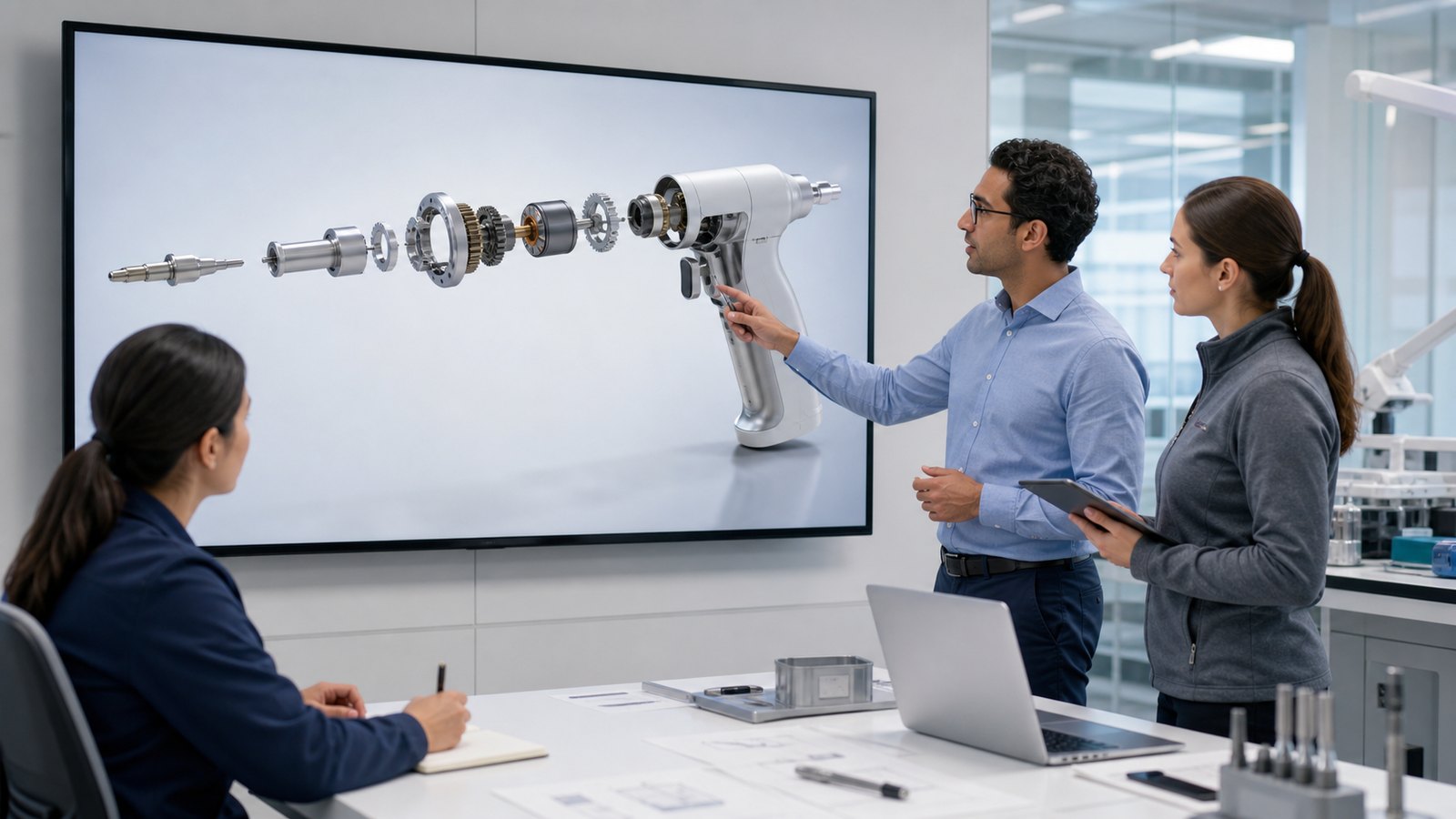
Medical device explainer animation for training turns device setup, operation, internal mechanisms, clinical context, and service procedures into a clear visual sequence that employees can review consistently. It is most useful when a device is difficult to film, contains hidden components, interacts with anatomy, or requires different internal teams to understand the same approved product information.
A strong training animation does more than make a device look polished. It defines a learning objective, uses controlled source material, shows only approved actions and claims, and passes through technical, clinical, quality, and regulatory review before release.
Austin Visuals creates realistic 2D and 3D medical device visuals for onboarding, product knowledge, field service, clinical education, sales enablement, and learning-management systems. Call (512) 591-8024 or email info@austinvisuals.com to discuss a project.
What Is Medical Device Explainer Animation for Training?
Medical device explainer animation for training is a planned 2D or 3D video that teaches a defined audience how a device is structured, prepared, operated, maintained, or explained. Unlike a general product commercial, the training version organizes information around what the learner must recognize or do after watching.
The subject can range from a handheld instrument to a capital system with accessories, software, disposables, alarms, and cleaning requirements. A medical device explainer video may establish the complete device, isolate one subsystem, reveal internal motion, demonstrate an approved workflow, or show how the device relates to the intended use environment.
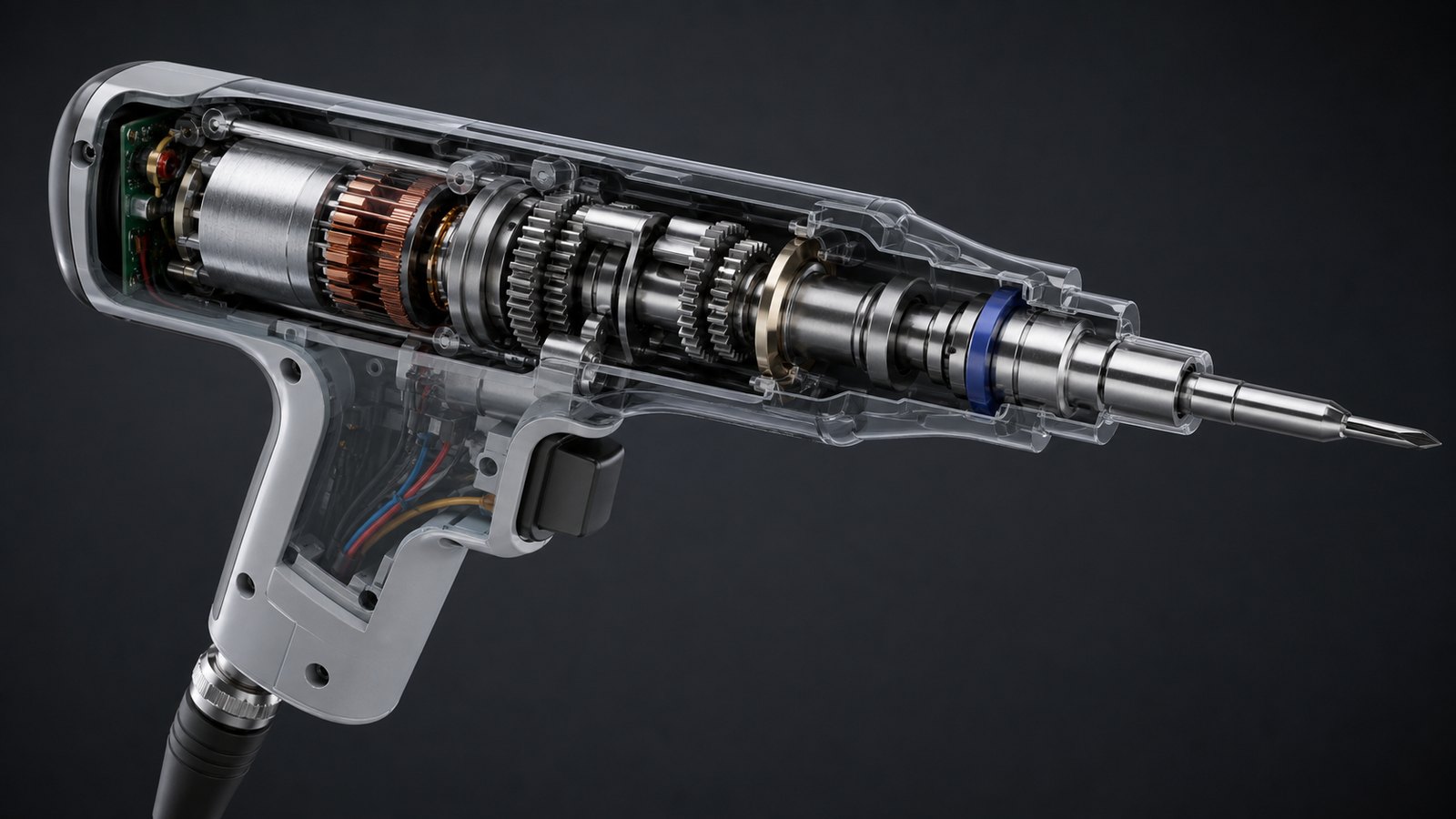
Animation is especially valuable when live footage cannot provide the needed view. A camera cannot see through an opaque housing, keep every component visible during assembly, or move safely inside anatomy. A controlled 3D sequence can change viewpoint, opacity, scale, and timing while preserving the approved relationship between parts.
Start with the Audience and the Learning Objective
Internal training fails when one video tries to serve every audience at once. Product managers, manufacturing personnel, quality teams, clinical educators, sales representatives, field service technicians, and customer-support staff do not need the same depth or terminology.
Define the learner and the desired outcome before writing the script. A useful objective states what the learner should be able to identify, explain, compare, prepare, inspect, or perform after completing the module. That objective determines which views, labels, steps, warnings, and knowledge checks belong in the animation.
- New employee onboarding: establish the device family, intended users, use environment, major components, and internal team responsibilities.
- Product knowledge: explain architecture, accessories, interfaces, workflow, and approved product claims.
- Clinical education: show device preparation, placement context, procedural sequence, and the boundaries of the approved training scope.
- Sales enablement: help representatives explain mechanisms and differentiation without improvising unsupported claims.
- Field service: show inspection points, access, replacement sequence, connectors, fasteners, seals, and reassembly checks.
- Manufacturing and quality: visualize assembly relationships, critical characteristics, handling, and approved inspection concepts.
Separate modules are often more effective than one long master video. A shared 3D asset can support multiple role-based edits while narration, detail, and assessment change for each group.
Make Hidden Device Mechanisms Visible
A device mechanism animation can remove or fade a housing, separate an assembly, and show how force, motion, energy, fluid, a signal, or a disposable component moves through the system. The sequence may use an exploded view, cutaway, cross-section, or controlled transparency depending on the learning goal.
These visual techniques must remain physically plausible. Rotating parts need a credible axis and support. Gears must mesh. A seal should sit at the correct interface. A cable, tube, cartridge, fastener, or battery must follow the real assembly. If the animation shows a state change, alarm, measurement, or device output, the client should approve the value and context.
A realistic 3D medical device animation should not imply that a decorative effect is engineering analysis. Motion can communicate an approved mechanism, but it does not independently validate torque, flow, stress, temperature, software logic, or clinical performance. Calculated results should be shown only when the client supplies and approves the underlying data.
Teach Setup and Operation as a Controlled Sequence
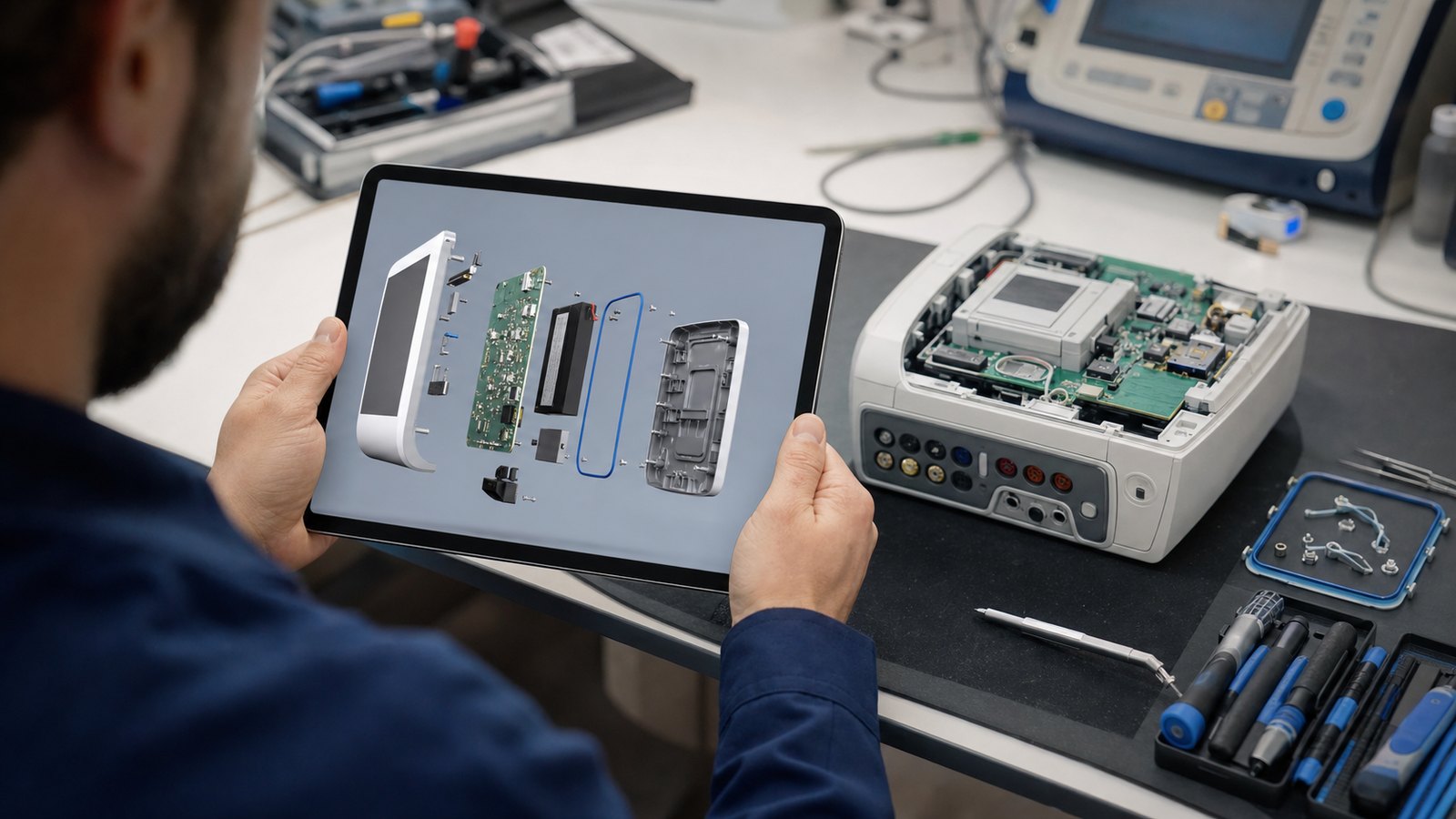
Setup training usually includes more than turning on a device. Learners may need to identify accessories, inspect packaging, connect components, load a disposable, route tubing, select a mode, confirm status, respond to prompts, or prepare the system for storage. The animation should follow the current approved procedure and preserve every safety-relevant dependency.
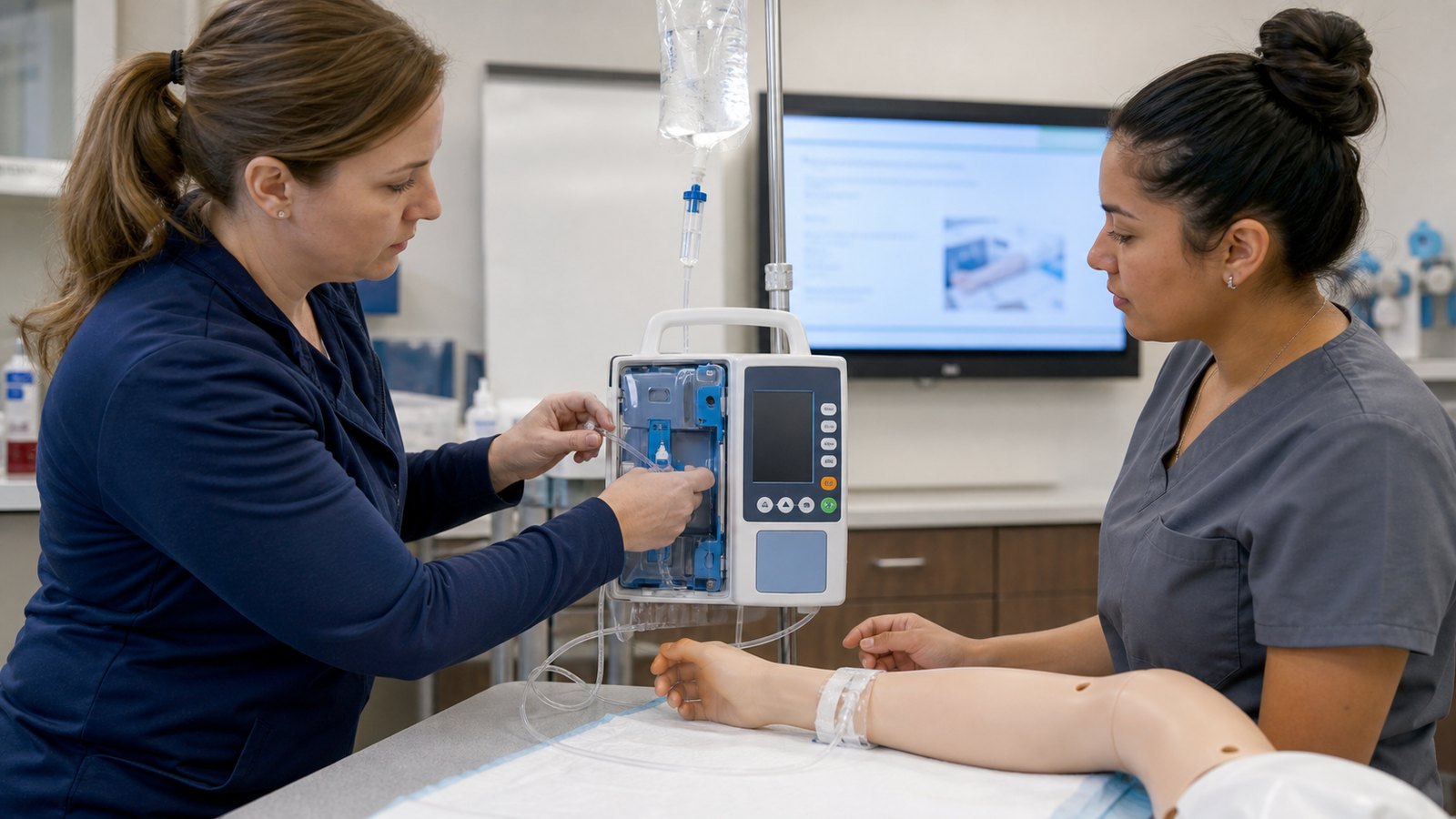
A medical equipment training video can combine 3D animation with filmed hands, a simulation mannequin, screen capture, narration, and on-screen graphics. Live action is useful for grip, posture, room context, and human interaction. Animation is stronger for hidden mechanics, impossible camera positions, clean close-ups, and repeatable visual emphasis.
Do not compress a critical step until the action becomes ambiguous. Time compression works for waiting periods or repeated cycles, but the transition should be clear. When a learner must verify a condition before proceeding, the visual should show the check rather than jump directly to the next state.
Show Anatomy and Clinical Context Carefully
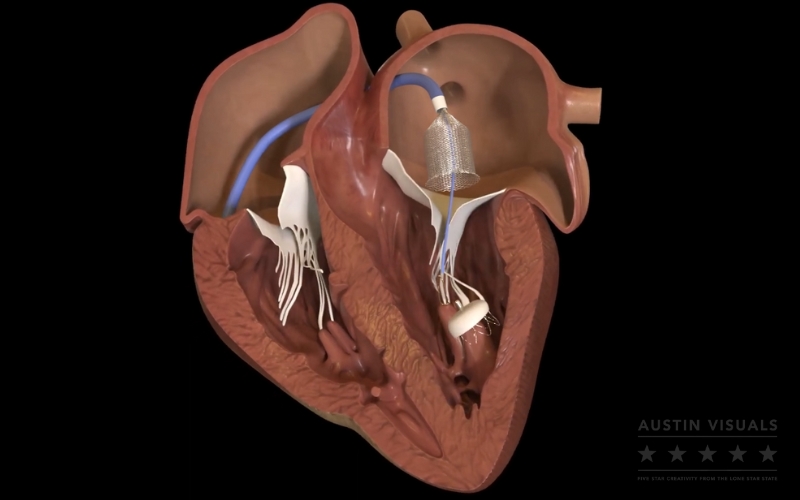
Some devices cannot be understood without anatomy. Catheters, implants, surgical instruments, diagnostic systems, wearables, and delivery devices may require a view of positioning, scale, orientation, tissue relationship, or the path through the body. A clinical education animation can establish that spatial context before an instructor moves into device-specific practice.
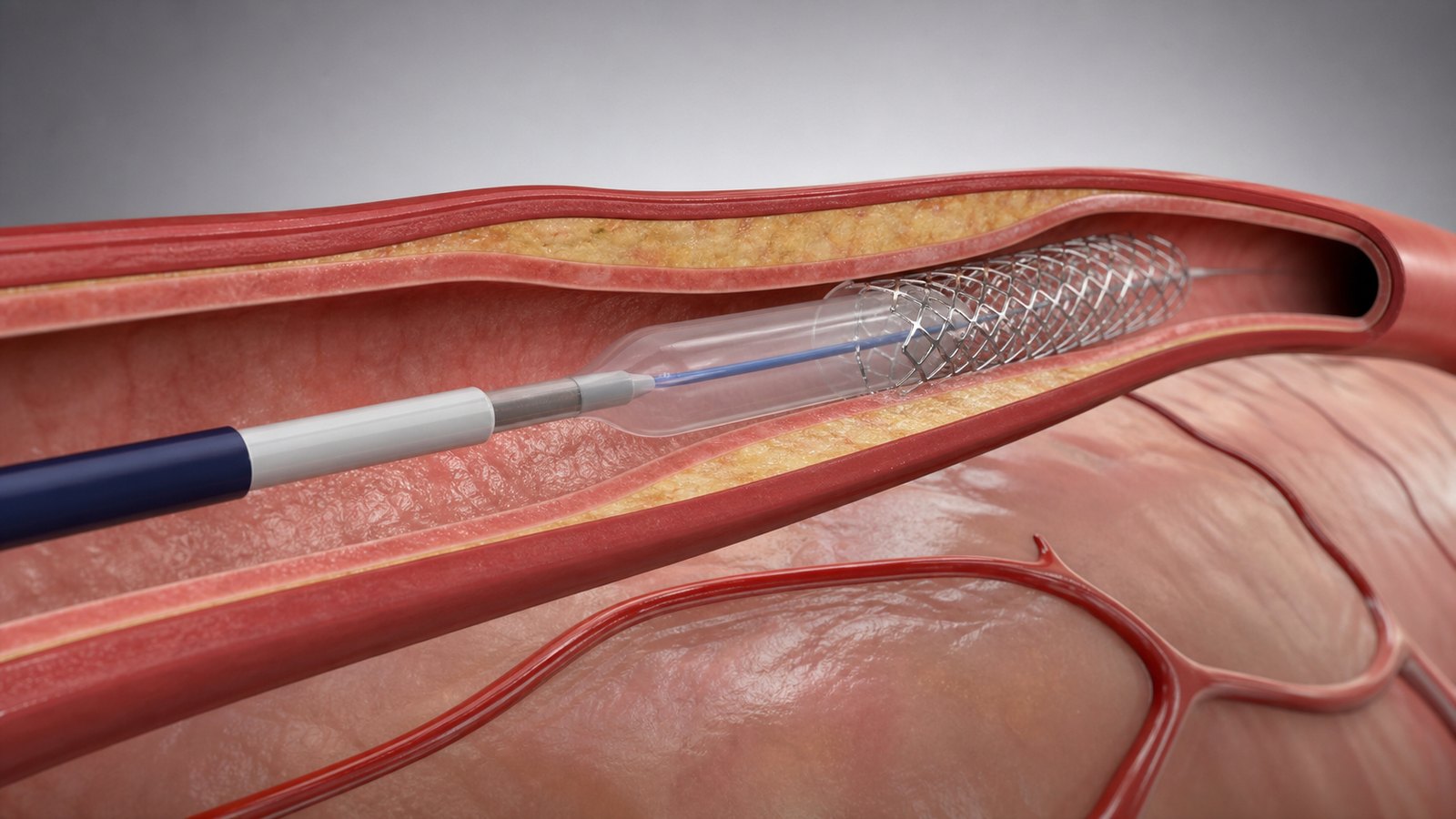
The anatomy should match the intended communication scope. A simplified vessel can be appropriate for orientation, while a procedural module may require more specific geometry, landmarks, and device-to-tissue relationships. Color, transparency, scale changes, and camera movement should be identified as explanatory conventions when they are not literal.
Training teams should avoid inventing anatomy, tissue response, implant behavior, procedural outcomes, or patient benefits. Clinical and regulatory reviewers should approve the sequence, terminology, intended user, indications-related language, and any risk or benefit statements.
Use Animation with IFUs, Labeling, and Human Factors Work
Training animation should support the approved information system around the device. It should not silently replace the instructions for use, labeling, risk controls, hands-on practice, supervision, or competency assessment that apply to the product and audience.
The FDA explains that a medical device user interface includes the elements people interact with during setup, use, and maintenance, as well as packaging, labeling, operating instructions, and training materials. Its human factors considerations focus on intended users, use environments, user interfaces, and use-related risk.
FDA human-factors guidance also notes that changing device design is generally more effective for reducing use-related hazards than relying on labeling or training alone. Animation can clarify approved actions and reinforce recognition, but it should not be used to hide a confusing interface or compensate for an unresolved design problem.
If a training asset is part of the final information supplied to users, the project team should determine how it relates to labeling, human-factors activities, change control, localization, and regulatory review. The correct treatment depends on the device, market, intended audience, claims, and use.
Build from Approved and Traceable Source Material
Accuracy begins with source control. Useful inputs may include current CAD, engineering drawings, bills of materials, product photographs, software screen references, the IFU, service manuals, training plans, risk-management outputs, usability findings, approved claims, clinical references, procedural outlines, and style guidance.
Every source should have an owner and revision. When documents conflict, the production team should log the question rather than choose the most visually convenient answer. A source matrix can connect each script statement and storyboard action to the approved document or subject-matter reviewer behind it.
Confidential files also need controlled handling. The team should agree on access, transfer, storage, reviewer permissions, and what may appear in final public or internal versions. Patient information and real clinical records should not be placed into production assets unless the client has established an appropriate authorized process.
Choose 2D, 3D, Live Action, or a Hybrid Format
The best format follows the learning objective rather than a style trend.
- 3D animation: best for tangible devices, internal mechanisms, exploded views, anatomy, placement, motion, and reusable product assets.
- 2D motion graphics: useful for workflows, software logic, role handoffs, comparisons, simplified concepts, and policy-oriented modules.
- Live action: useful for real handling, communication between people, workspace context, posture, and environmental cues.
- Screen capture: appropriate for software navigation when the recorded interface and revision are controlled.
- Hybrid production: combines filmed context with 3D cutaways, overlays, screen views, and concise graphic summaries.
For internal product training, a hybrid is often efficient. A short live-action introduction can establish the real environment, while animation handles hidden components and exact repeatable views. The same approved device model can later support still images, interactive modules, presentations, and other medical animation videos when the intended use permits.
Design the Animation for LMS and Role-Based Training
A single uninterrupted film is not always the best learning asset. Training teams may need short chapters that fit an LMS, instructor-led course, certification path, launch meeting, service portal, or mobile reference library.
Each chapter should answer one clear question. A product overview can establish the system. Separate modules can cover setup, operation, mechanism, troubleshooting boundaries, cleaning, service, or customer communication. Knowledge checks should test the approved objective rather than trivia about the video.
Internal product training also benefits from version metadata. Record the device model, software version, document revision, release date, market, language, and training owner. Avoid burning changing details into every rendered frame when an overlay or LMS description can be maintained more efficiently.
Localization should be planned before final rendering. Keep narration, captions, labels, and interface callouts editable. Allow room for languages that expand in length, and have qualified reviewers confirm medical and technical terminology in each target language.
Create an Accuracy-First Production Workflow
A reliable project moves from approved information to increasingly detailed visual decisions. The production sequence should make corrections inexpensive early and reserve final rendering for approved content.
- Discovery: define the learner, objective, device version, training environment, distribution method, runtime, languages, and approval team.
- Source review: inventory controlled documents, CAD, image references, claims, risks, and known gaps.
- Script: state the learning sequence, narration, on-screen content, and source for each technical point.
- Storyboard: approve camera views, device states, anatomy, labels, transitions, warnings, and explanatory conventions.
- Asset build: prepare CAD, model missing components, create anatomy or environments, and apply approved materials.
- Animatic: review timing, sequence, emphasis, and comprehension before high-quality rendering.
- Technical review: confirm geometry, operation, clinical context, claims, safety information, and role-specific scope.
- Delivery and change control: release approved masters, LMS chapters, captions, stills, and editable language versions with clear revision records.
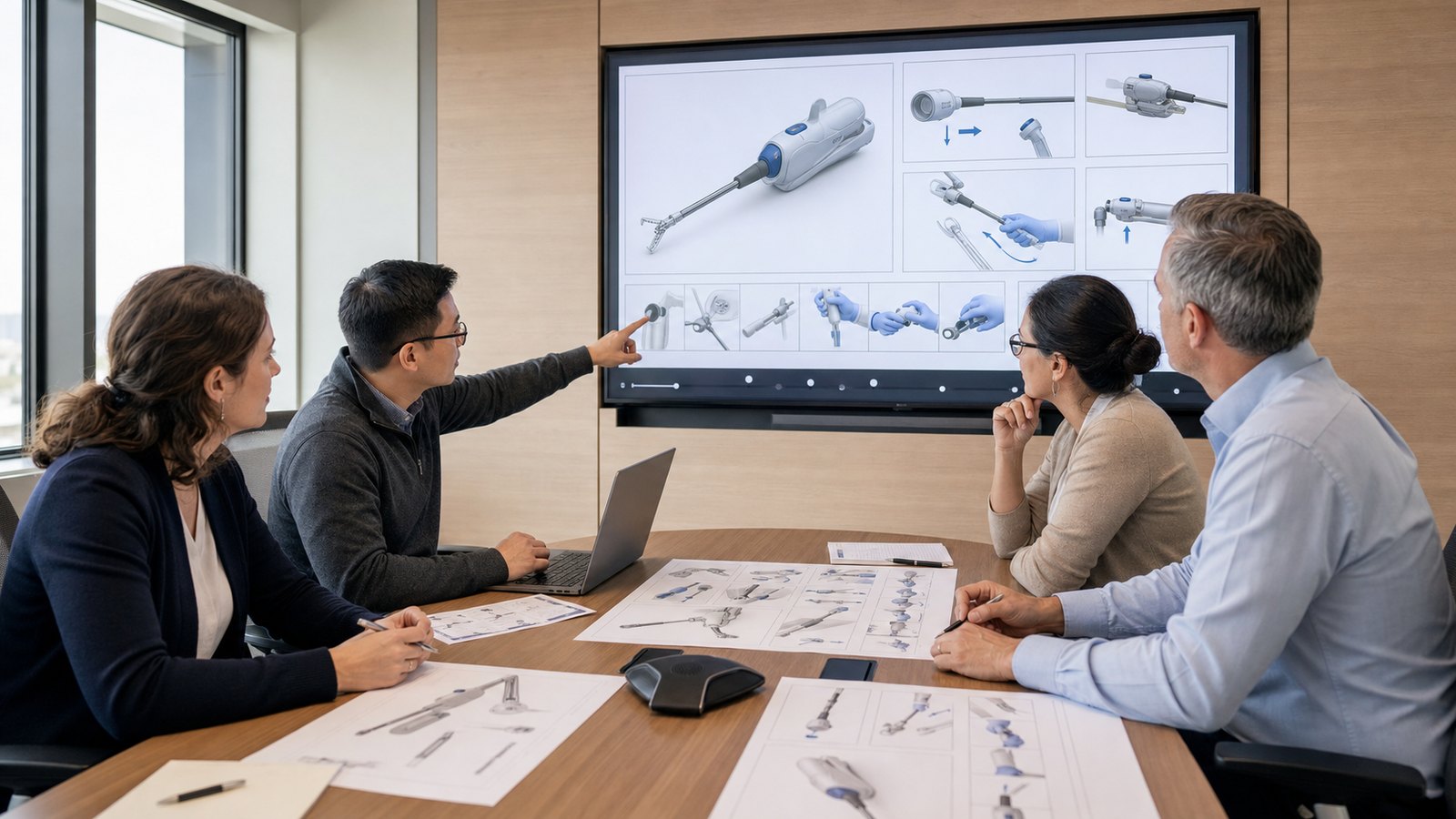
The review team may include a product engineer, clinical specialist, human-factors professional, quality representative, regulatory reviewer, service expert, instructional designer, and brand stakeholder. The exact group depends on the device and training use.
Maintain the Training Asset After Release
Medical device training content can become outdated when hardware, software, accessories, labeling, procedures, claims, or market requirements change. Assign an owner and review trigger before release. A training animation without a maintenance plan can remain visually convincing after its technical basis has changed.
Use the same change-control discipline applied to other controlled training content. Evaluate whether a change affects the script, visual model, device interface, anatomy, warning, translation, assessment, or distribution. Archive superseded versions so learners and administrators can distinguish the current release.
Measure whether the animation supports the intended outcome. Completion rate and view count are not enough. Depending on the role, evaluation may include a knowledge check, teach-back, observed setup, simulated task, service exercise, instructor signoff, or another competency method defined by the organization.
Why Choose Austin Visuals for Medical Device Training Animation?
Austin Visuals helps medical device companies transform complex product information into clear, realistic visual training. Our team can support discovery, script development, storyboarding, CAD preparation, product modeling, anatomical visualization, 2D and 3D animation, voiceover, editing, captions, localization-ready masters, and LMS-friendly delivery.
We build review points into the process so client-designated experts can approve device geometry, component relationships, setup sequence, anatomy, terminology, approved claims, and explanatory conventions before final rendering. That approach keeps creative production aligned with the technical and training purpose.
Existing device assets can also be adapted for specialized modules. Teams focused on procedures can review our work on surgical device training, while commercial teams can use a separate version designed for medical device sales team training. Contact Austin Visuals at (512) 591-8024 or info@austinvisuals.com to discuss your device, audience, source files, review process, and delivery requirements.
Our Clients include:

Conclusion
Medical device explainer animation for training makes hidden mechanisms, controlled setup, clinical context, and role-specific product knowledge easier to understand. Its value depends on clear learning objectives, current source documents, realistic visualization, cross-functional review, and a maintenance plan that keeps the asset aligned with the device.
Build a medical device training asset your teams can review and reuse.
Austin Visuals creates realistic device cutaways, setup animation, anatomical context, service modules, and role-based training visuals with staged technical review.
Call (512) 591-8024 or email info@austinvisuals.com to discuss your project.
Frequently Asked Questions
What is a medical device explainer animation?
A medical device explainer animation is a 2D or 3D visual sequence that shows how a device is structured, prepared, operated, maintained, or used within an approved context. Training versions are organized around a specific learner and objective rather than only product promotion.
How is animation used for medical device training?
Animation is used to reveal hidden mechanisms, demonstrate setup, establish clinical context, standardize product explanations, and create repeatable modules for onboarding, clinical education, sales, service, manufacturing, and quality teams. The content should match each role’s approved scope.
Should medical device training use 2D, 3D, or live action?
The format should follow the learning objective. 3D is strongest for tangible devices, mechanisms, and anatomy; 2D works well for workflows and concepts; live action shows real handling and environment; and a hybrid can combine the strengths of all three.
What files are needed to create a medical device training animation?
Useful files include current CAD, engineering drawings, product photographs, IFUs, service manuals, training plans, approved claims, risk and usability references, software screens, clinical guidance, and a list of authorized reviewers. Each source should include its current revision and owner.
Can animation replace an IFU or hands-on device training?
No, animation should not automatically replace the IFU, labeling, risk controls, supervised practice, or competency assessment. It can clarify approved information and prepare learners for practice, but the organization must define its role within the complete training system.
How long should a medical device training animation be?
A medical device training animation should be only as long as needed to meet one defined objective. Short explainers may run 60 to 90 seconds, while setup or service instruction may work better as several focused chapters instead of one long video.
How long does medical device animation production take?
Production time depends on device complexity, CAD readiness, anatomy, runtime, software views, number of modules, reviewer availability, languages, rendering, and required formats. A dependable schedule can be set after discovery and source review define the scope and approval stages.